

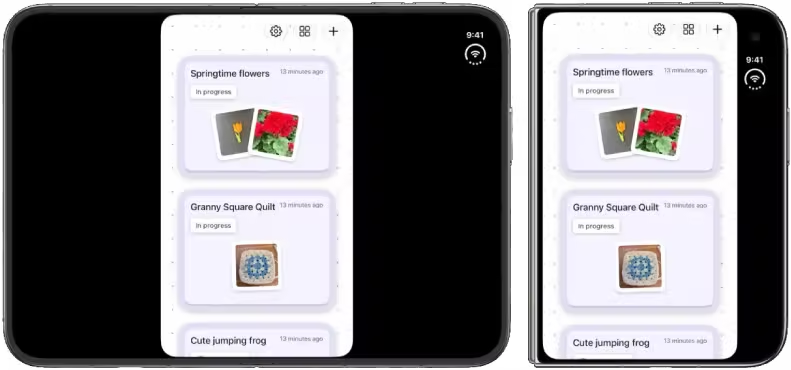
Your app's SDK decides how much of the screen it gets
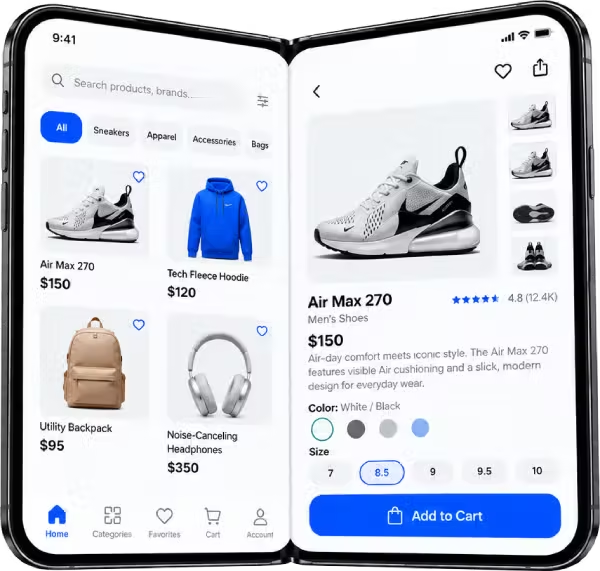
Full display. Built with iOS 27.1, the app reaches every edge and can show a sidebar and two panes on the inner display.
Six things that break or look wrong on a foldable
Your app must look right on the outer and inner displays, in every pose and rotation, and continue seamlessly when the device opens or closes.
The inner display ignores supported orientations. Layouts that check userInterfaceIdiom, orientation or hard-coded widths need to respond to size classes instead.
UIScreen.main is ambiguous on a two-display device and is headed for deprecation. Read bounds from the window scene.
Custom views and bars can collide with the fold or the cameras. The new reserved-region APIs tell you where content must not go.
In some poses, navigation and toolbars lay out vertically. Hand-built bars often don't adapt; sidebars and split views should take over on the inner display.
Opening or rotating can switch the active camera, and iPhone users can now run two apps side by side. Capture flows and asymmetric safe areas need handling.
iPhone Duo adaptation for native and Flutter apps
We rebuild your app against the iOS 27.1 SDK and Xcode 27.1, then fix what the bigger canvas exposes.
- Move layouts to size classes and adaptive containers
- Replace UIScreen.main and fixed-dimension code
- Add sidebar and split-view navigation on the inner display
- Keep custom views clear of the fold with reserved regions
- Pose-aware layouts using the hinge angle
- Camera selection by direction for capture features
SwiftUI · UIKit · Auto Layout · AVFoundation · Xcode Device Hub
Flutter apps need a rebuilt iOS runner plus responsive Dart layouts. We do both, and bridge to native APIs where Flutter doesn't reach yet.
- Rebuild the iOS target on the latest SDK
- Breakpoint-based layouts with LayoutBuilder and MediaQuery
- Master-detail and two-pane screens for the inner display
- Platform channels for hinge angle and fold regions
- One codebase that still behaves well on Android foldables
Flutter · Dart · BLoC · Platform channels · Swift interop
From letterboxed to "Made for iPhone Duo"
Audit
We run your current build on the iPhone Duo simulator in every pose and list what breaks, by screen and by severity.
Adapt
SDK upgrade, size-class layouts, navigation and safe-area fixes. Your app fills both displays correctly.
Enhance
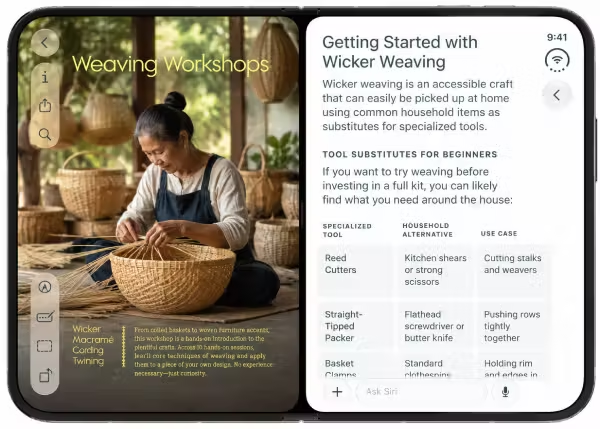
Optional extras that make it shine: two-pane views, pose-specific layouts, content on both displays at once.
Ship
Regression testing across iPhone models, TestFlight builds and App Store submission support.
Tick what's already true for your app. Anything left unticked is work we can take off your plate.
We have clients from all over the world, including US, UK, Australia, Middle East, Canada and India
We have integrated numerous complete web & mobile app for our clients across the globe.
We as an organization believe that client satisfaction begins from requirements definition phase to design, feedback cycle and golive.
We operate on all the top technology stacks such as .NET Core, MERN, MEAN, React Native, Swift, Java and many more.