As Shopify adoption is accelerating on a global level, scaling operations needs more than just adding new tools. So, here, in this guide, we’ll provide a step-by-step roadmap to implement Shopify integration effectively to help commerce leaders align their ERP, CRM, payments, and logistics systems for sustainable growth.
Here’s what you will learn:
What limits scaling a Shopify business? Now, some will answer the demand. But that is not true. The actual answer is system alignment.
If you think scalability means adding new tools, then you’re lacking somewhere, because it’s achieved through connected systems. That’s why Shopify integration helps in operational continuity, data accuracy, and infrastructure readiness for long-term growth.
In the initial phases of a Shopify store, one can execute a few manual operations easily. Nevertheless, these small operational gaps evolve into expensive problems that decrease sales, lead to customer dissatisfaction, and slow down team performance as the business increases.
You must have your systems fully integrated in order to scale without systemic failures.
Once Shopify links directly with your ERP, finance, and shipping systems, information moves between them without manual work. There’s no need to copy and paste data or check mismatched spreadsheets. That frees up your team to work on better processes and business growth.
Real-Time Inventory Synchronization
Once a detailed and up-to-date inventory is maintained in all locations and platforms, there is automatic elimination of order problems. Real-time synchronization eradicates mistakes and protects profit margins, as well as fosters greater customer trust.
Customer Data Centralization
Effective Shopify CRM integration will ensure that all teams, such as marketing, sales, and support, are provided with the same data about the customers. Thus, there will be no gaps, no confusion. Resco’s survey of 1,940 professionals found that 74% of businesses gained better access to customer information, and 64% experienced stronger customer relationships after adopting a CRM.
Multi-Channel Selling Enablement
When your systems are connected, pricing, order status, and inventory stay updated everywhere: on your D2C store, marketplaces, and global channels. This helps you grow without creating any extra operational pressure.
When your Shopify business expands, it becomes difficult to manage different tools and processes. Shopify Integration brings everything into sync, helping you stay in control and avoid confusion.
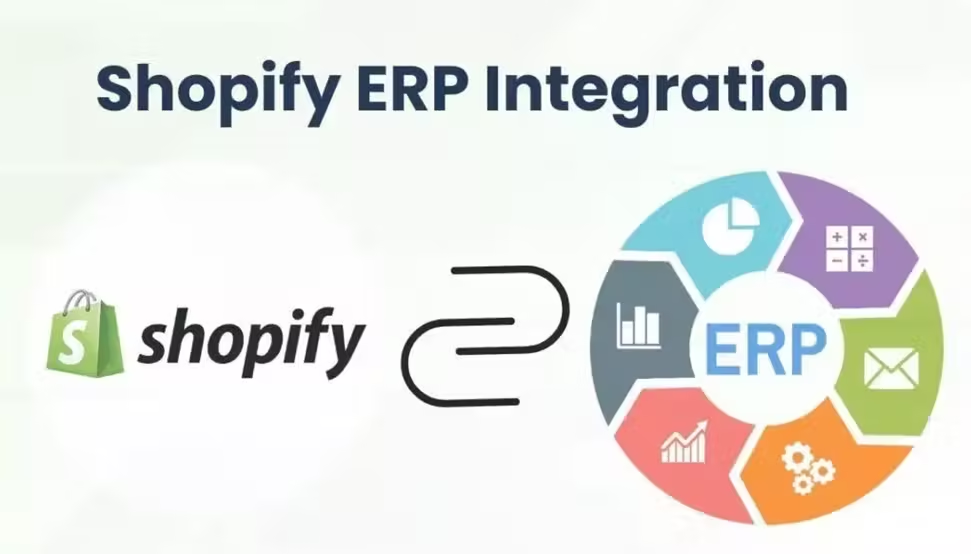
Shopify ERP integration connects your store to platforms like SAP or NetSuite to be sure that inventory, purchasing, and financial data are correct and up-to-date at all times. The stock level is automatically updated, the actual and real demand is reflected in the purchase orders, and finally, financial reporting becomes more accurate. This is particularly useful to brands with multiple warehouses.
With CRM platforms such as Salesforce and HubSpot, you can see what customers have bought and how they’ve interacted with your business before. That way, your team can send more relevant campaigns instead of one generic marketing email to all.
Payment Gateway Integration
Your store accepts secure and multi-currency payments and subscription management, with Stripe, PayPal, and other payment gateways. Quick and easy checkout helps to get more people to complete their purchases.
Shipping & Logistics Integration
ShipStation and similar tools connect your store to carriers so shipping is handled smoothly. Orders, labels, and tracking are all done automatically. Minimal delays and mix-ups, and you spend less time worrying about headaches in shipping.
Marketing Automation Integration
When combined with tools like Klaviyo, your store will start to target customers according to their behavior. Messaging can be more personalized, and people are much more likely to repeat purchases and go back to the store.
The right approach to Shopify integration totally depends on scale, internal capability, and the long-term growth plans you have. It is not mandatory that every business needs a complex build from the first day. The only key exists in aligning the method with operational maturity.
These native marketplace applications can be used to connect your store to services such as marketing tools, accounting, and shipping partners.
Pros: Fast setup, Low upfront cost, No coding required
Cons: Limited customization, Performance impact from multiple, apps, Reliance on third-party systems
Built using Shopify’s REST or GraphQL APIs to connect systems based on how your business actually works.
Pros: Full flexibility, Better performance, Scalable architecture
Cons: Higher development cost, Longer timelines, Ongoing technical maintenance
Platforms such as Zapier or Celigo act like middle layers that pass information between Shopify and external systems.
Pros: Faster deployment, Wide compatibility,
Low-code management
Cons: Recurring subscription costs, Potential sync delays, Limited depth for complex logic.
In order to handle large-scale operations, Shopify can be integrated with ERP software like SAP, NetSuite, or Microsoft Dynamics.
Pros: Unified data across finance, Supply chain, Operations
Cons: Significant investment, Longer implementation cycles
The actual meaning of successful integration is not just technical execution, but it also requires operational planning. A rollout that is well-organized minimizes confusion and protects data.
Lack of integration failures is hardly caused by poor technology. They happen because planning is rushed. The following mistakes repeatedly surface in scaling environments.
Choosing Low-Quality Apps
Choosing applications based on ratings and even costs tends to result in performance problems and undesirable cost escalation.
What to do instead: Assess long-term reliability. Monitor update frequency, observe reviews of third parties, and test under load prior to full deployment.
Shopify has API rate limits. Overloading endpoints when traffic peaks may cause sync errors and 429 errors.
What to do instead: The implementation of retry logic, background job queueing, and tracing of API usage needs to be implemented in order to stay within safe limits.
Incorrect field alignment between Shopify and an ERP or a CRM system results in silent discrepancies, including SKU errors, duplicate entries, and wrong financial reports.
What to do instead: Prior to development, a detailed mapping document should be produced and authenticated using actual instances of the transaction.
Not Planning for Scalability
A 1,000-monthly-orders integration could not handle 5,000 orders in practice. Such rapid growth exposes the architectural vulnerability very quickly.
What to do instead: Design based on projected volume and not the existing volume.
Unprotected API keys or misconfigured permissions increase the susceptibility to breaches.
What to do instead: Use secure authentication, change keys periodically, and implement role-based access control.
These pitfalls should be avoided so that integration will enhance your infrastructure instead of sabotaging it.
When integration is handled casually, problems show up later, in inventory gaps, delayed reports, or teams working from different data sets. That’s why a structured approach matters.
Practical Shopify Experience
We have done integrations with ERPs, CRMs, accounting tools, shipping systems, and custom APIs.
Solutions Built Around Your Workflow
Instead of forcing a ready-made connector, we study how your orders move, how inventory is managed, and how finance closes the loop. The integration is then shaped around that structure.
Clean Data, Fewer Surprises
We focus heavily on data mapping, testing, and validation before anything goes live, so issues don’t show up later.
What worked at 500 orders a month might not work at 5,000. We consider growth, peak traffic, and complexity of operation at the beginning.
Ongoing Technical Support
Once deployed, we keep an eye on how things are running, check your workflows, and make sure your systems keep up as your business grows.
The decisions about integration ought to be directed by the trajectory of the business and not by the popular trends.
In cases where business processes depend on proprietary workflows, e.g., advanced inventory allocation, third-party pricing feeds, or highly regulated ERP logic, API integration customization provides the needed level of control and scalability. This method fits best in the large-volume businesses that need accuracy and flexibility over time.
The middleware would be beneficial in cases where agility is of the essence. For growing brands with the need to integrate Shopify with various applications in a relatively short time, it offers a feasible workaround alternative without the need to heavily invest in development.
To sum it up, growing on Shopify is not only about getting more visitors or adding products. The integration turns out to be the mechanism that maintains the stable functioning of a store as it develops and grows. When the ERP, CRM, payment, shipping, and marketing systems work together, teams are kept aligned, manual labor is reduced, and the decisions become clear.
The next actions should be based on practicality. Create a set of specific goals and choose the type of Shopify integration that would be suitable at the current stage, with all the elements being properly tested before scaling. When activated, continuously monitor performance. Growth does not seem chaotic when systems stay connected with each other.
Often, the real difference between smooth operations and constant confusion is how well everything is implemented.
If you’re planning major changes or reviewing your systems, the right guidance can really help you avoid costly delays and mistakes.
Need expert Shopify Integration Services? Connect with our integration specialists today.