

Development and operations used to be separate jobs. Developers wrote code and handed it over; system administrators deployed it and kept the servers running. That hand-off held up when releases happened twice a year. It breaks when a product ships every week, because each release waits in a queue and every fault turns into a debate about whose side caused it.
DevOps closes that gap by giving one team shared ownership of building, releasing and running software, backed by automation. The harder question for a growing business is timing. Start too early and you pay for tooling and process a five-person team does not need. Start too late and every release becomes a risk that only one person knows how to manage.
This guide answers the timing question first, then explains what DevOps engineers do, what to look for when hiring one and how to plan a rollout that fits a small or mid-sized company.
Is Your Business Ready for DevOps?
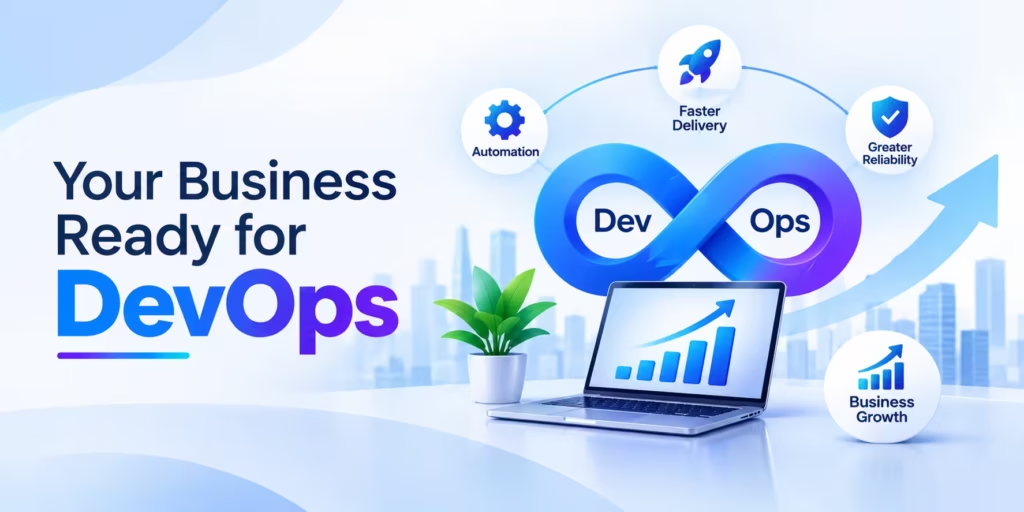
Most SMEs should implement DevOps once they release software more than once a month, manage more than one environment, or rely on one person to deploy. Start small with version control, automated testing and a single pipeline, then add infrastructure as code and monitoring as the product grows. Cloud Converge sizes each rollout to the team’s current stage.
- What it is: DevOps implementation is the planned move from manual, hand-off releases to shared ownership and automated build, test and deploy steps.
- Who it suits: UK and European SMEs of roughly 10 to 250 staff that build or customise their own software, SaaS products or ecommerce platforms.
- What is included: a baseline of current delivery, a CI/CD pipeline, infrastructure as code, monitoring and alerting, and a handover plan for your team.
- How we work: fixed price, dedicated team, agile or hourly engagement, chosen to suit scope and budget.
- Proof: ISO 27001 and ISO 9001:2015 certified; AWS partner and Microsoft Solutions Partner; 70+ customers and 100+ projects delivered.
- Region note: UK software suppliers can check their practices against the voluntary Software Security Code of Practice, published by DSIT and the NCSC on 7 May 2025.
How it works
- Measure how long a change takes to reach production today, and how often releases fail.
- Pick one product or service as the pilot rather than changing everything at once.
- Put code, configuration and infrastructure definitions under version control.
- Build a pipeline that tests every change automatically and deploys the same way each time.
- Add monitoring and alerts that developers and operators both watch.
- Review the numbers after each phase, then extend the approach to the next product.
DevOps Defined in Plain Terms
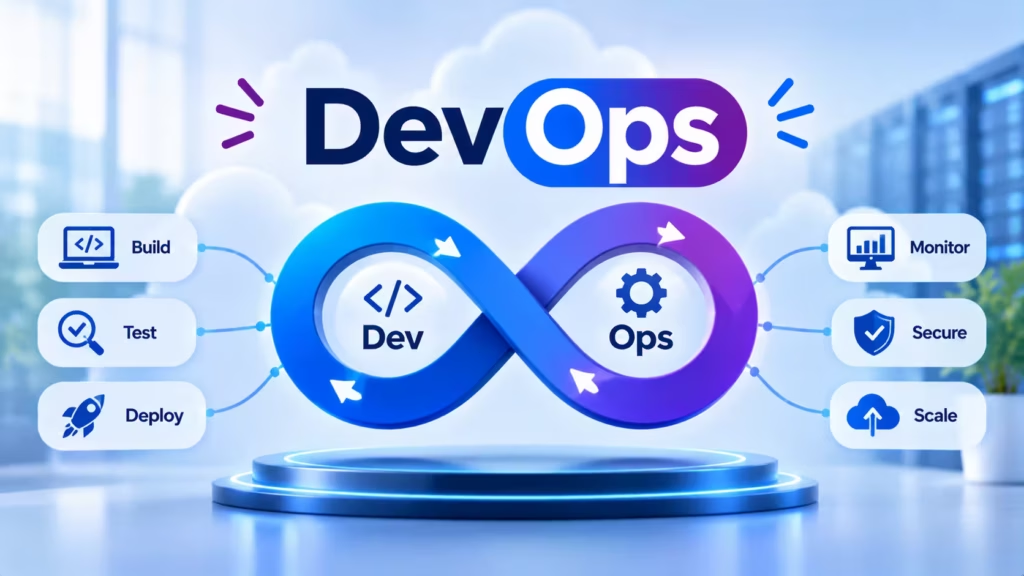
DevOps is a way of working in which the people who build software and the people who run it share responsibility for both, using automation to make releases frequent, small and reversible. The word joins “development” and “operations”. Patrick Debois popularised it when he organised the first DevOpsDays event in Ghent in 2009.
It is a set of practices and habits rather than a product. The practices most teams adopt are version control for everything, continuous integration (merging and testing code several times a day), continuous delivery (keeping code in a releasable state), infrastructure as code, and monitoring that developers and operators both watch.
Three outcomes justify the effort:
- Faster, safer releases. Automated build and test steps catch faults before customers do and small changes are easier to roll back.
- Quicker response to customers. A change request can reach production in days instead of waiting for the next quarterly release.
- Fewer hand-offs. When developers and operators share goals and dashboards, incidents get fixed instead of argued over.
None of this comes from buying tools alone. A team that automates a broken process simply gets the broken result faster, so working habits matter as much as the pipeline.
Separate Teams or a Shared Pipeline: Two Operating Models Compared
The traditional model still works for software that changes rarely; the DevOps model pays off once releases become frequent or the business depends on uptime.
| Criteria | Traditional (separate dev and ops) | DevOps (shared ownership) |
| Release rhythm | Planned, larger releases every few weeks or months | Small changes released when ready, often weekly or daily |
| How code reaches production | Manual hand-off; an administrator follows a runbook | Automated pipeline that builds, tests and deploys identically every time |
| Server and environment setup | Configured by hand, often undocumented | Defined as code, versioned and repeatable |
| Testing | Concentrated near the end of a release cycle | Automated tests run on every change |
| Handling a failed release | Root cause hunted across teams; rollback is slow | Small change reverted or fixed quickly; recovery time tracked |
| Who is on call | Operations team alone | Developers and operators share the rota |
| Upfront effort | Low; little tooling needed | Higher at first: pipeline, scripts and training |
Where each fits. Keep the traditional model for a stable internal system that changes a few times a year and faces no uptime pressure; a full pipeline would not pay back its setup cost. Move toward DevOps when customers feel your release speed, when outages cost revenue, or when a second developer joins and changes start to collide. Many SMEs run both for a while, automating the busiest product first.
What Is a DevOps Engineer?
DevOps engineers are essential to any IT department helping quickly create efficient and user-friendly systems.
Hiring one can bring many benefits to any business:
- Allow businesses to better integrate their IT systems and make them more user-friendly
- Assist companies in making IT systems easier on end users
- Accelerate developer release times by streamlining development processes
- Implement DevOps tools that help enhance the quality of their work.
- Automate repetitive internal processes
- Guide in designing cybersecurity systems
- Adopt DevOps practices like Continuous Integration/ Continuous Delivery (CI/CD).
Atlassian’s 2020 DevOps Trends report also revealed this fact, showing that:
- 61% of businesses that implemented DevOps believe it helped produce “higher-quality deliverables.”
- 49% of firms that implemented DevOps believe it improved deployment frequency
- 98% of surveyed companies feel DevOps “had a positive impact.”
Signs Your Company Has a Real Need for DevOps
Timing is easier to judge from symptoms than from headcount. If three or more of these sound familiar, the need for DevOps adoption is already costing you money:
- One person can deploy. When they are on holiday, releases stop.
- Releases are scheduled around fear. Teams avoid Friday deploys or batch changes for weeks because each release feels risky.
- “It works on my machine.” Code behaves differently in testing and production because environments were set up by hand.
- Customers find bugs first. Faults surface through support tickets rather than automated tests or alerts.
- Cloud bills rise for no clear reason. Nobody can say which servers exist or why.
- Onboarding drags. A new developer needs days of help just to run the product locally.
- Security questions go unanswered. A customer or auditor asks how you secure your software, and the honest reply is a set of habits rather than a documented process.
Matching DevOps Investment to Your Growth Stage
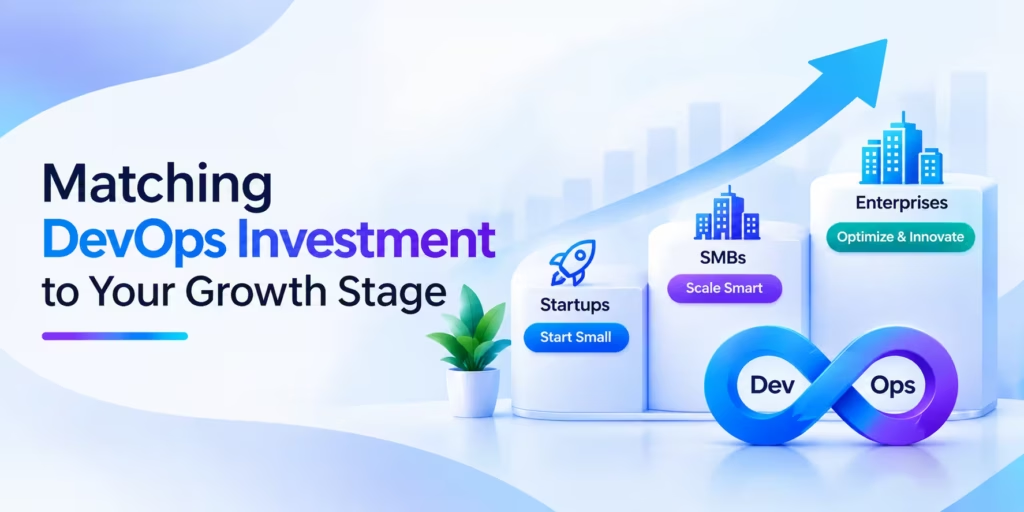
The right scope changes as the company grows. Spending ahead of the stage wastes runway; spending behind it piles up risk.
- Prototype or pre-launch (one to three developers). Use Git, a hosted pipeline that runs tests on every commit, and one scripted deployment. Skip Kubernetes.
- First paying customers. Add a separate staging environment, basic uptime and error monitoring, automated backups and a written rollback step.
- Growing team (roughly five to twenty developers). Bring in infrastructure as code, secrets management, security scanning in the pipeline and a shared on-call rota. This is usually when a dedicated DevOps engineer, or an external partner, earns their cost.
- Several products or regulated customers. Standardise pipelines across products, track delivery metrics per service, and document controls for audits and customer security questionnaires.
These bands are a guide, not a rule. A five-person team selling to banks may need stage-four controls on day one.
Where DevOps Engineers Fit in the Delivery Cycle
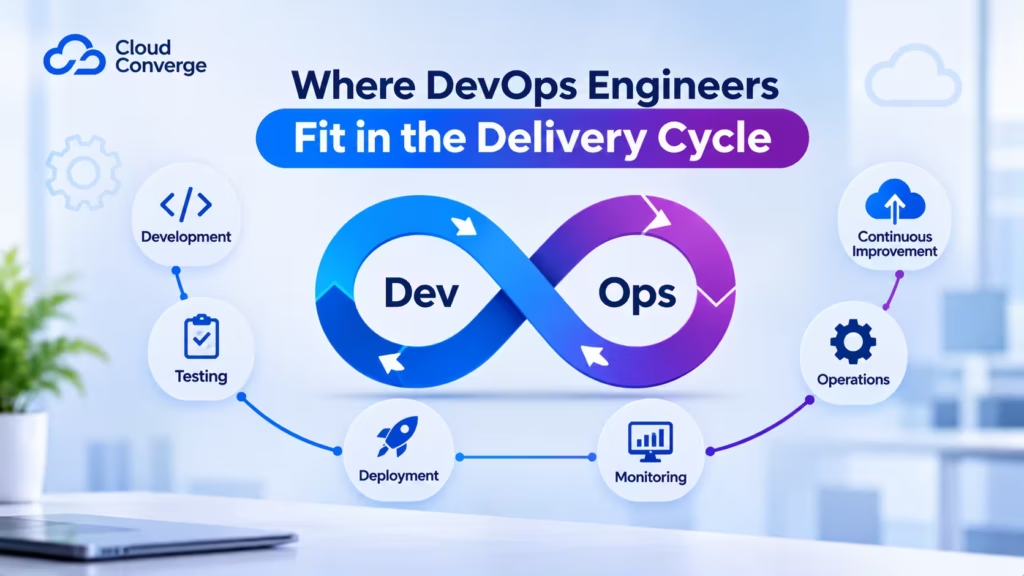
Every software product moves through the same broad stages, known as the software development life cycle (SDLC):
- Planning: agreeing scope, priorities and constraints.
- Analysis: turning business needs into requirements.
- Design: choosing the architecture and how components talk to each other.
- Implementation: writing the code.
- Testing: finding and fixing defects.
- Deployment and maintenance: releasing the system and keeping it healthy.
Under Waterfall, a project passes through these stages once, in order and operations staff meet the code only at stage six. Agile shortens the loop to sprints of one to four weeks. DevOps goes further and turns the cycle into a continuous loop: plan, code, build, test, release, deploy, operate, monitor, then feed what was learned back into planning.
A DevOps engineer owns the machinery that keeps that loop turning. In practice that means two pipelines: continuous integration, where every code change is merged, built and tested automatically and continuous delivery, where tested code is packaged and ready to release at any time. Some teams add continuous deployment, which pushes every passing change to production with no manual approval.
What Are The Responsibilities of A DevOps Engineer?
Every DevOps engineer works differently as each developer takes on different projects for companies with various DevOps approaches. However, all DevOps engineers share certain core responsibilities, which could include:
Project Management
DevOps engineers often oversee multiple IT projects simultaneously. In practice, this means scheduling and running meetings, setting deadlines, checking in with team members, delegating work to other team members, evaluating it all over again as part of the assessment, and coaching teammates as they make project decisions.
DevOps engineers work collaboratively with users, management, and developers when designing systems.
Managing System Security
DevOps engineers help organizations enhance the security of their IT infrastructures by designing cyber-safe systems, updates, and practices. While all DevOps engineers make security part of their daily work, some (called SecDevOps engineers ) specialize exclusively in system security.
Improving IT Infrastructure
DevOps engineers work to improve weak points in IT infrastructure. For instance, they might create solutions to help developers work quicker, identify program flaws more quickly, or design updates based on user feedback.
DevOps engineers who take an iterative and continuous delivery (CI/CD) approach consistently make small tweaks and improvements to IT infrastructure.
Automating Repetitive Tasks
DevOps engineers minimize the time-consuming, repetitive tasks of developing or updating systems or software applications. For instance, DevOps engineers could create software plugins to assist developers in coding faster with fewer errors.
Note that DevOps engineers don’t seek to automate developers out of employment; rather, they seek to enhance developer efficiency through easier and quicker development solutions.
Performance Benchmarking and Testing
DevOps engineers keep an eye on IT infrastructure through benchmark testing. Benchmark testing helps identify inefficiency within the system and anticipate any potential problems before they arise.
DevOps engineers typically select their benchmark tests based on organization and project requirements; however, many utilize tests that conform to seven benchmarking principles inclusive:
- Relevance
- Representativeness
- Equity
- Repeatability
- Cost Effectiveness
- Scalability
- Transparency
Optimizing Release Cycles
They use various strategies to speed up this process, such as clearing away time drains, prioritizing key components of every release, or adding new software or tools.
Monitoring and Reporting Errors
Finally, DevOps engineers continually monitor software and systems to quickly address errors within them. Their main focus is reducing the Time To Detect TTD) before the error can be addressed with its fix (i.e., Time To Minimize or TTM). While some DevOps engineers resolve system errors directly, others leave this task up to full-stack developers.
Who Can Become A DevOps Engineer?
DevOps engineers need to have an innate ability to decode customer requirements. Furthermore, they must produce software and services which satisfy those specifications in a usable and testable form. Since development takes place collaboratively across teams and cultures, you will also require leadership and management abilities and keeping their cool under pressure.
How Long Does It Take to Become A DevOps engineer?
On average, assuming that you possess basic Linux admin and networking knowledge, it should take six months and follow the learning path below. Of course, the length of time will depend upon several factors, including your mindset, current skill set level, and career position.
That said, an abundance of free tools and resources available can assist in your journey to becoming a DevOps engineer. Some professional DevOps engineering sites even provide free or reduced exams to help demonstrate your potential and grow. Let’s dive deeper into becoming a DevOps engineer starting with the tools and skills needed for the role.
What Are the Skill Requirements to Become A DevOps Engineer?
Because DevOps engineers take on various roles within an organization, requiring many distinct skill sets to become one. In this section, we’ll take a look at some essential ones.
CI/CD Servers and Pipeline Services
Familiarity with at least one continuous integration and delivery tool is the baseline for the role. The common choices fall into two groups.
- Hosted pipeline services such as GitHub Actions, GitLab CI/CD and Bitbucket Pipelines live inside the code repository, define pipelines in a YAML file and need no server to maintain. Most small teams start here.
- Self-managed automation servers such as Jenkins give full control and a large plugin library, at the cost of patching and running the server yourself. Atlassian Bamboo, a commercial product, fits teams already standardised on Jira and Bitbucket.
Candidates who understand the concepts (stages, artefacts, caching, environment promotion) move between these tools quickly, so test for the ideas rather than one product name.
Experience With Version Control Systems
Experience with Version Control Systems As a DevOps engineer, you must also gain experience using Version Control Systems (VCS). These tools enable developers and DevOps engineers to track updates to their source code repository while helping resolve conflicts when multiple people add code simultaneously.
As a software developer, you are likely familiar with using popular version control systems (VCSs), such as Git. Git is an open-source and free tool that integrates seamlessly with repository hosting tools such as GitHub and Bitbucket.
Experience With Repository Hosting Tools
As part of a development team, as a DevOps engineer, you should be familiar with using repository hosting tools as part of the software development process. Repository hosting tools enable developers to access prewritten code, speeding up software development processes.
Becoming acquainted with three essential hosting tools as a DevOps engineer would be best. These are:
- GitHub
GitHub is a cloud hosting service used by over 65 million developers, 3+ million organizations, and 72% of Fortune 500 companies worldwide. Established in 2008 and offering both free and paid versions, Microsoft currently owns GitHub.
- GitLab
GitLab, an open-source development environment offering DevOps features such as continuous Integration, security, and project management tools, is a GitHub alternative with free and paid plans that integrate with Git. Although similar in name, there’s no affiliation between the two products.
- Atlassian Bitbucket
BitBucket is a hosting service tailored for development teams that integrate with Git and project management tools like Jira and Trello. If your team consists of five members or less, the free plan of BitBucket makes this hosting solution available to them.
Experience With Configuration Management Tools
It would be best if you also were well-versed in configuration management tools as a DevOps engineer. These help IT professionals consistently configure system elements and shorten development cycles when deploying new systems.
DevOps engineers generally employ two configuration management tools. These tools include:
- Puppet
Puppet predates DevOps; Puppet Labs Limited released it back in 2005. Even today, it remains one of the best configuration management tools, as developers can set their desired state and have Puppet automatically configure their system into that state.
- Chef
Chef is another open-source configuration management tool built around its central “Chef Server.” This component oversees and manages Chef Workstations and Nodes across the network; similarly to Puppet, Chef allows developers to define desired states via “Cookbooks.” Facebook, IBM, and Rakuten all utilize Chef.
Experience With Monitoring Software
Monitoring is a critical element of DevOps engineering work. Engineers should become acquainted with monitoring software to detect any potential issues within an infrastructure. Monitoring allows DevOps engineers to monitor any potential threats or challenges within an infrastructure and keep tabs on it for potential issues that might arise.
Every organization takes its approach to monitoring, but you may use monitoring tools such as:
- Nagios
Nagios is an open-source DevOps tool first released in 2002, designed to monitor infrastructure in the background and alert you if a problem arises. Over 9,000 customers currently utilize Nagios for server and application monitoring purposes.
- Raygun
Raygun is an app monitoring solution used by brands such as Coca-Cola, Target, Microsoft, and Avis – among many others – for real-time app and website monitoring services. Raygun tracks deployments, customer experience metrics such as errors and crashes, and how users interact with the system.
- Scripting and Programming Languages
A DevOps engineer writes code every day, though rarely application features. Most of it automates builds, deployments and infrastructure.
- Shell scripting (Bash, PowerShell) for glue tasks on Linux and Windows servers.
- Python for automation scripts, internal tooling and cloud SDK work.
- Go, the language behind Docker, Kubernetes and Terraform, which helps when extending or debugging those tools.
- YAML and HCL, the configuration formats used by pipelines, Kubernetes manifests and Terraform.
Knowing the language the product itself is written in (Java, C#, JavaScript or PHP, for example) helps the engineer read build failures and talk to developers on equal terms. HTML and CSS, by contrast, are markup and styling languages and add little to this role.
Containers and Orchestration
Containers package an application with its libraries and settings so it runs the same way on a laptop, a test server and production.
- Docker is the toolset most teams meet first for building and running containers. Images are defined in a Dockerfile and stored in a registry such as Docker Hub, Amazon ECR or GitHub Container Registry.
- Kubernetes (often written K8s) schedules containers across a group of servers, restarts failed ones, spreads traffic and rolls out new versions gradually.
For a small product, managed options such as Amazon ECS, Azure Container Apps or Google Cloud Run deliver most of that benefit without running a cluster yourself. A good candidate can explain when each choice is the better fit
Experience With Project Management Tools
As DevOps engineers manage and supervise development projects, you need experience with project development tools before becoming one. Project management tools help people track projects using Gantt charts, checklists, and card-based filing systems:
- Trello: With its board-based project management feature, Trello allows for board creation with lists. Cards can then be moved between these lists using an intuitive user interface. Asana and Trello can often be seen side-by-side regarding project management tools for DevOps projects.
- Atlassian Jira: Jira is a project management tool tailored specifically for IT teams using an Agile or DevOps approach to software development. Using cards and boards, Jira allows tracking each task required in your project while also serving as a collaboration tool, accommodating multiple users simultaneously.
- Atlassian Confluence: Atlassian Confluence is a collaborative workspace tool for small teams to share work and organize projects via calendar or timeline management. Some teams use both Jira and Confluence simultaneously.
Experience with Public Cloud Services
DevOps engineers often work on cloud-based projects, so they must become acquainted with public cloud services before embarking on this career path. Public cloud services allow organizations to share networks, storage, and hardware via the Internet. These cloud computing services allow their infrastructure to be easily accessed.
Three of the most widely utilized public cloud services include:
- Microsoft Azure
- Google Cloud Platform
- Amazon Web Services (AWS).
Customer-Facing Skills
DevOps developers who interact with system users require excellent customer service skills for success in DevOps development. Specifically, active listening abilities, communication abilities, conflict resolution skills, and an aptitude for understanding users’ needs must all be demonstrated to thrive within this framework.
Collaborative Management Skills
As DevOps engineers frequently collaborate in small teams, you will require strong collaborative management skills. In particular, you must excel at giving constructive feedback, accepting it when given to you, brainstorming in groups, and working toward common goals.
Secrets, Access and Pipeline Security
The build pipeline holds the keys to production, which makes it an attractive target. A DevOps engineer should know how to:
- keep passwords, API keys and certificates in a secrets manager (AWS Secrets Manager, Azure Key Vault or HashiCorp Vault) instead of in code;
- give each pipeline and person the least access they need, and review it regularly;
- scan dependencies and container images for known vulnerabilities in every build;
- keep an audit trail of who changed what, and when.
The UK National Cyber Security Centre lists securing the build and deployment pipeline among its secure development principles, which makes this a sensible interview topic for any company that ships software.
What to Consider When Hiring A DevOps Engineer?
So far, this article has focused on those pursuing DevOps engineering careers as individuals. Still, if employers want to hire one themselves, some essential skills and attributes set great DevOps engineers apart.
These include hard skills such as scripting or programming languages knowledge and soft skills like communication. When hiring DevOps engineers, it’s important to recognize what makes a great DevOps engineer. Keeping these in mind can make sure a new hire has the necessary capabilities that match those sought out by employers looking for them before.
An understanding of the agile methodology and SDLC. Also an appreciation of containerization and automation concepts and expertise in cybersecurity. Experience with version control systems, repository hosting tools, configuration management systems, containerization tools, and automation tools is desirable.
Experience with monitoring, planning, and designing development projects
A potential developer that has experience using any of the following tools could also have what it takes to be an exceptional DevOps engineer:
- Bamboo
- Jenkins
- Git
- GitHub
- BitBucket
- Puppet
- Chef
- Nagios
- Raygun
- Docker
- Kubernetes
- Trello
- Atlassian Jira
- Atlassian Confluence.
People Skills Worth Testing in Interview
- Running work across teams: chairing short meetings, setting deadlines and handing tasks to the right person.
- Collaboration: sharing ownership of incidents rather than passing blame.
- Calm under pressure: staying methodical during an outage and writing up what was learned afterwards.
- Taking feedback: adjusting a pipeline or process when developers say it slows them down.
- Explaining trade-offs: describing a technical choice in terms a finance lead or founder can act on.
Ask for a specific example of each. A candidate who walks you through a real post-incident review will usually be more useful than one who recites tools.
Career Paths Into DevOps Work
DevOps is still a young discipline, so most practitioners arrive from neighbouring roles. System administrators bring server and networking knowledge; software developers bring coding habits and an eye for build problems; IT support and infrastructure staff bring operational discipline. A degree in computer science, IT, information systems, software engineering or systems engineering is common but not essential. Hands-on evidence, such as a pipeline the candidate built or a cloud certification earned, often says more.
Hire, Outsource or Blend: Staffing Options for SMEs
Hiring one full-time DevOps engineer is the default answer, and often the wrong first step for a small company. A single hire becomes the new bottleneck, and their skills may not cover cloud, security and pipelines equally. Three models are worth comparing:
- In-house hire. Best when the product is core to the business, release volume is high and you can offer the person interesting work for years. Budget for a long search and for cover when they are away.
- External partner. Suits a defined project, such as building the first pipeline or moving to infrastructure as code, with your developers trained to run it afterwards. Agree up front who owns the code, the cloud accounts and the documentation.
- A partner lays the foundation and provides support while an internal developer grows into the operations role. Knowledge spreads, and no single person becomes a point of failure.
Whichever model you choose, insist that every script, pipeline definition and runbook lives in your own repositories. If a supplier holds the only copy, you have bought a dependency rather than a capability.
Features to Check Before Buying DevOps Software
When engineers shortlist DevOps software, they look past the feature list to how well a tool fits the systems already in place. Put these checks to any vendor:
- Does it connect to your code host, cloud provider, chat tool and issue tracker without custom glue?
- Pipelines as code. Pipeline definitions should sit in the repository beside the application, so every change is reviewed and versioned.
- Secrets and permissions. Look for built-in secret storage, role-based access and single sign-on.
- Audit logs. You should be able to show who approved and deployed each change, something customers and auditors increasingly request.
- Hosting and data location. Decide between a SaaS service and self-hosting, and check where build logs and artefacts are stored if data residency matters to your clients.
- Pricing model. Per-user, per-build-minute and per-agent pricing behave very differently as usage grows; model your expected volume before signing.
- Delivery reporting. Native figures on deployment frequency and recovery time save building dashboards later.
- Exit route. Check how easily pipelines and history can be exported if you change tools.
DevOps Implementation Roadmap
Once you have evaluated all factors and decided to implement DevOps within your company, an implementation roadmap should be drawn up to facilitate an orderly transition from traditional software development towards DevOps development methods. Here we outline all the key steps.
Organizing a DevOps Initiative
A company’s Chief Information Officer (CIO) often organizes a DevOps initiative as part of its IT department program, allowing it to make changes in development and operations activities that cause minimal pain for the rest of the company. By managing investments and personnel resources efficiently, CIO also facilitates optimal resource utilization. At the same time, the program manager is charged with creating the DevOps strategy and overseeing its implementation.
Building the DevOps Strategy
For an effective DevOps strategy, program managers should employ best practices that foster interdepartmental cooperation while opening up innovative ways of infrastructure provisioning, software development, and testing. Some key practices include:
- Integrate all company development, testing, design, operations, and other teams into one shared working DevOps environment in which members focus on the outcomes of software development cycles while understanding each other’s motivations and duties. Establish one central goal – such as speeding up software development while assuring high quality – that drives all developers and operations personnel towards this common objective.
- Implement IaC to facilitate rapid provisioning of IT infrastructure upon developers’ or test engineers’ requests whenever needed for creating or verifying builds or quality testing. This enables DevOps practitioners to quickly obtain new infrastructure for development or testing while eliminating human errors associated with manually configuring its infrastructures.
- Automate software building, unit testing, application testing via user interface testing (UI testing), software integration deployment, and release processes to shorten software development-testing-releasing cycles.
Containerizing
Containerizing through tools like Docker can address reliability concerns when software transitions from development to testing and production environments, providing everything needed for running an app within its container, such as dependencies, libraries, and configuration files. Their isolation from other parts of IT infrastructure allows them to continue functioning reliably regardless of changes to their environments.
Given that its components (its database, front end, etc.) are divided among multiple containers, operations teams find it much simpler to manage the application as they no longer need to rebuild it entirely when updates to one of its microservices are required.
Linking Infrastructure as Code to the Delivery Pipeline
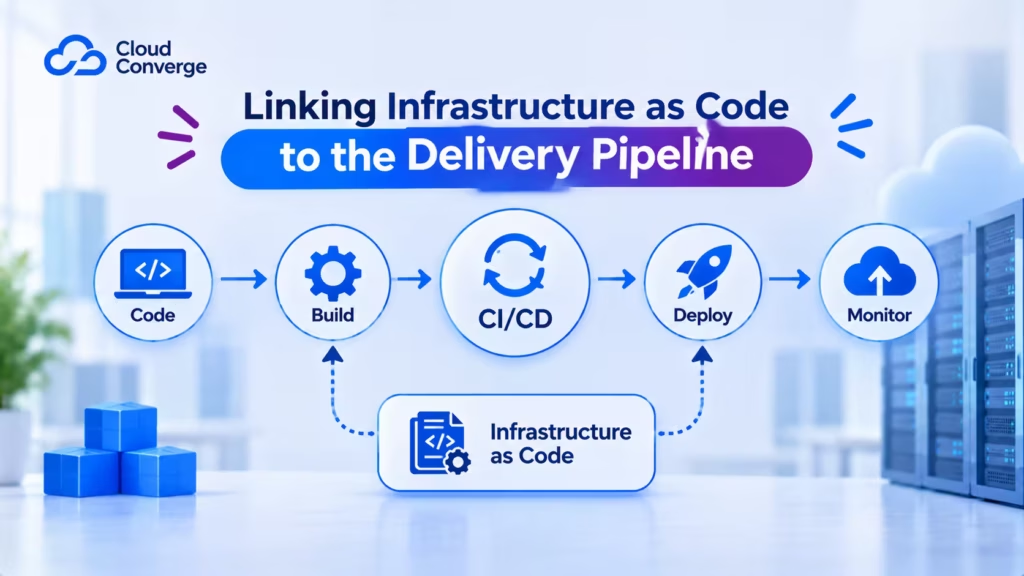
Once the application runs in containers, the servers, networks and databases around it should be managed the same way as the code: written down, versioned and applied automatically.
- Terraform (or its open-source fork, OpenTofu) defines cloud resources such as networks, databases and clusters.
- Ansible, Chef or Puppet configure servers and install software on them.
- Kubernetes, or a managed container service, runs and scales the containers.
The CI/CD tool (Jenkins, GitHub Actions, GitLab CI/CD or GoCD) ties these together. A typical flow builds and tests the code, packages a container image, applies any infrastructure change through Terraform, then rolls the new image out gradually so a faulty release can be stopped part-way. Keeping all of this in the pipeline, rather than in someone’s terminal history, is what makes environments reproducible.
Increase Test Automation and Align QA with DevOps Engineering
For DevOps projects to achieve faster delivery, sufficient automated testing must be ensured. Not all forms of testing need to be automated – exploratory, usability, and security tests may still need to be conducted manually; for instance, depending on the efforts required in creating automated tests for functional tests, certain aspects may remain manual.
Development and testing activities must go hand-in-hand to prevent post-release bugs. While an application is still under development, conducting automated tests 1-2 times daily should be optimal; should any defects be found during these automated tests, developers may work on stabilizing software before releasing another build.
Guaranteeing Total Application Performance Monitoring
DevOps-related teams need visibility of overall performance issues related to an application, such as slow response, memory leaks, and runtime errors. Such issues may surface during application server monitoring or user experience monitoring services.
Application performance monitoring enables organizations to rapidly identify, prioritize and isolate application defects before end users discover them; quickly pinpoint root cause errors with software like Zabbix, Nagios, or Prometheus designed to monitor an individual application.
A DevOps Implementation Plan for Teams Without an Ops Department
The roadmap above suits a company with a CIO and a programme manager. Most SMEs have neither, so the implementation approach has to fit around product work rather than pause it. A phased plan keeps the risk small:
- Record how releases happen today, how long a change takes to go live, how often releases fail and how long recovery takes. Map every manual step. Without these figures you cannot show progress later.
- Pilot one service. Choose a product that releases often but is not the most fragile. Put its code, configuration and database scripts under version control.
- Automate build and test. Add a pipeline that builds and runs tests on every commit. Fix flaky tests before adding more; a pipeline nobody trusts gets bypassed.
- Automate deployment. Script the release to staging and production so it runs identically each time, with a tested rollback.
- Codify the infrastructure. Describe servers, networks and databases in Terraform or similar, starting with new resources rather than rewriting everything at once.
- Add monitoring and on-call. Alert on symptoms customers notice (errors, slow pages, failed jobs) and agree who responds.
- Review and extend. Compare the new figures with the baseline, fix the biggest remaining bottleneck, then repeat the pattern for the next service.
How long each phase takes depends on the size of the codebase, the state of existing tests and how much time developers can give. A scoping review of the current setup is the reliable way to put dates on it.
Proving the Investment Paid Off
Finance leads will ask whether the work changed anything. The measures with the strongest research behind them come from DORA (DevOps Research and Assessment), a long-running programme now run by Google Cloud. Its current guidance groups five software delivery metrics into two sets:
- Throughput: change lead time (commit to production), deployment frequency, and failed deployment recovery time.
- Instability: change fail rate (deployments needing immediate intervention) and deployment rework rate (unplanned deployments caused by production incidents).
DORA’s research finds that speed and stability tend to rise together rather than trade off. Two cautions from the same guidance matter for small companies: measure one application or service at a time, and avoid turning a metric into a target, because teams will game it. Record the baseline before the first change, then compare each quarter.
Where Small-Company Rollouts Stall
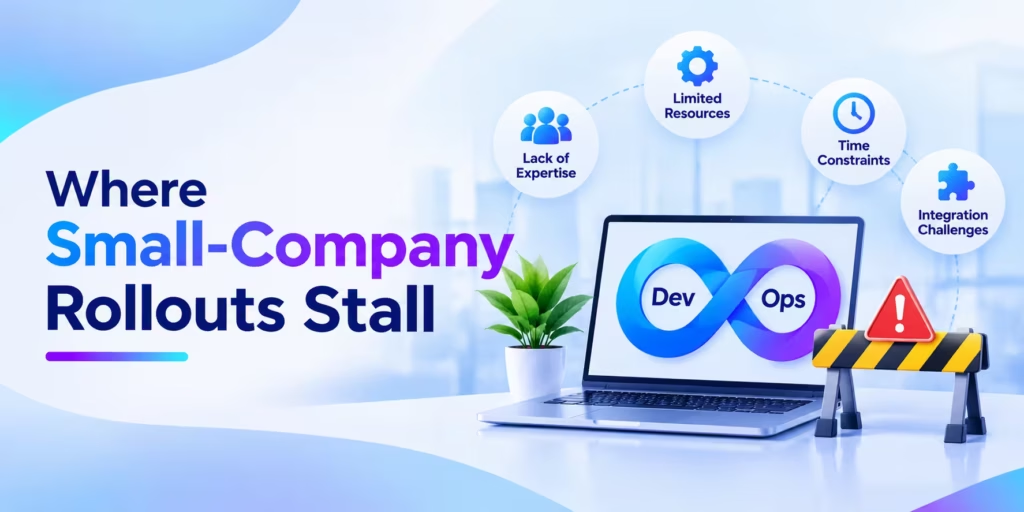
The same few mistakes appear again and again:
- Tools before habits. Buying a platform before agreeing how the team will branch, review and release.
- Kubernetes too early. Running a cluster for a product that would sit happily on a managed container service, then spending developer time on upkeep.
- Automating a bad process. Scripting twelve manual approval steps instead of asking which ones still matter.
- No owner after go-live. A partner builds the pipeline, leaves, and nobody inside knows how to change it.
- Ignoring test quality. A fast pipeline full of unreliable tests trains people to rerun builds until they pass.
- Measuring everything. Dozens of dashboards and no agreed question they answer.
To scope a rollout for your own team, book a free DevOps consultation with Cloud Converge.
The Future of DevOps
Since DevOps emerged, it has proved its effectiveness in multiple ways, from speeding up development processes to creating greater value with high-quality products.
DevOps may not be going anywhere soon, but neither can it remain static.
As organizations migrate towards the cloud, DevOps will become closely tied with cloud-native security bringing fundamental shifts to how software is developed, deployed, and operated. Through SecDevOps, companies can incorporate security directly into development and deployment workflows for increased efficiency.
Experts anticipate the widespread adoption of BizDevOps, an approach to software development that removes divisions between developers, operations teams, and business staff so companies can build user-oriented products more quickly.
Finally, development teams will become more involved in decision-making to lead companies toward digital transformation.
Conclusion
DevOps engineers require technical abilities, an in-depth understanding of industry standards, and a commitment to creating a culture of continuous development. Individuals may acquire these abilities through formal education in systems and it engineering services or DevOps approaches or self-study; aspirant DevOps engineers may also acquire expertise in domains such as system administration, software development, and IT operations regardless of how their knowledge was acquired, becoming an effective DevOps engineer requires learning new abilities and applying them regularly.
DevOps may still be evolving, yet DevOps engineers are becoming indispensable to businesses with extensive IT systems that require maintenance.
DevOps engineers can be invaluable, providing oversight of IT projects, optimizing team performance, and speeding the development lifecycle.
Frequently Asked Questions
Is my company too small to adopt DevOps?
No, but the scope should match your size. A team of two can gain from version control, automated tests on each commit and a scripted release, all of which cost little to set up. Heavier pieces such as container orchestration and a full on-call rota can wait until release volume and customer expectations demand them.
What should go into a DevOps implementation plan for an SME?
A useful plan names a baseline, one pilot service, the order of automation steps and the metrics you will compare at the end. It should also say who owns the pipeline after setup and how knowledge passes to your own staff. Leave out tool choices that do not solve a problem you can name today.
Which DevOps implementation approach works if we have no operations engineer?
Start with hosted services that remove server upkeep, such as a pipeline built into your code host and a managed container or app platform. Then either train one developer to own operations or bring in a partner to build the foundation and hand it over. The blended route avoids depending on a single hire.
What features do DevOps engineers prioritise when evaluating DevOps software?
Engineers usually rank integration with existing tools first, followed by pipelines defined as code, secrets handling, access control and audit logs. Pricing that scales predictably and an easy way to export pipelines if you switch vendors come next. A short trial on one real project reveals more than a feature comparison sheet.
How is the cost of a DevOps project worked out?
Cost depends on the number of applications, how they are hosted today, the state of automated testing and the engagement model you choose. CloudConverge offers fixed price, dedicated team, agile and hourly options. A free consultation reviews your current setup and leads to a written quote.
How do we measure whether DevOps adoption is paying off?
Track the DORA delivery metrics for one service: how long a change takes to reach production, how often you deploy, how often deployments fail and how fast you recover. Record them before you start and review them each quarter. If releases speed up while failures and recovery time also improve, the investment is working.