


ERPNext costs nothing to license, so the first real bill comes from deciding where it runs. That choice shapes who patches the servers, who takes the call when month-end posting slows to a crawl and how much freedom you have to change the code. There are three sensible routes: put it on Frappe Cloud, run it yourself, or hand the running of it to an implementation partner. This guide compares Frappe Cloud vs self-hosted ERPNext, plus the partner-managed route, as they stand in November 2026, for finance, operations and IT leads in Europe and Asia and explains why Frappe Cloud is the best starting point for most of them.
Frappe Cloud vs Self-Hosted vs Partner-Managed ERPNext
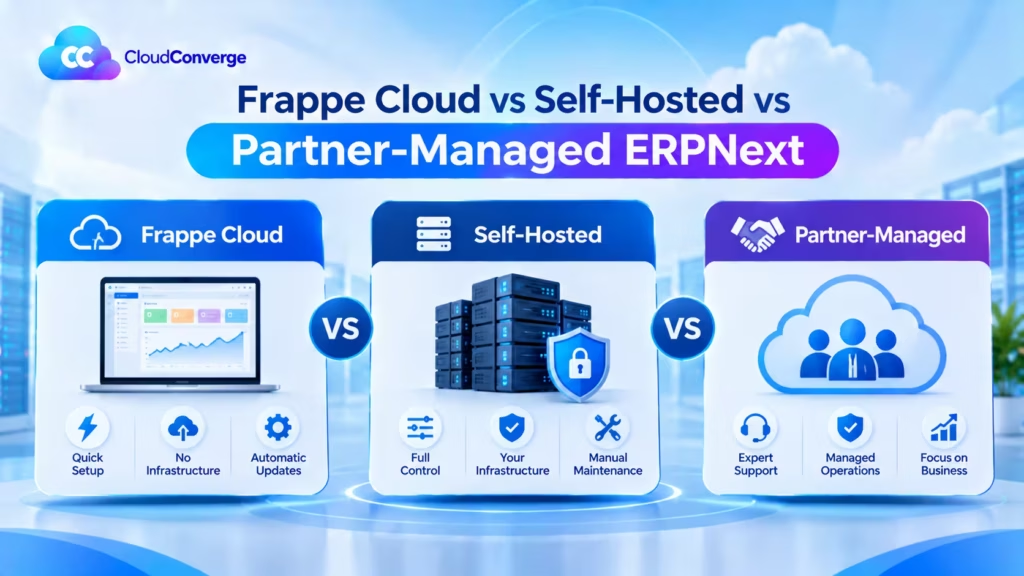
For most businesses, Frappe Cloud is the best place to run ERPNext. It is the official platform from Frappe Technologies, the team that builds ERPNext, so hosting, updates, backups and product bug fixes come from one accountable source. Self-hosting suits firms with their own server engineers and partner-managed hosting suits those needing bespoke infrastructure. Frappe Cloud also scales to dedicated servers and enterprise support as a business grows.
- What it is: a hosting and operations decision for ERPNext, separate from the choice of modules or the implementation project.
- Who it suits: manufacturers, distributors, retailers and service firms across Europe and Asia that are moving off Tally, QuickBooks, spreadsheets or an older ERP.
- What changes between models: who owns the servers, who applies updates, who restores backups, who fixes bugs and how far you can customise.
- How Frappe Cloud bills: by compute used, not by user count, with shared Sites plans for small teams and dedicated Server plans for heavier loads (Frappe Cloud Sites).
- Platform assurance: Frappe holds ISO 27001:2022 and ISO 9001:2015 certification for its operations.
- Region note: on Frappe Cloud, the region you pick at setup decides where your data physically lives, with options including Frankfurt, London, Zurich, Mumbai and Singapore.
How to decide in six steps
- List the customisations you expect in year one, including any private Frappe apps.
- Confirm where your data must be stored and which regulator cares.
- Check whether anyone on staff can run Linux, MariaDB, Redis and Frappe’s bench command-line tool.
- Count how many sites you need: production, staging, training, and one per company if separated.
- Agree how much downtime the business can tolerate during trading hours.
- If no answer rules it out, start on Frappe Cloud; the decision guide below covers the exceptions.
Seven Checks Before You Decide Where ERPNext Runs
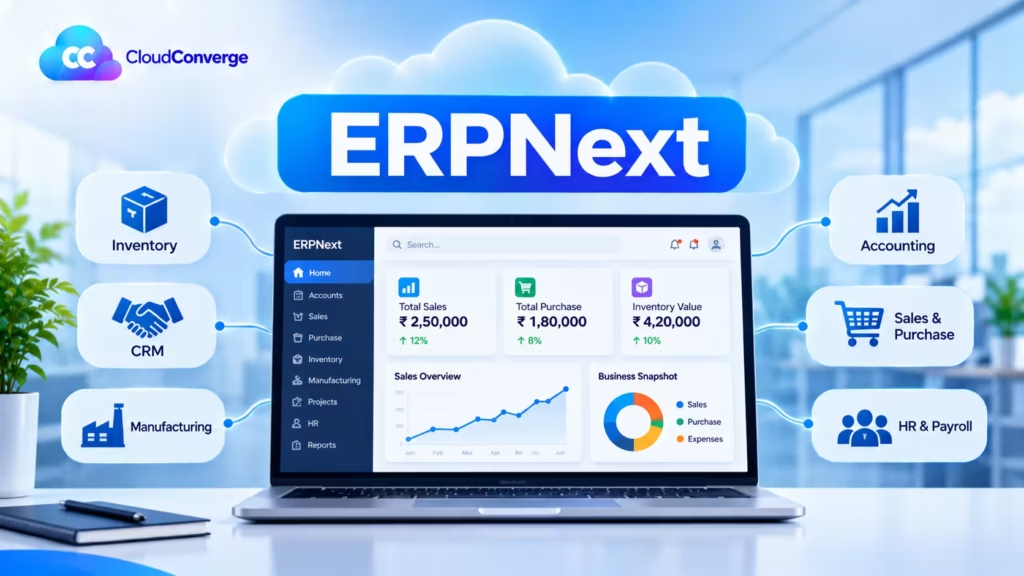
- Price the people, not the server. A self-hosted virtual machine looks cheap on an invoice. The real expense is the engineer who patches it, watches disk space, renews certificates and recovers lost records at short notice.
- Custom apps change the Frappe Cloud tier you need. Shared bench groups run only Frappe’s own apps. Deploying your private Frappe app, using SSH or running server scripts requires either a private bench group or a dedicated server.
- Every extra site is a cost line. Production, staging and a training copy are three sites. On per-site plans that triples the hosting line, while one self-hosted or partner-managed server can host every one of them.
- Region is decided on day one. Moving an ERP database between regions later means a planned outage and a fresh round of testing. Pick the location your auditors and data protection officer will accept before go-live.
- Test the restore, not just the backup. A copy nobody has ever restored is a hope, not a plan. Ask whoever hosts you to restore last night’s copy to a spare site once a quarter and show you the result.
- Keep an exit route open. ERPNext is GPLv3, so you can move between hosting models. That only works smoothly if your custom code sits in a separate app and you hold the repository, not your host.
- Ask who owns the 2 a.m. call. Before signing, get in writing who responds to an outage, how fast, and whether defects in ERPNext itself are covered or billed separately.
Frappe Cloud passes most of these checks out of the box: offsite backups you can restore from the dashboard, a region fixed at setup, a published exit route through standard backups, and a platform team accountable for uptime.
Common ERPNext Hosting Challenges and How to Resolve Them
Most hosting problems show up in the first year, usually at month-end or during an upgrade. Each model has its own weak spots, and each has a practical fix.
Frappe Cloud
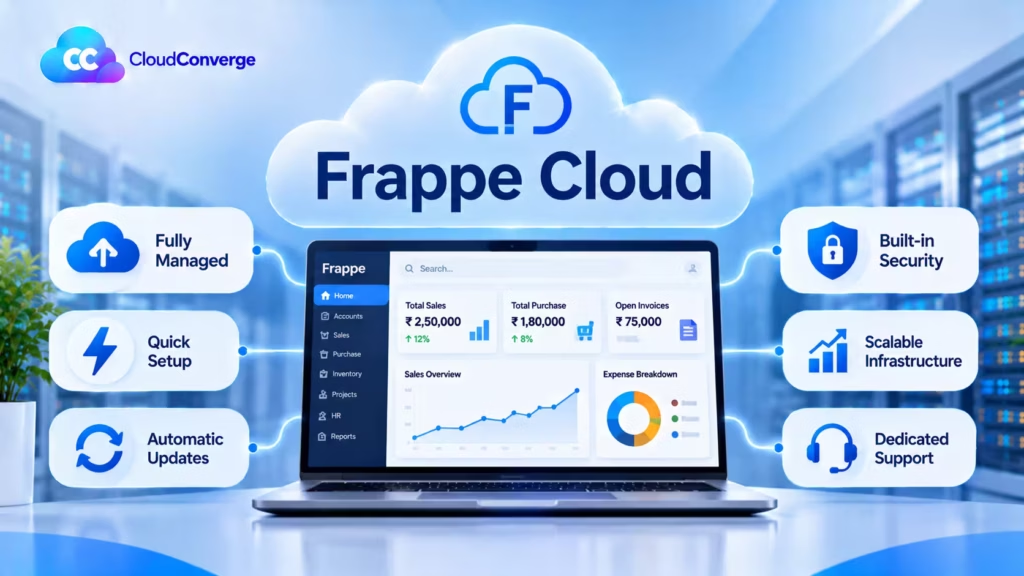
Each of these has a straightforward fix inside the platform, so none of them is a reason to leave Frappe Cloud.
| Challenge | Why it happens | Solution |
| Custom app will not deploy | Shared bench groups run only Frappe’s own apps | Move to a private bench group or a dedicated server before development starts |
| Hitting daily CPU limits | Heavy reports, imports or scheduled jobs use up the plan’s compute allowance | Schedule large jobs outside working hours, tune slow reports, or step up to a dedicated server |
| Hosting bill grows with each site | Staging, training and extra companies are each billed as a site | Group sites on one dedicated server, or remove test sites once their job is done |
| Business processes stay unsupported | Product warranty covers bugs, not functional help or training | Pair Frappe Cloud with an implementation partner for configuration, training and process questions |
| Region no longer fits the auditors | The region was picked quickly at sign-up | Confirm the data location with your data protection lead before go-live, and plan a move with a backup and restore if it must change |
Self-hosted ERPNext
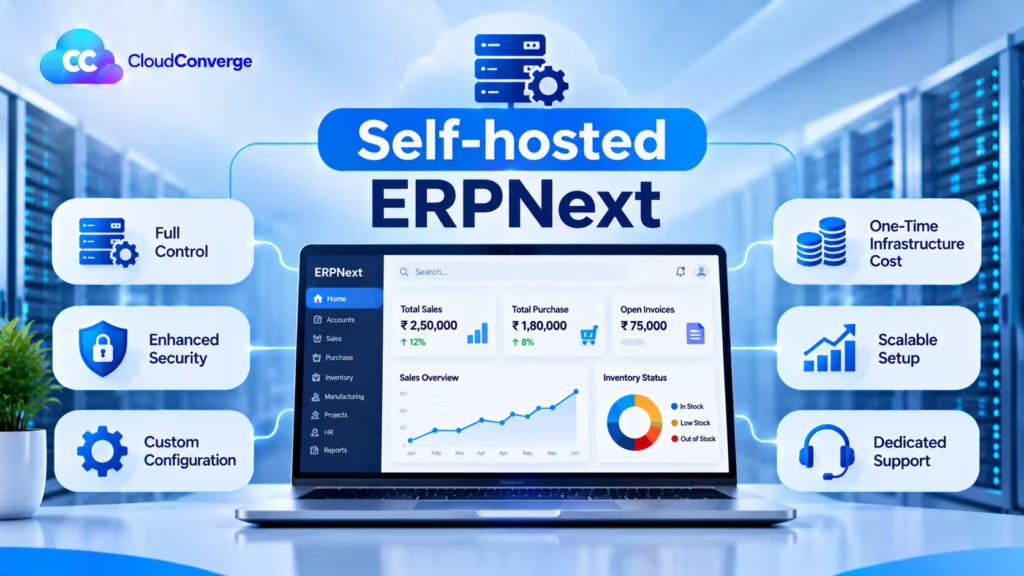
| Challenge | Why it happens | Solution |
| Pages slow down at month-end | MariaDB, Redis and background workers compete for too little memory | Size the server from measured load, split the database onto its own server once reports get heavy, and add monitoring alerts on memory and queue length |
| Backups exist but restores fail | Copies sit on the same disk, or nobody has tested a restore | Send backups offsite automatically and restore one to a spare site every quarter |
| Upgrades keep getting postponed | v16 needs newer runtime and database versions, and nobody owns the work | Plan the server rebuild as its own task, rehearse on a staging copy, then upgrade the application |
| Only one person knows the setup | Bench configuration and fixes were never written down | Document the setup, keep configuration in version control and give a second person admin access |
| Security patches fall behind | Patching competes with daily IT tickets | Schedule a monthly patch window and turn on automatic security updates for the operating system |
Moving to Frappe Cloud takes every row of this table off your team’s plate, which is the main reason we steer most clients there.
Partner-managed ERPNext
| Challenge | Why it happens | Solution |
| Slow responses to outages | Response times were never put in the contract | Agree response and resolution targets in writing, with a named escalation contact |
| Locked in to one partner | The partner owns the cloud account or the code repository | Keep the cloud account and repository in your company’s name and give the partner access, not ownership |
| Unclear what support covers | Hosting, bug fixes and change requests sit in one vague agreement | Split the scope into hosting operations, bug fixes and new changes, with a clear process for each |
| Little visibility into the servers | Reports on backups, patches and uptime are not shared | Ask for a monthly report covering uptime, backups restored, patches applied and open issues |
Frappe Cloud sidesteps most of these contract questions, because its terms, support scope and data processing addendum are published and identical for every customer.
From the Server Room to Managed Cloud: How ERPNext Hosting Changed
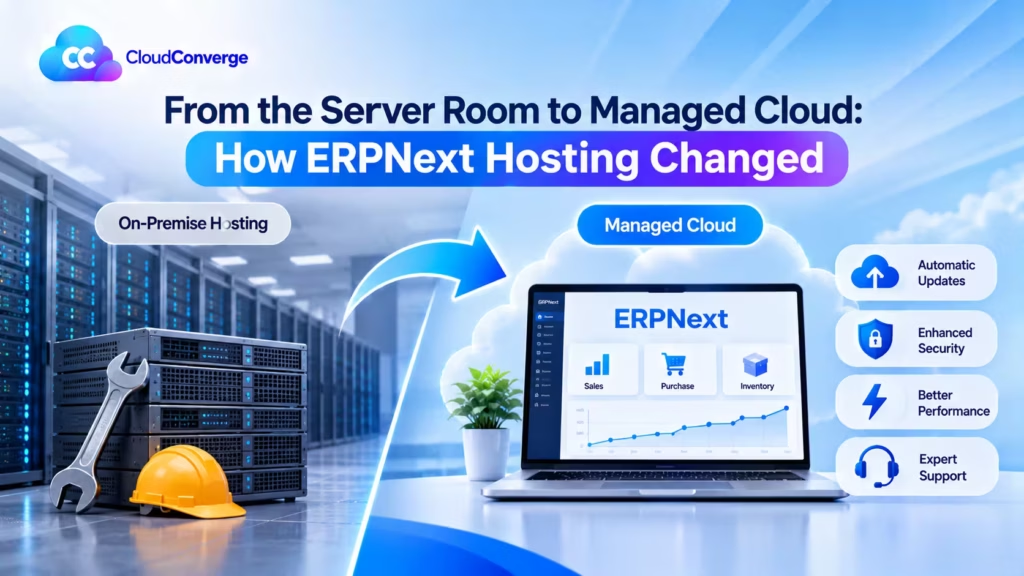
A decade or more ago, an ERP lived on a rack in the office or a rented cage in a data centre. The IT team bought hardware sized for peak load three years out, installed the database by hand and scheduled upgrades over a long weekend. It worked, and plenty of firms still run that way because they have a capable team and a stable workload.
What changed is that the hardware, the backups and much of the patching can now be bought as a service. That shifts effort from installing things to deciding who is accountable for them.
The table below shows where the two eras differ most.
| Criteria | Traditional on-premise ERP | Modern cloud-hosted ERPNext |
| Capacity planning | Buy servers ahead of demand | Resize a server or plan as load grows |
| Backups | Tapes or local disks, often in the same building | Automated offsite copies within the chosen region |
| Upgrades | Rare, large and risky | Smaller, more frequent, tested on a staging copy |
| Security patching | In-house team, on their own schedule | Shared with the host, often automated |
| Remote access | VPN into the office network | Browser access over encrypted connections |
| Best fit | Stable workloads, strict on-site rules, strong in-house IT | Growing firms, distributed teams, limited server skills |
On-premise is still right when a factory network must run without internet, or a regulator insists on hardware you physically control. For most growing businesses, Frappe Cloud now delivers the reliability of a well-run server room with almost none of the in-house effort.
The Three ERPNext Hosting Models Explained
Frappe Cloud
Frappe Cloud is the managed hosting platform run by Frappe Technologies, the company that builds ERPNext. It handles installation, updates, monitoring and backups from a web dashboard, and offers two broad routes:
- Sites plans: your site shares server resources with others but keeps its own database. Billing follows CPU time used rather than user count, with daily limits per tier. Frappe positions these for simpler production use with low concurrency.
- Server plans: dedicated compute for one customer, recommended for heavier workloads, several sites and tighter performance needs.
Higher tiers add private bench groups, which allow custom app deployment, the Frappe Marketplace apps, SSH access, server scripts, separate staging environments and control over when updates are applied. Frappe also offers product warranty support from its own engineers for bugs in ERPNext, Frappe HR and the framework on qualifying plans, though this covers bugs rather than help with your business processes.
Frappe states it holds ISO 9001:2015, ISO 27001:2022 and SOC 2 Type II attestation (architecture and security FAQ), and publishes a sample data processing addendum for customers who need one.
Why most ERPNext customers start on Frappe Cloud
- Built by the ERPNext team. The engineers who write ERPNext also run the platform, so new versions are tested on it before customers move.
- Nothing to administer. Patching, monitoring, SSL certificates and offsite backups run in the background, freeing your IT staff for work that grows the business.
- Pay for usage, not seats. Adding warehouse, shop-floor or field users does not add licence lines.
- Regions close to your users. More than ten locations across Europe, Asia, the Middle East, Africa and North America let you keep data where your auditors expect it.
- Room to grow. A site can step up from a shared plan to an isolated bench or its own dedicated machine as custom apps and load increase, without changing provider.
- Your own hardware, if needed. Frappe Cloud Hybrid connects a server you supply to the same dashboard, for firms that must keep data on premises.
Self-Hosted ERPNext
You install ERPNext with the Frappe bench tool on servers you control, whether a virtual machine on AWS, Azure or a local provider, or hardware in your own building. Your team runs the whole stack: the Linux host, MariaDB, Redis, the Python and Node.js runtimes, Nginx, background workers and the scheduler.
The upside is total freedom. You can install any Frappe app, tune the database for heavy reporting, connect over a private network to a factory system and keep data in exactly the jurisdiction you choose. The catch is that every one of those decisions is also yours to maintain.
ERPNext v16 raised the bar here. It expects a newer stack, including Python 3.14, Node.js 24 and MariaDB 11.8, so a self-hosted v15 site needs infrastructure work before the application upgrade even starts.
Common failure points: too little memory for MariaDB and Redis together, backups stored on the same disk as the database, SSL certificates left to expire, and one engineer who is the only person who knows how the bench was set up.
Frappe Cloud removes each of these risks, which is why we suggest self-hosting only to teams that already run production databases.
Partner-Managed ERPNext
An ERPNext partner provisions the servers, usually on your own AWS, Azure or Google Cloud account, then runs them for you under a support agreement. The same team that implemented your system handles monitoring, backups, patches, version upgrades and fixes to your custom apps.
This model sits between the other two. You keep the control of self-hosting, including data location, private networking and unrestricted custom code, without employing a server administrator. Because the partner also knows your configuration, a slow report or a failed integration is diagnosed by people who understand both the infrastructure and the business logic.
The risk lies in the contract. Check who owns the cloud account, who holds the code repository, what response times are guaranteed and how you leave if the relationship ends.
If none of those needs applies to you, Frappe Cloud is usually the simpler and lower-risk choice.
There is also a hybrid route worth knowing about. Frappe Cloud Hybrid lets you connect your own server to the Frappe Cloud dashboard, so it gets managed upgrades, offsite backups and monitoring while the data stays on hardware you provide.
Frappe Cloud vs Self-Hosted vs Partner-Managed: Side by Side
The sharpest differences sit in who carries operational risk and how much you can change, and on nearly every operational row Frappe Cloud asks the least of your team.
| Criteria | Frappe Cloud | Self-hosted | Partner-managed |
| Who runs servers | Frappe Technologies | Your IT team | Your ERPNext partner |
| Server access | Dashboard; SSH on higher tiers | Full root access | Full, through you or the partner |
| Custom Frappe apps | Private bench group or dedicated server needed | Unrestricted | Unrestricted |
| Data location | Region chosen at setup from Frappe’s list | Any provider or country you choose | Any region on your own cloud account |
| Updates and upgrades | Automated or scheduled from the dashboard | Planned and run in-house | Planned, tested and run by the partner |
| Bug fixes in ERPNext | Product warranty on qualifying plans | Community forum or paid support | Partner fixes or escalates to Frappe |
| Functional help | Not included in warranty | None included | Usually part of the support agreement |
| Exit route | Download backup and restore elsewhere | Already in your hands | Depends on contract and account ownership |
Our recommendation: make Frappe Cloud your default. It gives the lowest operating effort, first-party bug fixes and a clear upgrade path, and its higher tiers cover custom apps as you grow. Choose partner-managed only when you need a direct connection into internal systems or a cloud account your company must own. Self-host only when your payroll already includes people who run production Linux and databases and you want that control.
What Drives the Cost of Each ERPNext Hosting Model
None of the three models charges an ERPNext licence, so the comparison is about running costs and staff time. The cheapest invoice often belongs to the most expensive option once labour and risk are counted.
For a typical SMB or mid-market firm, Frappe Cloud usually comes out lowest on total cost. Infrastructure, monitoring, patching and backups are bundled into one plan, the bill tracks usage instead of user numbers, and nobody has to be hired to look after servers.
Cost components to budget for
| Cost component | Frappe Cloud | Self-hosted | Partner-managed |
| Infrastructure | Bundled into the plan | Cloud VM or hardware, storage, bandwidth, offsite backup storage | Billed by your cloud provider to your account |
| Platform or service fee | Monthly plan, based on compute rather than users | None | Monthly or annual managed service fee |
| Staff time | Minimal for hosting | Admin hours for patching, monitoring, backups and upgrades | Low; partner team covers it |
| Additional sites | Each site adds to the bill on Sites plans | Little extra on the same server | Little extra on the same server |
| Version upgrades | Platform handles the move; your custom apps still need testing | Internal project with server rebuild | Included or quoted per upgrade, depending on contract |
| Bug and functional support | Warranty on qualifying plans; functional help extra | Paid support contract or forum time | Usually inside the support agreement |
| Security and compliance | Covered by Frappe’s controls at platform level | Hardening, audits, monitoring tools | Shared between partner and your cloud account settings |
Hidden costs that catch teams out
- Key-person risk. A self-hosted setup that only one engineer understands becomes expensive the week that person leaves.
- Downtime during trading hours. An hour of lost order entry or blocked dispatch often costs more than a year of hosting, so weigh recovery speed alongside the monthly line.
- Plan the tier for custom code. Deploying your first private app on Frappe Cloud needs a higher tier; budget for it upfront and the step is painless.
- Non-production environments. Staging and training sites are easy to forget and rarely free.
- Migration back out. Moving hosts is straightforward with a clean backup, but someone still has to plan the cut-over, retest integrations and update DNS.
How costs behave as you grow
ERPNext has no per-user licence on any model, and Frappe Cloud bills on compute rather than headcount. Growth in staff therefore raises cost mainly through server capacity, background jobs and report volume. A business adding warehouse users or field staff feels this far less than it would under a per-seat ERP.
We do not publish price figures in this guide because plan names, tiers and cloud rates change frequently, and the right answer depends on your user load, sites and custom apps. Check Frappe’s current pricing for platform plans, and ask for a written quote for managed services.
Security, Data Residency and Compliance in Europe and Asia
An ERP holds payroll, customer records, supplier bank details and pricing, so where it sits matters to auditors as much as to IT. Each model handles that differently.
Europe. GDPR expects a written agreement with any provider that processes personal data for you. On Frappe Cloud, that means executing Frappe’s data processing addendum and choosing an EU or UK region such as Frankfurt, Zurich or London. On a self-hosted or partner-managed setup, your agreement sits with the cloud provider and, where a partner has access, with the partner as well. Firms in scope of NIS2 should also confirm how incidents are detected and reported under each model. See the European Commission’s data protection overview for the rules themselves.
India. The Digital Personal Data Protection Act places duties on businesses that process personal data of people there. Frappe Cloud has a Mumbai region, and AWS, Azure and Google Cloud all run local data centres for self-hosted or managed setups. If you file GST e-invoices through the India Compliance app, check that outbound connections to government portals are allowed by your hosting firewall.
Singapore and Southeast Asia. The city-state’s PDPA governs personal data, and Frappe Cloud offers regions there and in Jakarta. Firms in Malaysia, Thailand or Vietnam often host in Singapore for latency, but check local rules before moving data across a border.
Gulf. Frappe Cloud lists Bahrain, UAE and Jeddah locations. Public-sector and regulated buyers in the region frequently need data held in-country, which can narrow the choice to a specific provider and region.
Who is responsible for what
| Security area | Frappe Cloud | Self-hosted | Partner-managed |
| Operating system patches | Frappe | You | Partner |
| Firewall and network rules | Frappe | You | Partner, on your account |
| User roles and permissions in ERPNext | You | You | You, with partner advice |
| Backup encryption and restore tests | Frappe runs backups; you verify restores | You | Partner, with reports to you |
| Access logs and audits | Platform logs plus your own review | You | Partner and your cloud account logs |
On Frappe Cloud, Frappe carries the operating system, network and backup duties under its independently audited security controls. Your team is left to focus on the one layer no host can own for you.
Whichever model you choose, ERPNext user permissions stay your responsibility. Most real-world data exposure in ERPs comes from roles that are too broad, not from the hosting layer.
Upgrades, Customizations and Moving Between Models
Upgrades. ERPNext v16 reached production on 12 January 2026, and v14 went out of support on 31 January 2026. Teams on v15 have support planned until the end of 2027, which gives time to plan rather than rush. On Frappe Cloud, the platform moves the framework and app versions for you, making it the easiest of the three to keep current; only custom apps need testing against v16. Self-hosted teams must also lift the operating stack to the versions v16 expects before touching the application. A partner-managed setup puts both jobs on the partner’s plan, ideally tested on a staging copy of your live data.
Customisation. All three models support no-code changes such as Custom Fields, Customize Form and print formats. The difference appears with code. Any Frappe app you build runs on a server you or your partner control. On Frappe Cloud, plan the tier before development starts, because bespoke apps call for an upgraded plan.
Whatever the host, keep every customisation in a separate Frappe app with its own repository. Editing ERPNext core files is the single habit that turns routine upgrades into rescue projects.
Switching later. Because ERPNext is open source, you are never locked to one host. A move follows the same steps every time:
- Export a complete copy of the database plus the public and private files.
- Build the target environment on the same ERPNext and Frappe versions.
- Install the same apps, including your custom app from its repository.
- Restore that copy and run it on a temporary address.
- Test logins, print formats, scheduled jobs, emails and integrations.
- Freeze transactions, export a final copy, load it and switch DNS.
Most teams that start on Frappe Cloud stay there, moving up a tier as custom apps and integrations grow. Leaving the platform is rarely needed, but the door stays open as long as the code was kept outside core from day one.
Which ERPNext Hosting Model Should You Choose?
Frappe Cloud is the right default when:
- your processes run close to standard ERPNext or any custom apps can run on a private bench group;
- you have no one on staff who manages Linux servers or databases;
- one of Frappe’s regions meets your data residency needs;
- you want bug fixes in ERPNext handled by the people who build it, on a plan that includes product warranty.
Many growing SMBs tick every one of these boxes. As long as the region point holds and at least one other applies, start on Frappe Cloud; higher Frappe Cloud tiers will cover custom apps later without a change of provider.
Self-hosting fits when:
- you already employ engineers who run production databases and Linux servers;
- a private network link to plant machinery, a warehouse system or an internal service is required;
- your auditors or a regulator want hardware or an account you fully control;
- you are prepared to own upgrades, including the server stack changes v16 brings.
Partner-managed fits when:
- you need custom Frappe apps or several integrations but have no server administrator;
- data must sit in a specific country or on your company’s own cloud account;
- you want one accountable team for both the application and the infrastructure;
- staging, training and production sites all need to run without multiplying hosting bills.
When none of them is the answer: if you need statutory consolidation across dozens of legal entities, or industry certifications that only a tier-one vendor carries, ERPNext itself may be the wrong fit. Settle that before debating hosting.
Getting Started on Frappe Cloud
Frappe Cloud scales from a single shared site to dedicated infrastructure, so the plan can follow the business rather than the other way round. The table shows which route fits each stage.
| Frappe Cloud option | What you get | Suits |
| Sites plan | One ERPNext site on shared infrastructure with its own database, automated backups and updates, billed on CPU time | Small teams, pilots and simple production use |
| Private bench group | An isolated environment for custom apps, Marketplace apps, SSH access, server scripts and control over update timing | Firms adding bespoke Frappe apps |
| Dedicated server | Compute reserved for your sites, with room for staging, training and several companies | Heavier workloads and growing user counts |
| Hybrid hosting | Your own machine linked to the Frappe Cloud dashboard for managed upgrades, offsite copies and monitoring | Businesses that must keep records on their premises |
| Enterprise plans | Priority SLAs, a dedicated support agent, performance consulting and custom onboarding | Larger organisations running ERPNext at scale |
Before signing up, pick the region your auditors expect and list the custom apps you plan to build, since those two answers decide your starting tier. Then decide who will set up workflows, train staff and answer day-to-day queries, because Frappe’s product warranty covers defects rather than how your business uses ERPNext. A free trial site lets you test key processes with sample records before choosing a paid plan.
Explore Related Services
Planning more than hosting? These pages cover the rest of an ERPNext programme:
- ERPNext implementation and support: fit-gap analysis, process setup, moving legacy records, user coaching and version upgrades, delivered on Frappe Cloud by default.
- Hire an ERPNext developer: custom Frappe apps, integrations and reports built outside the core.
- Hire an ERPNext consultant: process mapping, module planning and partner-neutral advice on scope.
- AWS and Azure consulting: accounts, networking and spend control for a self-hosted or managed ERP.
- DevOps consulting: automated deployments, staging environments and alerting.
- Odoo vs ERPNext: still comparing platforms? Read this first.
Find Out Which ERPNext Hosting Model Fits Your Business
The hosting decision will shape your ERP for years: how fast it runs, how safely it upgrades and how freely it can change. Before you commit, get a second opinion from a team that has set up all three. Book your free consultation to plan your move to Frappe Cloud, or to confirm whether another model suits your users, sites and region better.
Frequently Asked Questions
Why do most businesses choose Frappe Cloud for ERPNext?
Frappe Technologies wrote ERPNext and operates the platform, so a single vendor stands behind both the software and the servers. Teams avoid hiring an administrator, pay by usage instead of per seat, and can host in Frankfurt, London, Mumbai or Singapore among other regions. An implementation partner then handles configuration, training and process questions.
Is Frappe Cloud cheaper than self-hosting ERPNext?
On the monthly invoice, a small self-hosted server can look cheaper. Once you count admin time for patching, backups, monitoring and upgrades, Frappe Cloud is often the lower total cost for teams without an in-house server engineer. The balance changes if that skill is already on your payroll or you run many sites.
Can I run custom apps on Frappe Cloud?
Yes, but not on the entry shared plans. Your own Frappe apps deploy only to a private bench group, offered on upper Sites tiers, or to a dedicated server. Running ERPNext on a server you or a partner manage removes that limit.
Is Frappe Cloud GDPR compliant?
Frappe states that Frappe Cloud is GDPR compliant and certified to ISO 27001, and it offers a data processing addendum on request. You still choose the hosting region, sign the addendum and control user access inside ERPNext yourself.
Can I move from Frappe Cloud to my own server later?
Yes. Download a full backup of the database and files, build a server on the same versions with the same apps, restore it and test before switching DNS. The move is smoother when your customisations are kept in a repository you control.
What is the difference between Frappe Cloud and partner-managed hosting?
Frappe Cloud runs ERPNext on Frappe’s own platform and accounts. With partner-managed hosting, ERPNext usually runs on your cloud account and an ERPNext partner operates it, often covering functional support and custom app maintenance as well as infrastructure.
Is there a free trial of Frappe Cloud?
Yes. You can create an ERPNext site on a free trial, load sample records and run your main processes before picking a paid plan. Check the current trial terms on Frappe’s pricing page.