


Most ERPNext upgrades that overrun do so for one reason: nobody can say where the changes live. A field added through Customize Form, a validation typed into a Server Script, a button wired up in a Client Script and a patched core file all look the same to a user. To the person running the upgrade, they behave very differently.
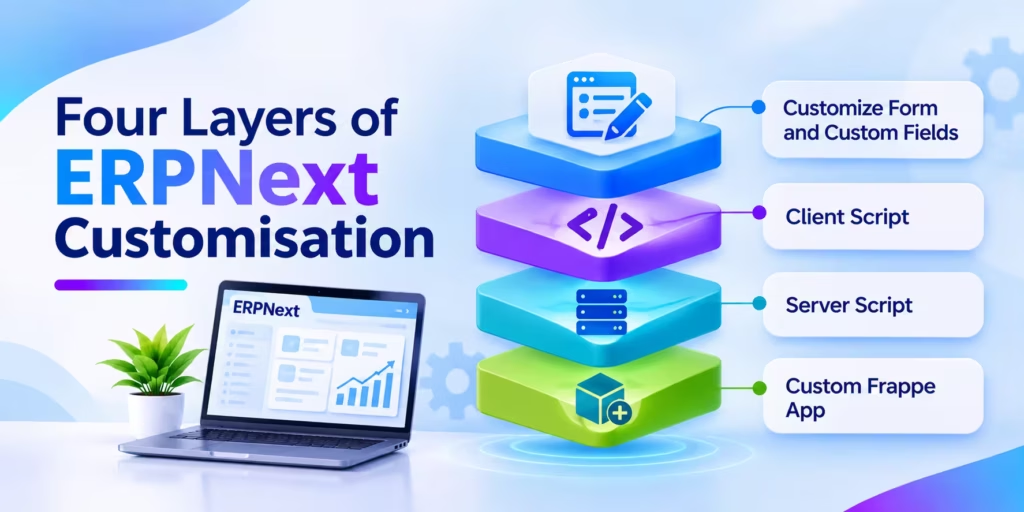
ERPNext customisation happens in four layers, and each one carries a different upgrade cost. With ERPNext v16 now the production release and v15 support planned to end in 2027, many finance and operations teams in Europe and Asia are about to find out how tidy their setup really is. This guide explains what each layer is for, where it stops being the right tool, and how to keep the next version move a testing exercise rather than a rebuild.
Which ERPNext Customisation Layer Should You Use?
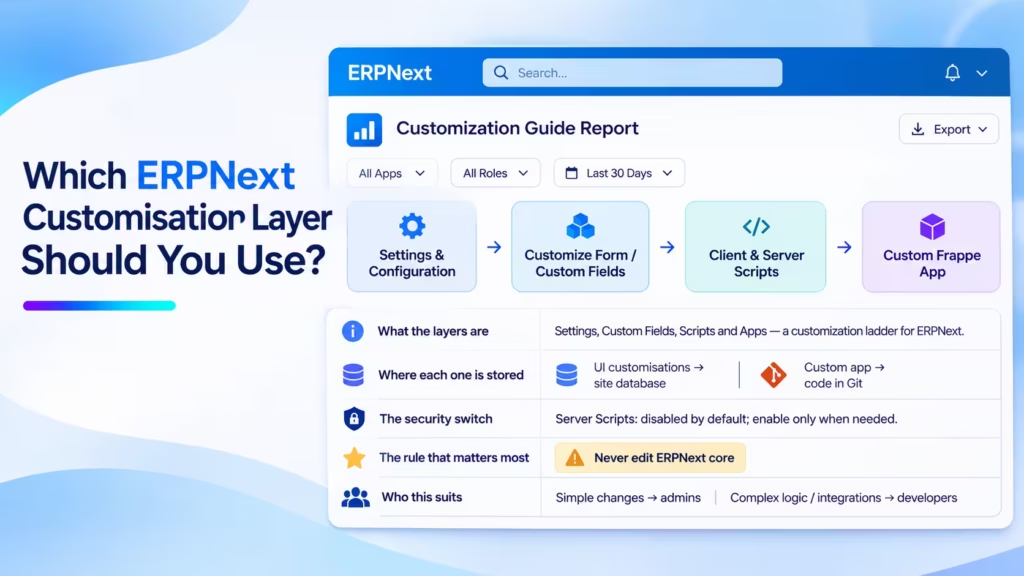
Use Customize Form and Custom Fields for layout and data changes, a Client Script for behaviour inside the browser form, and a Server Script for small rules that must hold however data arrives. Move anything larger, shared across sites or business-critical into a custom Frappe app under version control. Cloud Converge builds ERPNext changes this way so upgrades stay predictable.
- What the layers are: Customize Form (Custom Fields and Property Setters), Client Script (JavaScript in the browser), Server Script (restricted Python on the server) and a custom Frappe app (a full code package installed beside ERPNext).
- Where each one is stored: the first three live as records in your site database; a custom app lives in a Git repository and is installed with bench.
- The security switch: since Frappe v15, Server Scripts are disabled by default and must be enabled per site or bench. On Frappe Cloud they need a private bench.
- The rule that matters most: never edit ERPNext or Frappe core files. Every update overwrites them.
- Who this suits: finance, operations and IT leads running ERPNext v14, v15 or v16 who plan to upgrade within the next year.
How to decide in five steps
- Ask whether a field, label, default or mandatory flag would solve it. If so, stop at Customize Form.
- If the change only affects what a user sees or clicks on a form, write a Client Script.
- If the rule must also apply to imports, the REST API and other integrations, it belongs on the server.
- Keep Server Scripts to short, single-purpose rules that use the methods the restricted Python sandbox allows.
- Once logic spans several DocTypes, needs a library, a scheduled job or new DocTypes, or must run on more than one site, build a custom app.
Valuable Points to Know Before You Customise ERPNext
- Client-side checks are not controls. A Client Script validation runs only in the browser form. Data Import, the REST API and the System Console skip it, so any rule your auditors care about needs a server-side twin.
- Surviving an upgrade is not the same as working after one. Scripts stored in the database come through a version move untouched, yet a renamed field or a retired JavaScript method can still break them silently. Test them on a restored copy before production.
- Check the Server Script switch before you plan around it. Since v15 the feature ships switched off, and Frappe Cloud only allows it on a private bench. Teams moving from an older shared plan sometimes discover their rules have stopped firing.
- Export fixtures with filters. Listing “Custom Field” in hooks.py without a filter can pull in fields that other apps created. Scope fixtures to your own module or a naming prefix so a fresh install reproduces only your changes.
- Name every customisation after its owner. A prefix such as cc_ on fields and scripts, plus a one-line reason in the description, turns an upgrade audit from guesswork into a filter.
- Retire before you port. Every change carried into v16 has to be retested. Removing the ones nobody uses is the cheapest upgrade work there is.
From Core Modifications to Layered Extensions
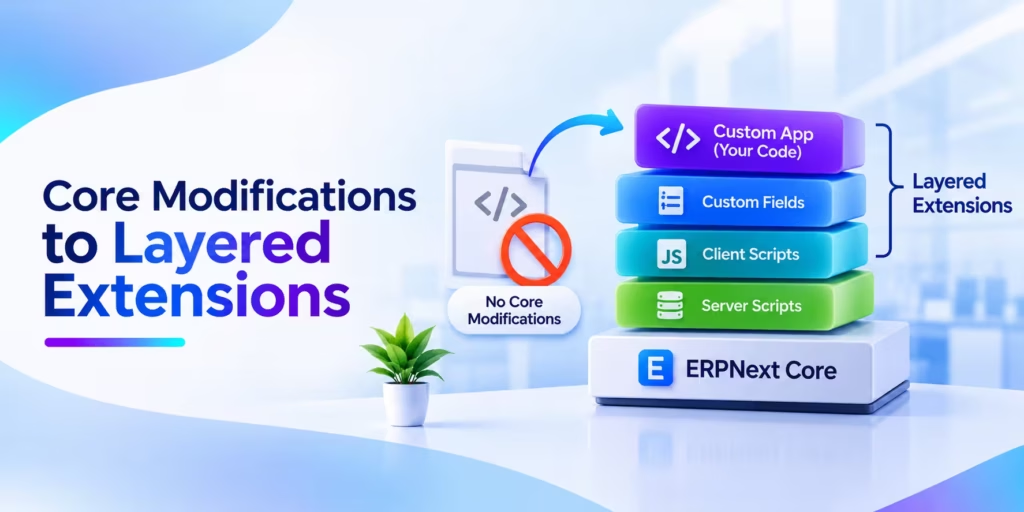
In older ERP projects, tailoring the system usually meant changing the vendor’s own code. Consultants copied a standard report, edited a posting routine or added columns straight to the database, then kept a spreadsheet of what they had touched. Upgrades were rare because each one meant redoing that list by hand, so many companies simply stayed on an old release for years.
Frappe was designed to avoid that trap. Standard DocTypes stay untouched, and your changes sit on top as separate records or a separate app that hooks into documented events. The comparison below shows what that shift means in practice.
| Criteria | Traditional (edit the core) | Modern (layered Frappe extensions) |
| Where changes live | Inside vendor source files and tables | Custom Fields, scripts or a separate app |
| Effect of an update | Overwritten or merge conflicts | Standard code updates; your layer is retested |
| Tracking | Manual change log, if any | Database records or a Git history |
| Who can make changes | Developers with server access | Admins for light changes, developers for apps |
| Moving to a new site | Rebuild by hand | Fixtures and app install reproduce it |
| Best fit | Heavily certified systems with rare releases | Growing firms that want regular upgrades |
The traditional route still makes sense for a frozen, audited system that will never be upgraded. For a business that wants v16 features and security fixes, keep every change in a layer the update process can see around.
The Four Layers of ERPNext Customisation
Customize Form and Custom Fields
Customize Form changes a standard DocType without code. Adding a field creates a Custom Field record; changing a label, default, print setting or mandatory flag creates a Property Setter. Both sit in your database, and Frappe applies them on top of the standard definition, so an upgrade replaces the base DocType while your additions stay in place.
The risk here is quiet: if a future version renames or removes the standard field your Custom Field is positioned after, the layout shifts. That is a cosmetic fix, not a rebuild.
Client Script
A Client Script is JavaScript attached to a DocType form and run in the user’s browser. Typical jobs include hiding a field until a status is chosen, filtering a supplier list by region, fetching a value from a linked record or adding a button that opens a related report.
Its limit is the browser itself. Frappe’s documentation notes that validations added this way do not apply to API or console access. Treat a Client Script as user experience, never as a business control.
Server Script
A Server Script is Python written in the desk and run on the server. It can fire on document events such as Before Save or On Submit, or expose a small API endpoint. Because it runs under a restricted Python sandbox, only an approved set of methods is available and external libraries cannot be imported.
That makes it a good home for a rule such as blocking a sales order above a customer’s credit terms. According to the Server Script documentation, the feature has been off by default since v15 and needs server_script_enabled set for the site or bench. Frappe Cloud permits it on private benches only.
Custom Frappe App
A custom app is a separate Python and JavaScript package installed beside ERPNext with bench get-app and bench install-app. It can add DocTypes, reports, print formats, scheduled jobs, API methods and document event hooks, and it can ship Custom Fields and Property Setters as fixtures.
Because the code sits in its own Git repository, every change has an author, a review and a history. Automated tests can run against it before an upgrade, and the same app can be installed on staging, production and a second company site with one command. The cost is that it needs a developer and a deployment process.
Client Script vs Server Script vs Custom App: Choosing by Requirement
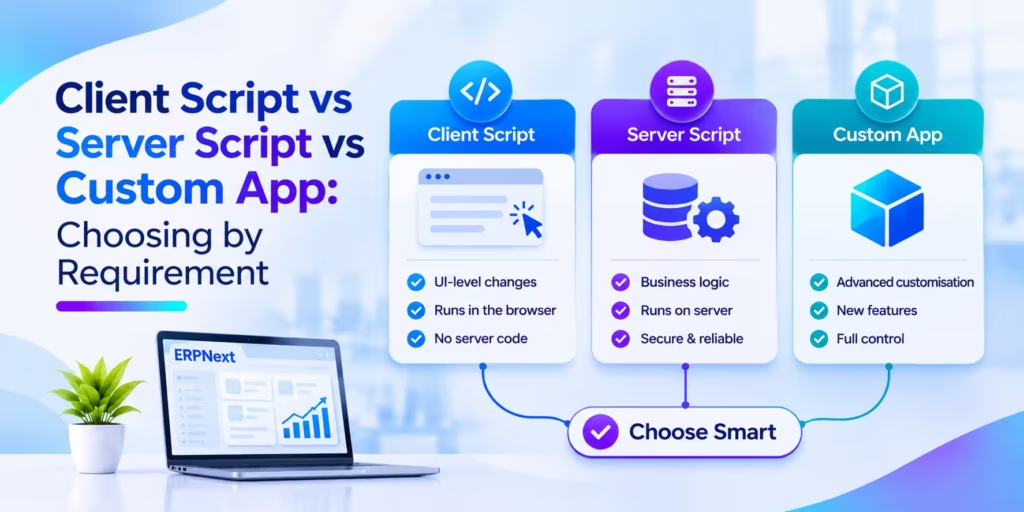
The right layer depends on where the rule must hold and how much it will grow, not on who happens to be available to write it.
| Requirement | Customize Form | Client Script | Server Script | Custom App |
| Add a field or change a label | Best choice | No | No | Via fixtures |
| Show, hide or filter on a form | Basic rules only | Best choice | No | Yes |
| Rule that must hold for imports and API | No | No | Yes | Best choice |
| Logic across several DocTypes | No | No | Gets fragile | Best choice |
| New DocTypes, reports or scheduled jobs | No | No | Limited | Best choice |
| Needs a Python library | No | No | Not allowed | Yes |
| Code review and Git history | No | No | No | Yes |
| Same change on several sites | Manual | Manual | Manual | One install |
Our recommendation: let administrators keep light, reversible changes in Customize Form and Client Scripts. Allow Server Scripts for a short, documented list of rules, and agree a threshold, such as more than about 30 lines or more than one DocType, at which a script moves into the custom app. Anything that touches money, stock valuation or tax belongs in the app, where it can be tested.
Keeping Every Change Upgrade Safe
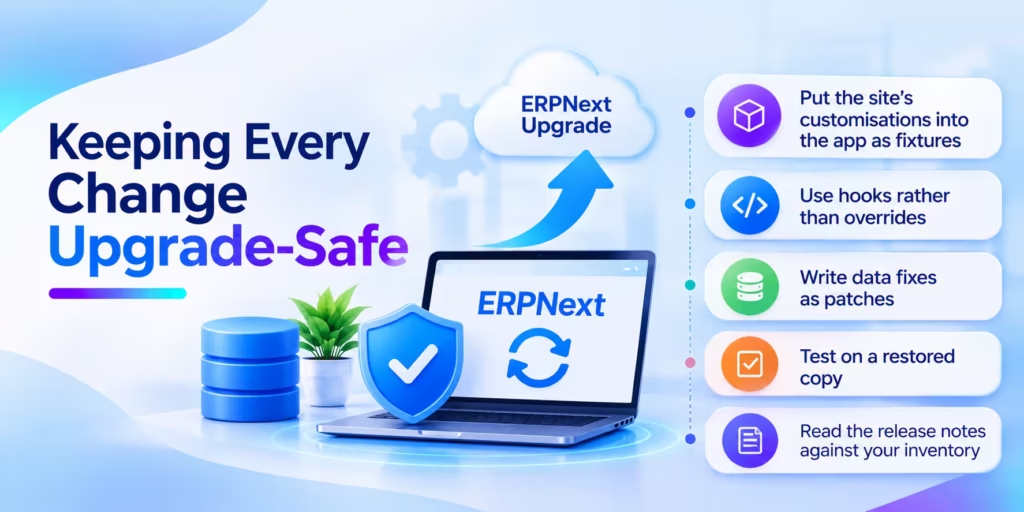
A predictable upgrade comes from habits set long before the version move. These are the ones we apply on ERPNext projects.
- Put the site’s customisations into the app as fixtures. Register Custom Field, Property Setter and, where useful, Client Script and Server Script in py, filtered to your module, then run bench export-fixtures. A Frappe guide explains how fixtures load on install and on bench update.
- Use hooks rather than overrides. doc_events in hooks.py lets your app react to Sales Invoice or Stock Entry events without touching their classes. Override a standard class only when no hook exists, and record why.
- Write data fixes as patches. A one-off change to existing records goes in a patch file listed in txt, so it runs once, in order, on every site.
- Test on a restored copy. Restore last night’s production backup to staging, upgrade it, then run the order-to-cash, procure-to-pay and month-end flows that use your scripts. Watch the browser console and the Error Log while you do.
- Read the release notes against your inventory. List every field, method and DocType your code references and check each against the changes between your version and the target.
For v16 specifically, self-hosted sites need a newer stack, including Python 3.14, Node.js 24 and MariaDB 11.8. Check that your cust
Warning Signs Your Customisations Will Hurt the Next Upgrade
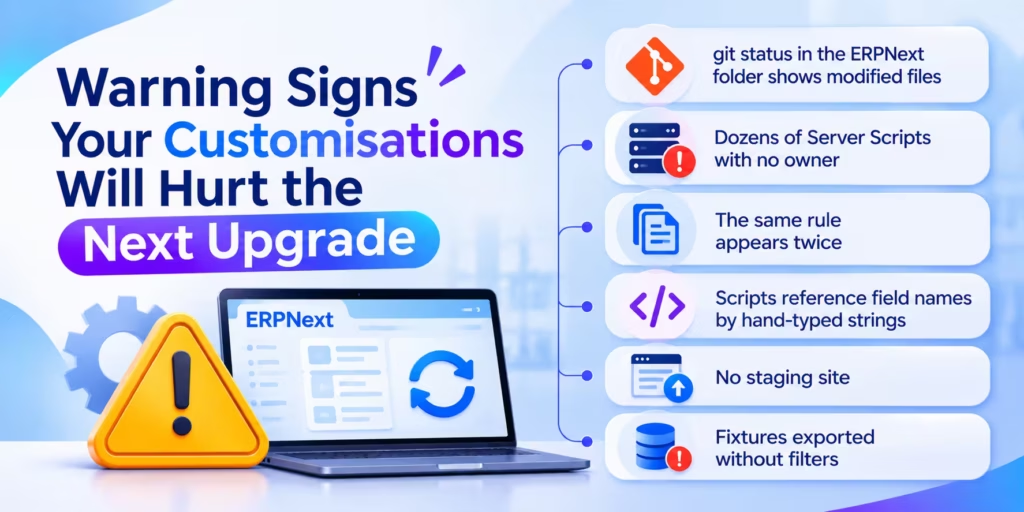
Upgrade trouble on an inherited ERPNext site tends to follow a handful of patterns. If two or more apply to you, run an audit before booking the upgrade window.
- git status in the ERPNext folder shows modified files. Someone has edited core code, and the next update will either fail or wipe the change.
- Dozens of Server Scripts with no owner. Each was a quick fix; together they form an untested application nobody can describe.
- The same rule appears twice. A credit check in a Client Script and a slightly different one in a Server Script will eventually disagree.
- Scripts reference field names by hand-typed strings copied from an older version, with no list of where they are used.
- No staging site. Without one, the first test of an upgrade happens on live invoices.
- Fixtures exported without filters, so installing your app on a clean site drags in fields from other apps and errors out.
None of these needs a rewrite to fix. Moving scripts into an app, removing duplicates and adding a staging site usually comes first, then the upgrade itself.
How Cloud Converge Helps
Cloud Converge is an ERPNext partner. Our consultants and developers review an existing site, list every Custom Field, script and core edit, and move what matters into a custom Frappe app held in a repository you control. Server Scripts that should stay are documented; duplicates and unused changes are removed before any version move.
For new projects, the same structure applies from day one. Delivery follows ISO 27001 and ISO 9001:2015 certified processes under a named Project Manager, and you can engage us at a fixed price, as a dedicated team, through agile delivery or hourly for ongoing support. Our IST working hours overlap with most of the European day and all of Asian business hours.
Find Out If Your ERPNext Setup Is Ready for v16
An hour spent mapping where your changes live can save weeks during the upgrade. Book a free consultation and get a clear view of which customisations to keep, move into a custom app or retire, with no obligation.
Frequently Asked Questions
What is the difference between a Client Script and a Server Script in ERPNext?
A Client Script is JavaScript that runs in the user’s browser on a form, so it shapes what people see and click. A Server Script is restricted Python that runs on the server, so its rules also apply to imports and API calls. Use the first for usability and the second for rules that must always hold.
Do Client Scripts and Server Scripts survive an ERPNext upgrade?
They are stored in the site database, so the records remain after a version move. Whether they still work depends on the fields and methods they call. Test each one on a staging copy of production before upgrading live.
Why can’t I create a Server Script on my site?
From Frappe v15, Server Scripts are switched off by default. A system administrator enables them with the server_script_enabled setting, and on Frappe Cloud they require a private bench rather than a shared one.
When should we build a custom Frappe app instead of using scripts?
Build an app when logic spans several DocTypes, needs new DocTypes or scheduled jobs, uses an external library, or must run on more than one site. It also suits any rule that affects accounting, stock or tax, because app code can be reviewed and tested.
Can Cloud Converge audit our existing ERPNext customisations?
Yes. We review your Custom Fields, scripts and any core changes, then recommend what to keep, move into a custom app or retire before an upgrade. The first consultation is free, and our delivery is ISO 27001 and ISO 9001:2015 certified.