


Companies that shortlist ERPNext and Oracle NetSuite have usually outgrown their accounting package and want finance, stock, purchasing, sales and production in one system. Both products cover those areas. Where they part ways is in how you pay and who controls the software: NetSuite is rented per user and per module from Oracle’s cloud, and ERPNext is open-source software with no seat fee that you can host wherever you like. This guide compares ERPNext vs Oracle NetSuite as of November 2026, with ERPNext v16.60 and NetSuite 2026.2 current, for finance and operations leads in Europe and Asia.
ERPNext or NetSuite
Oracle NetSuite is a subscription cloud ERP, billed through a base licence, named users and add-on modules, with strong multi-subsidiary consolidation through OneWorld. ERPNext is an open-source ERP built on the Frappe Framework, with no licence fee and full source access. NetSuite suits groups that want one vendor to run everything; ERPNext suits firms that want lower running costs and control. Cloud Converge implements ERPNext.
- What they are: NetSuite is Oracle’s multi-tenant SaaS suite, hosted only in Oracle data centres. ERPNext is a GPLv3 application from Frappe Technologies that runs on Frappe Cloud, any cloud provider or your own servers.
- How you pay: NetSuite charges an annual subscription made of a base package, user seats and modules; Oracle quotes each customer individually. ERPNext has no seat or module charge.
- Current versions: NetSuite 2026.2, rolled out to accounts between August and October 2026. ERPNext v16, released on 12 January 2026 and now at v16.60.
- Customisation: NetSuite is extended through SuiteCloud tools such as SuiteScript, without access to Oracle’s code. ERPNext is changed through Frappe apps, Custom Fields and Server Scripts, with every line of code open.
- Proof: Cloud Converge is an ERPNext partner, certified to ISO 27001 and ISO 9001:2015.
- Region note: Oracle lists four European and six Asia-Pacific data centres for NetSuite, and none in Singapore (Oracle data centre sheet).
How to decide in six steps
- List the legal entities, currencies and tax registrations the system must handle in the next three years.
- Split your users into full users, approvers and staff who only log time or expenses.
- Write down the manufacturing depth you need: assembly, routings, capacity scheduling or none.
- Check who maintains tax and e-invoicing for every country you file in.
- Decide whether you need control over hosting location and upgrade timing.
Ask both sides for a three-year cost that includes renewals, modules, implementation and support.
7 Things to Check Before Choosing ERPNext or NetSuite

Before you sign with either vendor, check the renewal terms, the number of legal entities, the manufacturing depth you need, tax support in each filing country, your exit route, the skills you can hire, and how your busiest process runs on real data. These seven points decide cost and fit far more than a feature list does.
- Get the renewal price in writing. Partner guides report NetSuite renewals rising by 5 to 15% when no cap was agreed at signing, so negotiate a cap of 3 to 5% before you commit (Epiq Infotech).
- Map entities before licences. Multi-subsidiary, multi-currency consolidation in NetSuite needs OneWorld. ERPNext handles several companies in one site as standard, so a group with five small entities sees a very different bill on each side.
- Name the manufacturing tier. NetSuite splits production into Work Orders and Assemblies, a WIP and Routings module and an Advanced Manufacturing add-on. ERPNext includes BOMs, routings, job cards, MRP and subcontracting in its core.
- Read the localisation limits. Oracle’s India tax engine supports one GSTIN per state for each subsidiary, and it cannot cancel e-invoices from inside NetSuite (Oracle documentation). Check that kind of detail for every country before signing with either platform.
- Plan your exit on day one. NetSuite runs only on Oracle’s infrastructure, so leaving means exporting data into a new system. ERPNext’s code and database can move to another host or partner without a rebuild.
- Budget for specialist skills. NetSuite work needs SuiteScript and SuiteFlow experience, and that talent is priced accordingly. ERPNext development uses Python and JavaScript, which most engineering teams already know.
Test your highest-volume process first. Run a pilot of order-to-cash or procure-to-pay on both platforms with your own data. Screen count, approval steps and batch speed show up there, not in a demo script.
From On-Premise ERP to SaaS and Open Source
Twenty years ago a growing company bought an ERP licence outright, installed it on a server room rack and paid yearly maintenance. NetSuite, founded in 1998, was among the first to change that model. It put the whole suite in its own cloud and billed by subscription, which removed servers and upgrade projects from the customer’s list.
ERPNext came from the other side. Released as open source, it removed the licence instead of the server, and Frappe Cloud later added a managed hosting option. Both approaches answer the same complaint about older systems: buying and upgrading software was slow and expensive. They put the cost in different parts of the budget.
| Criteria | Traditional on-premise ERP | Oracle NetSuite | ERPNext v16 |
| Licence | Perpetual, plus yearly maintenance | Annual subscription: base, users, modules | None; GPLv3 |
| Hosting | Your own server room | Oracle data centres only | Frappe Cloud, any cloud or on-premise |
| Upgrades | Rare, project-based | Two releases a year, applied by Oracle | Scheduled by you |
| Changes | Vendor or reseller edits | SuiteScript, SuiteFlow, SuiteApps | Frappe apps, Custom Fields, Server Scripts |
| Source code | Closed | Closed | Open |
| Exit | Keep the old server running | Export data to a new system | Move code and database to any host |
The older model is still sensible for a company that has a stable system and a team that knows it. For a firm replacing spreadsheets or a legacy package, NetSuite hands the day-to-day running of the system to Oracle, while ERPNext keeps that decision, and the work that comes with it, inside your business.
ERPNext vs NetSuite Side by Side
Here is how the two compare on the points buyers raise most often.
| Criteria | ERPNext | Oracle NetSuite |
| Licence model | Open source, no user or module fee | Base package plus named users plus modules |
| Multi-entity | Multiple companies in one site, inter-company transactions | OneWorld for consolidation across subsidiaries and currencies |
| Manufacturing | BOMs, MRP, job cards, subcontracting in the core | Assemblies in the base; WIP, routings and advanced scheduling as add-ons |
| HR and payroll | Frappe HR, open source | SuitePeople, licensed separately |
| Customisation | Full source, Python and JavaScript | SuiteCloud platform, no source access |
| Hosting | Your choice of location and provider | Oracle-run multi-tenant cloud |
| Release rhythm | Major version roughly every two years | Two releases a year |
| AI | Frappe Flow alpha, bring your own model keys | NetSuite Next and Ask Oracle, starting in the US and Canada |
Our recommendation: pick NetSuite when group consolidation is the main requirement, you want a single vendor accountable for hosting and upgrades, and the subscription fits the budget at year five. Pick ERPNext when headcount will grow, manufacturing sits at the centre of the business, or owning the software and the hosting decision matters to you.
What Drives the Cost of Each System

NetSuite is sold as an annual subscription, quoted separately for each customer. The quote has three parts: a base platform tied to the edition you choose, a seat for every full user, and lighter seats for staff who only log time or expenses. Extra capabilities, such as multi-subsidiary consolidation, production routings or advanced inventory, are added as modules, and implementation is a separate project fee.
ERPNext removes the licence layer entirely. A company pays for hosting, implementation, custom work and support. Adding forty warehouse staff means a larger server rather than forty seats, and adding a factory changes no licence at all.
That does not make ERPNext free to run. Your partner or IT team carries backups, monitoring and upgrade testing, and a poorly scoped project costs the same on any platform.
| Cost driver | ERPNext | NetSuite |
| Extra full users | No licence effect | A seat for each user |
| Occasional users | No licence effect | Self-service seats for time and expenses |
| Extra subsidiaries | No licence effect | Multi-subsidiary module |
| Production with routings | Included | Manufacturing routings module |
| Hosting | Your plan or server | Included in the subscription |
| Renewals | Hosting and support contracts only | Set by the renewal terms in the contract |
Ask for a written quote that covers three full years, renewal terms included, and set it beside an ERPNext estimate built on the same user mix. That comparison tells you more than any monthly headline.
Renewals, Contract Terms and Long-Term Cost Compared

NetSuite renews as a subscription, so the price for the next term is agreed in the contract, along with any change in users or modules. ERPNext has no licence to renew; the recurring items are hosting, support and upgrade work. For buyers across Europe and Asia, the useful question is which terms to fix in writing on each side at the start.
A subscription runs for a fixed term, usually one year or several, and is priced again when that term ends. Users and modules added partway through are normally aligned to the same end date. That gives finance a single renewal date to plan around, and it makes the wording of the contract the main tool for keeping future costs predictable.
ERPNext spreads the recurring cost differently. There is no licence fee to renew, so the budget lines are the hosting plan, the support agreement with your partner, and the effort needed to move to each new major version. Those lines are smaller in number but are spread across separate contracts, which means each one needs its own review date.
| What to compare | ERPNext | NetSuite |
| What renews | Hosting plan and support agreement | Software subscription for the agreed term |
| When the next price is set | At each hosting or support review | At the end of each subscription term |
| Adding users mid-term | No licence change | Added seats aligned to the current end date |
| Reducing users or modules | No licence change | Handled at renewal, per the contract wording |
| Upgrade work | Planned and paid as a project when you choose | Applied by the vendor as part of the subscription |
| Invoice currency | Set by your hosting and support providers | Set in the order form for your region |
| End of contract | Code and database stay with you | Data export as defined in the agreement |
Points to settle before signing
- Agree the invoice currency. A contract billed in EUR, GBP, INR or SGD removes exchange-rate swings from the budget; one billed in another currency moves with the market.
- Check how VAT or GST applies. Cross-border software and services are often taxed under reverse charge, so confirm the treatment with your tax adviser before the first invoice.
- Align the renewal date with your financial year. Many companies in India and Japan close their year on 31 March, while most of Europe closes on 31 December, and budget approval follows that calendar.
- Write the renewal terms into the order form. For a subscription, record the term length, how the next price is set, and whether seats or modules can be reduced at renewal.
- Write review dates into the support agreement. For ERPNext, record response times, the hosting price review date, and who owns the custom app code.
- Define the exit in plain terms. On either platform, state the export format, the handover period and the support you will receive while the data moves.
With these terms in writing, both models can be budgeted with confidence over five years. The right choice then rests on your entities, your users and the processes you run, not on the contract alone.
Multi-Entity and Global Finance
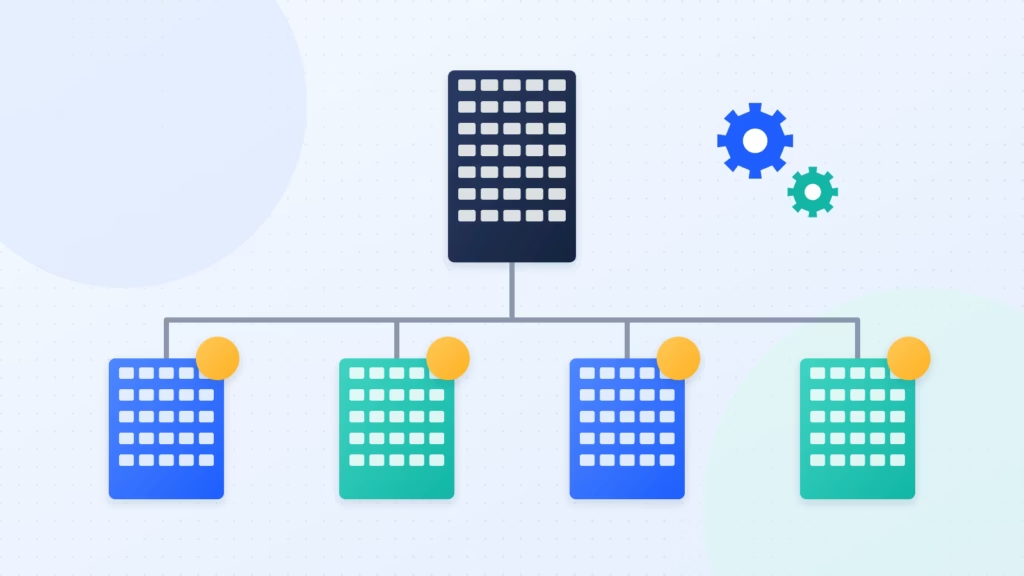
Group accounting is NetSuite’s best-known strength. OneWorld runs each subsidiary with its own currency, tax nexus and books, eliminates inter-company balances, and produces consolidated statements across the group. For a holding company with ten entities in six countries, that removes much of the manual work from month-end close.
ERPNext supports many companies inside one site, each with its own chart of accounts and currency. Inter-company sales and purchase invoices link automatically, and consolidated financial statements can be run across companies. Where it asks more of the team is in elimination entries and group reporting rules, which often need configuration or a custom report for larger structures.
A useful threshold: below roughly five entities with simple ownership, ERPNext handles group finance well. Above that, or with minority interests and frequent restructuring, NetSuite’s consolidation tools are more mature.
ERPNext vs NetSuite for Manufacturing

For a manufacturer, the licence question shows up on the shop floor. NetSuite’s base licence covers work orders and assembly builds for light production. The WIP and Routings module adds work centres, routings, labour costing and infinite-capacity scheduling, and Advanced Manufacturing adds finite scheduling and a shop-floor work bench on top of that (Oracle Advanced Manufacturing).
ERPNext ships multi-level BOMs, routings, work orders, job cards, MRP, quality inspection and both outward and inward subcontracting in its open-source core. Version 16 added a Master Production Schedule and stock reservation against specific jobs. Our ERPNext for manufacturing guide explains where it stops and what to budget for.
| Manufacturing need | ERPNext v16 | Oracle NetSuite |
| Light assembly and kitting | Core | Base licence |
| Routings and WIP costing | Core | WIP and Routings module |
| Finite capacity scheduling | Partial; plant floor view and job card scheduling | Advanced Manufacturing add-on |
| Material planning | MRP and Master Production Schedule | Demand and supply planning tools |
| Subcontracting | Outward, and inward for customer-supplied material | Outsourced manufacturing feature |
| Shop-floor capture | Job cards on tablets; ERPNext Go mobile app | Manufacturing mobile and work bench |
Verdict for manufacturers: job shops, contract and job-work producers, and plants with many shop-floor users usually get more value from ERPNext. Multi-plant groups that need finite scheduling across entities and already plan to license NetSuite’s higher manufacturing tiers can justify the extra subscription.
What ERPNext v16.60 Changes for Manufacturers
Frappe released v16.60 of ERPNext, Frappe HR and the Framework on 18 November 2026 (Frappe announcement). It leaves production orders, BOMs, job cards and MRP as they were; those screens were reworked in the January v16 release. What it does change is the work around the plant:
- Supplier view in one place. Each supplier record now opens on an overview of purchase trends, open orders, unapplied payments, account balance and credit-limit use, with an Items tab listing what you buy from them most.
- Fewer wrong items on orders. Party-specific item restrictions can be set straight from the customer or supplier form, so buyers and sales staff pick only the parts agreed with that party.
- Stock and finance printouts. A Warehouse Stock Summary print format arrives with Statement of Account, Bill-wise Pending, Balance Confirmation, purchase and sales registers, outstanding orders and a Day Book report.
- Plant dashboards. ERPNext now ships standard Insights dashboards with heatmaps, trend lines, filters and drill-down to the source document, once Insights is installed.
- Phone screens for the floor. Lists scroll without paging, filters open in bottom sheets, and Kanban boards fit a phone, which helps supervisors who work away from a desk.
- Bills keyed in faster. Supplier invoices can be uploaded in bulk and entered with the file shown beside the form; AI autofill from those files is planned for the next release.
- No-code apps for plant needs. Studio is now part of the Framework, and Frappe showed a manufacturing app built from one written request. Treat that as a demonstration, not a new module.
For NetSuite buyers, the practical point is that every one of these arrived without a new licence or add-on fee. Our v16.60 breakdown covers the full release, including the customer and supplier portal and cheque management Frappe has announced next.
Customisation, Upgrades and Lock-In

NetSuite customisation happens inside SuiteCloud: SuiteScript for code, SuiteFlow for workflows, custom records and fields, and SuiteApps from the marketplace. Oracle applies two releases a year to every account, and customers test their scripts in a release preview account before the upgrade lands. You cannot change Oracle’s own code, and you cannot run NetSuite anywhere else.
ERPNext lets administrators add fields, forms, workflows and Server Scripts in the browser, with deeper changes built as separate Frappe apps. You pick the upgrade date, and version 15 stays supported until the end of 2027. The freedom carries a risk: teams that edit core files instead of building apps turn every major upgrade into a rewrite.
On either platform, keep every customisation in its own script bundle or app, write tests for it, and record why it exists. Our ERPNext developers follow this rule and hand the custom app over in your own repository.
AI in Each ERP: NetSuite Next vs Frappe Flow
NetSuite 2026.2 began the rollout of NetSuite Next and the Ask Oracle assistant, which Oracle calls its biggest update since the product launched in 1998. The first wave covers customers in the US and Canada, with other countries to follow (Oracle community announcement). The same release added AI help to bank reconciliation, close management and analytics. A company in Europe or Asia should ask its account manager for a date before counting on these features.
ERPNext is at an earlier stage. Frappe Flow, released as an alpha in v16.60, can analyse data and complete forms, works only within the signed-in user’s permissions, and lets you plug in keys from the AI provider you choose. Frappe plans ready-made Flow skills for ERPNext and Frappe HR over the coming months, with AI autofill from uploaded bills in the next release.
If AI-assisted finance work matters this year and you are in North America, NetSuite is further along. If you want to pick the model provider and keep data under your own controls, ERPNext’s approach is more open but less mature.
How Long Does Implementation Take, and Can You Move From NetSuite to ERPNext?
Plan on four to nine months for a mid-market NetSuite rollout, or around 100 days for a single entity on Oracle’s standard SuiteSuccess setup. ERPNext projects with Cloud Converge run from 6 to 10 weeks for one company on core modules up to a year for a multi-country manufacturing rollout. A move from NetSuite to ERPNext is a data migration plus a rebuild of custom scripts.
Independent industry guides give that range for mid-market NetSuite projects and note that Oracle markets SuiteSuccess go-lives at about 100 days for companies that accept standard configuration and bring clean data. Multi-subsidiary rollouts usually take longer. On both platforms, the schedule slips for the same reasons: late decisions, uncleaned item and customer records, and integrations scoped too late.
Teams that already run NetSuite and want to leave it usually ask what moves and what has to be rebuilt.
| What you have in NetSuite | How it moves to ERPNext | Watch for |
| Customers, suppliers, items, chart of accounts | Exported from saved searches to CSV, loaded with ERPNext import templates | Duplicate records and inactive items carried across |
| Open balances and open documents | Loaded at an agreed cut-over date | Trial balance matching NetSuite before go-live |
| Subsidiaries | Set up as companies in one ERPNext site | Inter-company accounts and elimination rules |
| Transaction history | Kept in a read-only archive or summarised by month | Audit retention rules in each country |
| SuiteScripts, workflows, custom records | Rebuilt as a Frappe app, Server Scripts or Workflows | Scripts nobody can explain any more; retire those |
| Attachments in the File Cabinet | Bulk-exported and linked to the matching ERPNext records | File sizes and naming conventions |
| Integrations (Shopify, banks, carriers) | Reconnected through ERPNext connectors or the REST API | Webhook and API rate limits on the other side |
Time the switch to your NetSuite renewal date. Running both systems in parallel for a month is normal; paying for a second NetSuite year because the project started late is avoidable.
Ease of Use and Support: What Reviewers Say
G2 reviewers rate ERPNext higher on usability and setup, and NetSuite higher on support and on meeting requirements (G2 comparison).
| G2 score (out of 10) | ERPNext | NetSuite |
| Ease of use | 8.3 (32 responses) | 7.6 (4,472 responses) |
| Ease of setup | 7.9 (24 responses) | 6.6 (3,119 responses) |
| Ease of admin | 8.1 (21 responses) | 7.4 (2,031 responses) |
| Quality of support | 6.5 (27 responses) | 7.0 (3,518 responses) |
| Meets requirements | 7.5 (32 responses) | 8.1 (3,783 responses) |
ERPNext’s figures rest on a few dozen reviews against thousands for NetSuite, so read them as an early signal. Support is the score worth acting on. Whichever system you choose, write response times and escalation paths into the partner contract before go-live.
Pros and Cons at a Glance
| ERPNext | Oracle NetSuite | |
| Strengths | No seat or module fees; full source code; manufacturing, HR and payroll in the core; you choose hosting and upgrade dates | Mature multi-entity consolidation; Oracle runs hosting, security and upgrades; large partner and SuiteApp market; AI assistant rolling out |
| Weaknesses | Fewer partners than NetSuite in most countries; support quality depends on your partner; group consolidation needs more setup; AI tools still in alpha | Costs rise with users, modules and renewals; no self-hosting or code access; specialist skills cost more; routings and finite scheduling are paid add-ons |
Which ERP Fits Which Industry
Your industry decides which modules, add-ons and partner skills you will pay for. The table shows where each platform usually lands; your own processes can change the answer.
| Industry | Usually the better fit | Reason |
| Venture-backed software and SaaS | NetSuite | Revenue recognition, subscription billing and investor-familiar reporting |
| Holding groups with many subsidiaries | NetSuite | OneWorld consolidation with little configuration |
| Contract and job-work manufacturing | ERPNext | Inward subcontracting for customer-supplied material is in the core |
| Discrete manufacturing with many shop-floor users | ERPNext | Job cards and routings carry no per-user or module fee |
| Food, chemicals and cosmetics | ERPNext | Batch tracking, process loss and quality inspection come standard |
| Distribution and wholesale | Either | Both handle multi-warehouse stock and landed costs; decide on user count and entities |
| Ecommerce and D2C brands | Either | Both connect to Shopify; ERPNext adds no seats for warehouse and support staff |
| Professional services | Either | Timesheets, project costing and billing exist in both; ERPNext’s project screens were rebuilt in v16.60 |
When to Choose NetSuite and When to Choose ERPNext
NetSuite is the stronger pick when:
- you run many subsidiaries across currencies and need consolidation with little configuration;
- your board wants one vendor responsible for hosting, security and upgrades;
- your auditors or investors already expect NetSuite, which is common in venture-backed software firms;
- the three-year subscription, including renewals, fits comfortably in the budget.
ERPNext makes more sense when:
- user numbers will grow faster than revenue, especially in warehouses or factories;
- manufacturing, subcontracting or batch traceability is central to the business;
- you need deep process changes or want the code and database under your control;
- data must stay in a specific country or on infrastructure you choose.
If you are also weighing Microsoft or Odoo, see our ERPNext vs Business Central and Odoo vs ERPNext comparisons.
How Cloud Converge Helps
As an ERPNext partner, Cloud Converge handles ERPNext implementation, custom Frappe apps, data migration, integrations and v16 upgrades. Many conversations start with a fit-gap review: we map your processes against ERPNext and tell you plainly where NetSuite’s consolidation or vendor-run model would serve you better.
Projects run under ISO 27001 and ISO 9001:2015 certified processes, led by a named Project Manager with support from our Project Management Office. You can engage us at a fixed price, as a dedicated team, through agile delivery, or hourly for ongoing support.
Frequently Asked Questions
Is ERPNext a good alternative to NetSuite?
For many mid-sized firms, yes. ERPNext covers accounting, stock, purchasing, sales, manufacturing, projects and HR without seat fees. NetSuite keeps the edge in large multi-entity consolidation and in having one vendor run the whole platform.
Is ERPNext cheaper than NetSuite?
On licences, yes, because ERPNext has none. Total cost also depends on hosting, implementation, integrations and support, so build a three-year comparison for your own user count and modules.
Can NetSuite be self-hosted?
No. NetSuite runs only in Oracle’s data centres as a multi-tenant service. ERPNext can run on Frappe Cloud, a public cloud of your choice or your own servers.
Which is better for manufacturing?
ERPNext ships production planning, shop-floor job tracking and contract manufacturing without extra fees. NetSuite covers basic assemblies in the base licence and adds WIP, routings and finite scheduling through paid modules.
How does NetSuite handle multiple companies compared with ERPNext?
NetSuite’s OneWorld module consolidates group entities, each with its own currency and tax nexus. ERPNext keeps multiple companies in a single installation, linking inter-company invoices and producing combined statements, though complex group structures may need extra configuration.
Can we migrate from NetSuite to ERPNext?
Yes. Masters such as customers, suppliers, items and the chart of accounts, plus open balances, can be exported from NetSuite and loaded into ERPNext. Pick a clean cut-over date, and keep closed history in an archive for audit.
Find Out Whether ERPNext Fits Your Business
An ERP decision shapes how your finance and operations teams work for a decade, so test it against your own processes before you sign. Book a free consultation and we will compare ERPNext with your NetSuite quote line by line, with no obligation.