

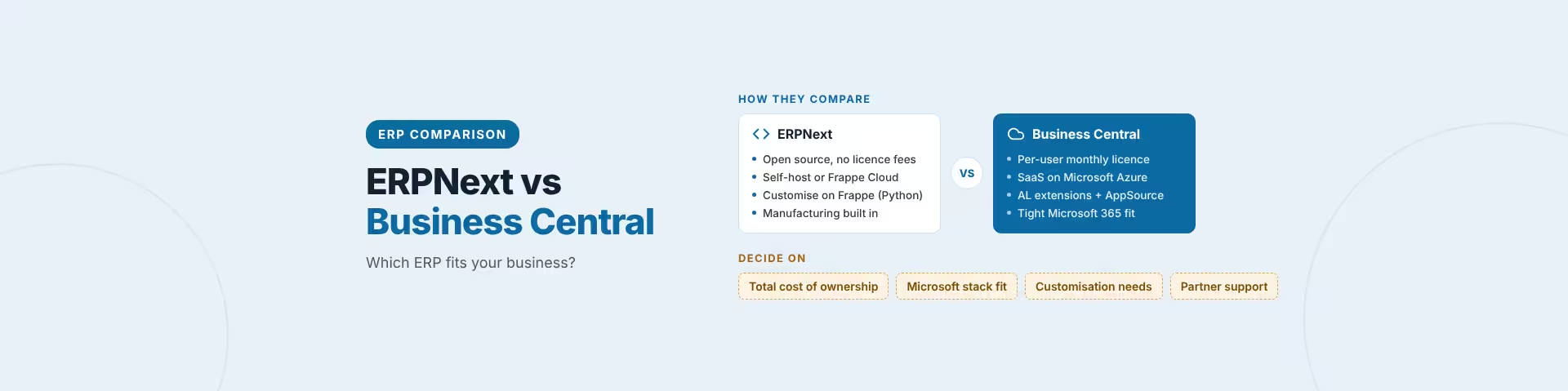
A finance director comparing ERP systems usually finds that the feature lists look almost identical. ERPNext vs Dynamics 365 Business Central is a good example: both handle accounting, stock, purchasing, sales, projects and production for SMEs. The real differences sit underneath, in how each one is licensed, who can change it, how upgrades arrive and how well it handles tax rules in your country. This guide compares the two as they stand in November 2026, with ERPNext v16 (updated to v16.60 on 18 November 2026) and Business Central version 29 current, for operations and finance leads in Europe and Asia.
For full release notes, see Frappe’s v16.60 announcement or Cloud Converge’s v16.6.0 breakdown.
ERPNext or Business Central
Dynamics 365 Business Central is Microsoft’s cloud ERP for small and mid-sized companies, licensed per user each month and built to work closely with Outlook, Excel, Teams and Power BI. ERPNext is an open-source ERP on the Frappe Framework with no licence fee and every module open to change. Choose Business Central when your firm runs on Microsoft 365; choose ERPNext when headcount will grow or you want to own the code. Cloud Converge implements both.
- What they are: Business Central is a SaaS product from Microsoft, with an on-premises option. ERPNext is a GPLv3 application from Frappe Technologies, hosted on Frappe Cloud, a provider’s server or your own infrastructure.
- Licensing: Business Central sells named-user licences in Essentials, Premium and Team Members tiers, plus Device and External Accountant licences. ERPNext has no user licence at all.
- Current versions: Business Central 29 (2026 release wave 2, generally available from October 2026). ERPNext v16 (released 12 January 2026), now on the v16.60 update.
- Customisation: Business Central changes are AL extensions that sit on top of Microsoft’s base application. ERPNext changes are Frappe apps, Custom Fields and Server Scripts, with full source access.
- Proof: Cloud Converge is a Microsoft Solutions Partner and an ERPNext partner, with a published Business Central case study for Rostar Filters.
- Region note: Microsoft localises Business Central itself for India, Britain and most Western European markets; much of Southeast Asia relies on third-party apps.
How to decide in six steps
- Write down the processes that must run on day one, from order to cash through to month-end close.
- Count full users, occasional approvers and shop-floor or warehouse staff, now and in three years.
- Check which countries you file tax in and who maintains the localisation for each.
- List the tools that must connect, such as Microsoft 365, Power BI, Shopify, bank feeds and carriers.
- Decide who hosts the system and who controls upgrade timing.
- Pilot the two strongest processes on both platforms with your own data before you sign.
7 Things to Check Before Choosing ERPNext or Business Central
Check seven things before you pick between ERPNext and Dynamics 365 Business Central: your user mix by role, the scope of production you run, payroll, the update rhythm, e-invoicing in each filing country, how much your staff rely on Microsoft 365, and who answers support calls. These decide cost and fit far more than feature lists do.
- Count users by role, not headcount. Business Central bills full users on Essentials or Premium, covers approvers and timesheet staff with cheaper Team Members seats, and offers Device licences on kiosk PCs at the warehouse. ERPNext charges nothing per login, so when most people only sign in occasionally, model the three-year cost on both before deciding.
- Fix manufacturing scope before you buy licences. Production orders, routings and supply planning in Business Central need Premium for every full user in that environment, while assembly-only work can stay on Essentials. ERPNext ships production, MRP and subcontracting in its core, so adding a factory later changes no licence.
- Settle payroll in week one. In most countries Business Central has no built-in payroll, so you budget for an AppSource extension or an outside bureau. ERPNext runs salary structures and payroll in Frappe HR, though local statutory rules may still need an add-on.
- Match the release cycle to your IT capacity. Business Central online installs two major versions a year, and all extensions must pass compatibility checks before each one lands. ERPNext ships a major version about every two years and lets you choose the upgrade date, with v15 supported until the end of 2027.
- Confirm e-invoicing country by country. For Germany, Business Central’s E-Documents module produces XRechnung, ZUGFeRD and Peppol BIS 3 from version 26.3, whereas ERPNext needs ALYF’s open-source e-invoice app plus a separate Peppol access point. For India, ERPNext’s India Compliance app covers GST e-invoices and e-way bills.
- Measure your dependence on Microsoft 365. If sales, finance and operations spend the working day in email, spreadsheets and Teams meetings, Business Central removes copy-and-paste work that ERPNext would need connectors for. If they don’t, that advantage shrinks to a nice extra.
Ask who picks up the phone after go-live. G2 reviewers rate Business Central’s support at 7.9 out of 10 against 6.5 for ERPNext, and ERPNext reviewers point to thin vendor support, so service quality rests largely on the partner you hire. Get response times written into the contract, whichever platform wins.
From Dynamics NAV and On-Premise ERP to Cloud and Open Source
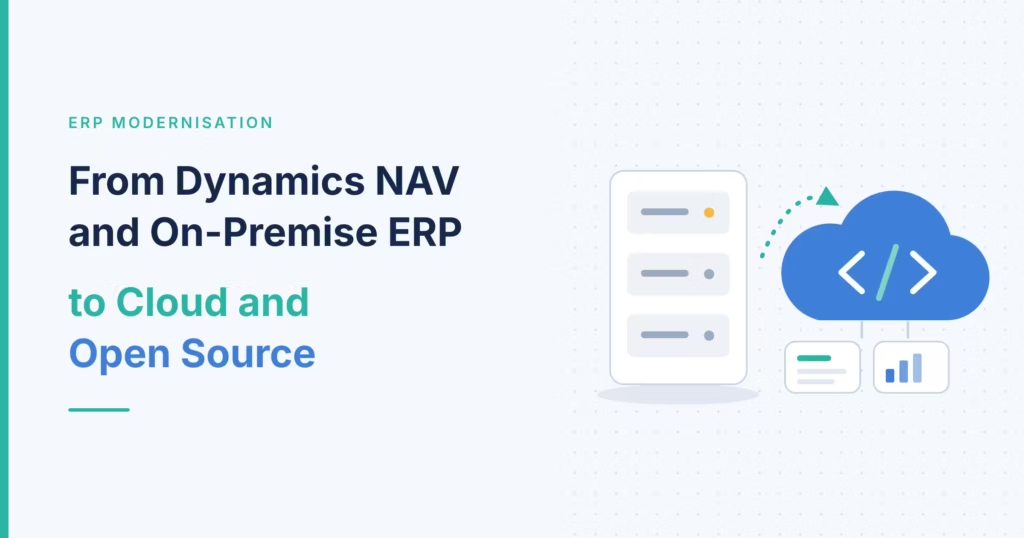
Fifteen years ago, a mid-sized European company that wanted a Microsoft ERP bought Dynamics NAV. A reseller installed it on a server in the office, then modified the source code to fit the business. Those changes made NAV popular, and they also made every upgrade a project of its own, because each customer ran a slightly different copy of the code.
Business Central is the cloud successor to NAV. Microsoft closed the door on editing base code in the online version: every change must now be an extension that hooks into published events. ERPNext reached the same discipline from the other direction. The code is fully open, yet Frappe recommends keeping custom work in separate apps so the core can be upgraded cleanly.
| Criteria | Traditional (NAV or on-premise ERP) | Business Central online | ERPNext v16 |
| Licence | Perpetual licence plus yearly maintenance | Per user per month subscription | None: pay for hosting and services |
| Hosting | Server in your office or data centre | Microsoft’s Azure regions | Frappe Cloud, any cloud, or your own server |
| How changes are made | Edits to the vendor’s source code | AL extensions on published events | Frappe apps, Custom Fields, Server Scripts |
| Upgrade timing | When the business chooses, often rarely | Two major releases a year, scheduled within a window | When the business chooses |
| Who can do the work | Certified reseller | Microsoft partners with AL skills | Any developer who knows Python and Frappe |
Neither modern option is a straight copy of the old model. If a company is still on NAV and happy with it, the move to Business Central is the shortest path. For a company outgrowing spreadsheets or Tally, either path is open.
ERPNext vs Business Central Side by Side
The licence model and the upgrade model separate these products more than any single feature does.
| Criteria | ERPNext | Dynamics 365 Business Central |
| Licence | GPLv3, no user fee | Essentials, Premium and Team Members per user per month |
| Manufacturing | BOMs, MRP, job cards and subcontracting in the core | Production orders and planning on Premium only |
| Microsoft 365 links | Through APIs and connectors | Built into Outlook, Excel and Teams |
| Reporting | Built-in reports, Frappe Insights, or Power BI through the API | Built-in reports, Excel, and Power BI apps from Microsoft |
| Customisation | Frappe apps with full source access | AL extensions; base code cannot be edited online |
| Hosting choice | Frappe Cloud, any cloud provider, on-premise | Microsoft cloud, or on-premise with separate licensing |
| Release rhythm | About two years between majors | Two release waves a year |
Our recommendation: pick Business Central when your people already live in Microsoft 365 and you want Microsoft to run the platform and its upgrades. Pick ERPNext when you expect many users who only touch the system occasionally, need deep process changes, or want to decide where and when the software runs.
Licensing and Total Cost: What Actually Drives the Bill
Business Central is priced per named user per month on an annual commitment, and Microsoft raised list prices on 1 November 2025, the first increase in several years . The bill depends on how many full users you need, whether any of them need Premium, and how many people can be covered by Team Members or Device licences. Essentials and Premium can now run in separate environments on the same tenant, but each user can only reach the environment their licence covers.
ERPNext has no user fee, so cost follows hosting size and the work done around the software. A firm adding fifty warehouse pickers pays for a bigger server, not fifty new licences. The trade-off is that you or your partner carry more of the platform work: backups, monitoring, upgrades and the custom app code.
Either way, licences are rarely the largest number. Implementation, data migration, integrations and training usually decide the total, and they depend on scope far more than on the platform.
| Cost driver | ERPNext | Business Central |
| Users | No effect on licence | Each full user adds a monthly fee |
| Light users and approvers | No effect on licence | Team Members licences at a lower fee |
| Manufacturing or service | Included | Premium licence for every full user in that environment |
| Hosting | Frappe Cloud plan, cloud server or your own hardware | Included online; storage beyond the allowance is extra |
| Extra apps | Mostly open-source Frappe apps | AppSource apps, Power Platform licences where needed |
| Upgrades | Planned by you, effort tied to custom code | Included, but extensions must keep pace twice a year |
If you want exact figures, Microsoft publishes current list prices on the Business Central pricing page, and a partner quotes the rest after scoping.
Implementation Time and Data Migration
Delays usually come from data and decisions, not from the software, puts typical go-lives at one to three months for ERPNext and two to six for Business Central. Our own ERPNext projects run from 6 to 10 weeks for a single company on core modules to as long as a year for a multi-country manufacturing rollout.
| Data to move | How it moves | Watch for |
| Customers, suppliers, items, chart of accounts | Import templates in ERPNext; configuration packages in Business Central | Duplicate codes carried over from the old system |
| Open balances and open documents | Loaded at an agreed cut-over date | Trial balance matching the old system before go-live |
| Transaction history | Kept read-only in the old system or summarised by month | Tax and audit retention rules in your country |
| Dynamics NAV or GP data | Microsoft’s cloud migration tools move it into Business Central | Custom NAV code has to be rebuilt as extensions |
| Tally or QuickBooks data | Import templates or a migration script | GST and tax ledgers need careful mapping |
Start the data audit in week one. Item codes and customer records that were never cleaned are the most common reason a go-live date slips, on either platform.
Customisation, Extensions and Upgrades
Business Central customisation is written in AL, Microsoft’s language for the product, using Visual Studio Code. An extension can add tables, pages, reports, API endpoints and logic that reacts to events in the base application. AppSource offers thousands of ready-made apps from Microsoft partners. What you cannot do online is change Microsoft’s own code, so a requirement that needs a hook Microsoft has not exposed may have to wait or be redesigned.
ERPNext gives administrators Custom Fields, Customize Form, Workflows and Server Scripts in the browser. Deeper work goes into a Frappe app with its own DocTypes, reports and REST endpoints. Every line of ERPNext is readable, so a developer can see exactly why a calculation behaves as it does. That freedom has a cost: teams that edit ERPNext core files instead of building apps turn every upgrade into a rewrite.
The same rule works on both platforms. Keep each customisation in its own extension or app, write automated tests for it, and record the business reason it exists. Retire anything that no longer has a reason before the next release.
Our ERPNext developers follow that rule on every project, and the custom app is handed to you in your own repository.
What’s New in ERPNext v16.60 (November 2026)
Frappe shipped v16.60 of the Framework, ERPNext and Frappe HR on 18 November 2026, about a month after v16.50. It is a feature update inside version 16, so sites already on v16 take it as a routine update rather than a migration. These are the changes that matter for this comparison:
- Customer and supplier overviews. Each party record now shows sales or purchase trends, open orders, unapplied payments, account position and credit-limit use, plus a tab of the items most often traded with that party.
- Finance reports ready to print. New standard formats cover Statement of Account, bill-wise pending, balance confirmation, sales and purchase registers, outstanding orders and a warehouse stock summary, alongside a Tally-style Day Book.
- Upload-first data entry. Bills, receipts and expense claims can be uploaded in bulk and queued, then keyed in with the file shown beside the form. Frappe plans AI autofill from those files in the next release.
- Projects, phase one of a rebuild. A single project view shows progress, blocked and overdue tasks, and costing against budget, with more changes due in December.
- Studio inside the Framework. No-code apps and custom pages no longer need a separate install; Frappe demonstrated a small manufacturing app built from one written request.
- Phone-friendly screens. Bottom navigation, bottom sheets for filters, infinite scroll in lists and Kanban boards sized for phones.
- Frappe Flow (alpha). An AI layer that analyses data and fills in forms within the user’s own permissions, using your own AI provider keys.
v16.60 adds no new manufacturing or stock transactions; the shop-floor changes in version 16 arrived with the January release. For a plant, the gains are in finance printouts, supplier visibility and mobile use. Frappe has also announced cheque management and a Studio-based customer and supplier portal as next steps.
For full release notes, see Frappe’s v16.60 announcement or Cloud Converge’s v16.6.0 breakdown.
ERPNext vs Business Central for Manufacturing Companies
Both systems cover multi-warehouse stock, batch and serial tracking, purchasing, sales and project costing. The split shows up on the shop floor.
Business Central Premium handles production orders, routings, machine and work centres, capacity planning and supply planning, and suits discrete manufacturers already used to the NAV way of working. ERPNext includes multi-level BOMs, MRP, work orders, job cards, outward and inward subcontracting and quality inspections in its free core, and version 16 added a Master Production Schedule and the option to reserve stock for a specific job. Our ERPNext for manufacturing guide covers where it stops and what to budget for.
On the warehouse floor, Business Central offers Device licences for shared terminals. ERPNext has no such licence question, and staff can record receipts, transfers and inspections on a phone through our ERPNext Go app.
Business Central’s position also moved this year. Microsoft added a native Quality Management module with version 28 in April 2026, covering inspections in purchasing, production, assembly and warehouse steps, and version 29 builds on it.
| Manufacturing need | ERPNext v16 | Business Central 29 |
| Licence tier | Core product, no extra tier | Premium for production orders; assembly orders on Essentials |
| Discrete and assembly | Multi-level BOMs, routings, work orders, job cards | Production BOMs, routings, work and machine centres |
| Process and batch | Batch tracking, process loss and scrap items; formula scaling may need custom work | Lot tracking; recipe and potency handling usually from AppSource add-ons |
| Material planning | MRP run and Master Production Schedule | Planning worksheets, demand forecasts, supply planning |
| Subcontracting | Outward, and inward for customer-supplied material | Outside work through vendor-linked work centres |
| Quality | Inspection templates plus a Quality Management module | Native Quality Management since April 2026 |
| Shop-floor capture | Job cards on tablets, Plant Floor view | Output and consumption journals, Device licences on shared terminals |
Verdict for manufacturers. Contract and job-work producers, Indian plants that need GST and e-way bills, and batch producers with many shop-floor users usually get more from ERPNext. Discrete manufacturers moving off NAV, or plants whose engineering and finance teams already work in Microsoft 365, tend to settle faster on Business Central Premium. Light assembly with no routings can run on Business Central Essentials, which keeps licence cost down.
Which ERP Fits Which Industry
Industry decides which licences, localisations and add-ons you will need. The table shows where each platform usually lands; your own processes can shift the answer.
| Industry | Usually the better fit | Reason |
| Contract and job-work manufacturing | ERPNext | Inward subcontracting for customer-supplied material is in the core |
| Discrete manufacturing on NAV today | Business Central | Familiar data model and a direct upgrade path from NAV |
| Food, chemicals and cosmetics | ERPNext, or Business Central with a process add-on | ERPNext handles batches and process loss natively; Business Central relies on AppSource apps for recipes |
| Distribution and wholesale | Either | Both run multi-warehouse stock, price lists and landed costs; decide on user count and integrations |
| Retail and D2C brands on Shopify | Either | Both connect to Shopify; ERPNext avoids licences for store and warehouse staff |
| Professional and IT services | Either | Timesheets, project costing and billing exist in both; ERPNext’s project screens were rebuilt in v16.60 |
| Field service and repair | Business Central | Service orders, contracts and service items come with Premium |
| Indian SMEs filing GST | ERPNext | India Compliance covers GST, e-invoicing and e-way bills without licence fees |
| German firms facing the e-invoicing mandate | Business Central | Microsoft maintains XRechnung, ZUGFeRD and Peppol support in the product |
| Groups with entities in several countries | Depends on localisation | Both run several companies in one system; pick the one with maintained localisations wherever you file |
Microsoft 365, Power BI and Integrations
Here Business Central has its clearest lead. Sales staff can create quotes from Outlook, accountants can edit journals in Excel and push them back, and internal users with qualifying Microsoft 365 licences can view Business Central records inside Teams at no extra charge. Power BI apps for finance and sales come ready to install. If your company already runs on Microsoft Azure and Microsoft 365, those links save daily effort that is easy to underestimate in a demo.
ERPNext connects through its REST API and webhooks. Our business intelligence team can bring ERPNext data into Power BI, and Frappe Insights covers dashboards inside the platform. For online stores, both platforms have Shopify connectors; we build and support Shopify integrations when the standard connector does not cover returns, bundles or multiple warehouses.
One quick test helps. Count how many hours a week your team spends moving data between Excel, Outlook and the ERP. If that figure is high and the team will not change tools, Business Central has the edge.
AI and Automation: Copilot Agents vs Frappe Flow
Business Central 29 continues Microsoft’s push on Copilot and agents, which handle tasks such as document matching and follow-up chasing while a person approves the outcome. These features ship inside the release waves, so they need no separate build, though some depend on Microsoft’s AI terms and regional availability.
ERPNext is at an earlier stage. Frappe Flow, released as an alpha in v16.60, can analyse data and complete forms, stays within the signed-in user’s permissions and lets you bring keys from the AI vendor you choose. Frappe says built-in agent skills for ERPNext and Frappe HR will follow. Until then, most ERPNext AI work is an integration project through the REST API.
If AI-assisted finance work matters this year, Business Central is further ahead. If you want to pick the AI provider and keep data with a model you control, ERPNext’s approach is more open but less mature
HR, Payroll and the Modules Around the ERP
Payroll is the clearest gap between the two. Business Central’s standard HR keeps employee records and absences, and most countries need a payroll app from AppSource or an outside payroll provider. Frappe HR, an open-source app from the makers of ERPNext, includes attendance, leave, salary structures, payroll and expense claims, though country-specific statutory rules can still need a local app.
| Area | ERPNext | Business Central |
| HR and payroll | Frappe HR with payroll, attendance and leave | Employee records and absences; payroll from add-ons or an outside provider |
| CRM | Leads and opportunities built in, plus Frappe CRM | Contacts and opportunities; Dynamics 365 Sales for more |
| Customer support | Frappe Helpdesk with service-level targets | Dynamics 365 Customer Service or partner apps |
| Field service | Maintenance visits and warranty claims | Service management on Premium |
| Ecommerce | Webshop app and Shopify connectors | Microsoft’s Shopify connector |
| Fixed assets | Asset register, depreciation, maintenance schedules | Fixed assets with depreciation and maintenance records |
For a firm with 200 staff on payroll, this one row can change the total cost of ownership more than the licence model does.
Ease of Use, Support and What Reviewers Say
Review sites give a useful, if rough, signal. On G2, ERPNext scores higher for ease of use, setup and admin, while Business Central scores higher for quality of support and for meeting requirements.
| G2 score (out of 10) | ERPNext | Business Central |
| Ease of use | 8.3 (32 responses) | 7.8 (773 responses) |
| Ease of setup | 7.9 (24 responses) | 7.7 (428 responses) |
| Quality of support | 6.5 (27 responses) | 7.9 (690 responses) |
| Meets requirements | 7.5 (32 responses) | 8.2 (762 responses) |
Read the ERPNext figures with care, because they rest on around 30 reviews against several hundred for Business Central. The pattern in the comments is still useful. Business Central’s most common complaint is the learning curve. For ERPNext, users point to limited vendor support, which is why the support agreement with your partner matters more than the software choice.
Business Central support runs through the Microsoft partner who sells your licences, with Microsoft behind them. ERPNext support comes from Frappe on its paid plans, from an implementation partner, or from the community forum. Agree response times in writing before go-live, whichever you pick.
Regional Fit for Europe and Asia
United Kingdom and Western Europe. Microsoft localises Business Central for the UK, Germany, France, the Netherlands, Spain, Italy, the Nordics and others, and hosts each environment in a matching Azure geography, such as Germany or the UK. ERPNext covers UK VAT and EU VAT through its standard tax templates and community apps; German XRechnung and ZUGFeRD come from the European e-Invoice app, which creates the files but does not send them over Peppol. GDPR applies to either system, so agree the hosting region and sign a data processing agreement with whoever runs the servers.
Germany specifically. Business Central’s German e-invoicing support covers the formats Germany’s B2B mandate expects. That helps a German firm that wants the vendor to keep pace with the law.
India. Business Central has a Microsoft-built Indian localisation with GST and TDS, with data held in Azure’s local geography. ERPNext uses the India Compliance app, maintained by Resilient Tech under GPLv3, which handles GST, e-invoicing with IRN, e-way bills, TDS and TCS. Its government API features need a paid account with the provider.
Singapore, Southeast Asia and the Gulf. Business Central is available in Singapore, Malaysia, Indonesia, the Philippines, Vietnam, Thailand, the UAE and Saudi Arabia, but local tax and e-invoicing features come from partner apps. ERPNext relies on community or partner apps in the same markets. On both platforms, confirm that the app for your country is actively maintained and supports the version you will run.
Working hours. Our delivery team works on India Standard Time (UTC+5:30), which overlaps with most of the European working day and all of Asian business hours.
Pros and Cons at a Glance
| ERPNext | Business Central | |
| Strengths | No user licences; full source access; manufacturing, HR and payroll included; you control hosting and upgrade dates | Built into Microsoft 365; Microsoft-maintained localisation across much of Europe; large partner and AppSource market; Copilot and agents in the product |
| Weaknesses | Fewer implementation partners than Microsoft in most European countries; vendor support depends on your partner or Frappe plan; some localisations rely on community apps; AI tools still early | Costs rise with headcount; manufacturing and service need Premium; two updates a year on Microsoft’s schedule; payroll and recipe manufacturing usually need add-ons |
When to Choose ERPNext and When to Choose Business Central
Business Central is the better pick when:
- your teams work in Outlook, Excel and Teams all day and expect the ERP to sit inside them;
- you want Microsoft to host the system and deliver updates on a fixed rhythm;
- you are moving from Dynamics NAV or GP and want familiar concepts;
- your country has a Microsoft localisation and a strict e-invoicing mandate.
ERPNext makes more sense when:
- you plan to add warehouse, shop-floor or field users who would each need a licence elsewhere;
- manufacturing, subcontracting or batch traceability is central and you want it without a premium tier;
- you need to change core processes deeply or keep full control of the code;
- you want to choose the hosting location and the upgrade date yourself.
Neither fits every case. A group consolidating dozens of legal entities across continents, or a firm with heavy regulated-industry certification needs, may be better served by a larger tier-one ERP, and a good partner will tell you that early. If you are also weighing Odoo, our Odoo vs ERPNext comparison covers that pair.
How Cloud Converge Helps
Cloud Converge works on both sides of this decision. As a Microsoft Solutions Partner we delivered an end-to-end Business Central implementation for Rostar Filters, and as an ERPNext partner we provide ERPNext implementation, custom Frappe apps, data migration and v16 upgrades. Because we deliver both, the first conversation is about your processes and growth plans, not about which licence we prefer to sell.
Work runs under ISO 27001 and ISO 9001:2015 certified processes, with a named Project Manager supported by our Project Management Office. You can engage us at a fixed price, as a dedicated team, through agile delivery or hourly for support, and you can hire an ERPNext consultant for a fit-gap review before any budget is committed.
Frequently Asked Questions
Is ERPNext cheaper than Business Central?
Usually on licences, because ERPNext charges no user fee while Business Central bills each full user every month. The overall difference depends on hosting, implementation, integrations and support, which can outweigh licences in the first year. Compare a three-year total for your own user mix before deciding.
Can Business Central be customised as much as ERPNext?
Business Central can be extended a long way with AL extensions and AppSource apps, but Microsoft’s base code cannot be edited in Business Central online. ERPNext exposes all of its source, so almost any process can be changed. The safer practice on both is to keep changes in separate apps.
Does Business Central run on-premises?
Yes. Microsoft still offers an on-premises deployment, licensed separately from the cloud subscription. Some cloud conveniences, such as installing AppSource apps from inside the product, do not apply on-premises.
Which is better for manufacturing companies?
Both handle discrete and batch production. ERPNext includes MRP, job cards, subcontracting and quality inspection in its open-source core. Business Central needs the Premium licence for production orders and planning, and it suits plants already familiar with NAV.
Can we move from Business Central or NAV to ERPNext?
Yes. Customers, suppliers, items, the chart of accounts and open balances can be exported and loaded into ERPNext. Open transactions need a planned cut-over date, and closed history is often kept read-only in the old system.
Which industries suit Business Central best?
Business Central suits discrete manufacturers moving from NAV, field service firms that need service contracts, and companies in Germany or Western Europe that want Microsoft to maintain e-invoicing formats. It also fits any business whose staff already spend the day in Microsoft 365.
What changed in ERPNext v16.60?
Released on 18 November 2026, v16.60 added customer and supplier overview dashboards, new standard finance print formats, a Day Book report, bulk upload of bills for data entry, a rebuilt project view, mobile layout changes and an alpha of the Frappe Flow AI layer. Production and stock screens are unchanged in this update.
Does Business Central include payroll?
Not in most countries. Its HR area stops at staff details and leave, so firms add a certified payroll extension or connect a bureau. On ERPNext, salary slips and payroll runs sit in Frappe HR at no licence cost.
Does Cloud Converge implement both systems?
Yes. We are an ERPNext partner and hold Microsoft Solutions Partner status, and our Business Central work includes the Rostar Filters implementation. Book a free consultation to compare both platforms against your own processes.
Find Out Which ERP Fits Your Business
An ERP stays with a company for many years, so test both options against your real processes before you sign a subscription or start a build. Book your free consultation for a practical comparison of ERPNext and Business Central for your company, with no obligation