


A production planner who schedules from a spreadsheet usually learns about a shortage when the line is already waiting. ERPNext for manufacturing tackles that by putting bills of materials, purchasing, stock, shop-floor jobs and costing on one database, so a sales order can turn into a shortfall report before anyone starts a machine. Version 16, released in January 2026, gave material planning its own workflow and added inward subcontracting, which brings the open-source ERP much closer to what mid-sized plants in Europe and Asia expect.
If you run operations or finance at a plant and are weighing ERPNext, read on for what the module does today and which gaps need their own budget. A rollout plan that keeps production moving comes near the end.
Is ERPNext Good for Manufacturing?
Yes, for most small and mid-sized discrete and batch manufacturers. ERPNext covers multi-level BOMs, work orders, job cards, material requirements planning, subcontracting, quality inspection and batch traceability in its open-source core, with no per-user licence fee. Plants that need optimised finite scheduling or machine data capture should budget for add-ons. Cloud Converge is an ERPNext partner that implements it for manufacturers.
- What it is: the Manufacturing module of ERPNext, an open-source ERP built on the Frappe Framework and released under GPLv3.
- Who it suits: single-plant and multi-plant producers that have outgrown spreadsheets, Tally or an older MRP package, from India and Southeast Asia to the UK and the EU.
- What is included: BOMs with operations and routings, production plans and MRP, work orders and job cards, outward and inward subcontracting, quality inspections, serial and batch tracking.
- How we work: fixed price for a defined first phase, or a dedicated team for multi-plant roadmaps.
- Proof: Cloud Converge is an ERPNext partner and delivers under ISO 27001 and ISO 9001:2015 certified processes.
- Region note: Indian GST, e-invoicing and e-way bills run through the India Compliance app; German XRechnung and ZUGFeRD invoices need a localisation app such as European e-Invoice.
How it works
- Set up items, warehouses, workstations and operations.
- Build and cost a BOM for each finished and semi-finished item.
- Run MRP or a production plan against sales orders and forecasts.
- Release work orders and reserve the materials they need.
- Record each operation on a job card, with quality checks where required.
- Post the finished goods, then review actual against planned cost.
Six Things to Settle Before Your Plant Goes Live on ERPNext
- Fix item codes before BOMs. Duplicate or vague item masters multiply at every BOM level. Clean the item list, units of measure and warehouse tree first, because each plan and costing report inherits them.
- Model operations only where you will record them. Each BOM operation creates a job card. If nobody on the floor will start and stop that card, merge or drop the operation, or open cards pile up and load figures stop meaning anything.
- Settle the work-in-progress method early. ERPNext can transfer materials to a WIP warehouse per work order or backflush them at completion. Switching after go-live changes stock and accounting entries, so agree it with finance during design.
- Treat machine scheduling as booking, not optimising. The system books operations into workstation shifts and avoids loading a machine beyond the number of jobs it can run at once. It does not search for the sequence that minimises late orders, which matters when dozens of jobs share a few machines.
- Test subcontracting with real paperwork. Outward jobs, inward jobs for customers and the tax documents that travel with the goods differ by country. Run one full cycle, including the return of unused material, before go-live.
- Ask any partner how custom code stays out of core. Manufacturing is usually where most of the custom work ends up. Changes held in a separate Frappe app survive version upgrades; edits to ERPNext core files do not.
Ready to Run Your Manufacturing Smarter with ERPNext?
Talk to our certified ERPNext experts about your production, inventory and costing needs. Free and no obligation.
✓ ISO 27001 & ISO 9001:2015 Certified✓ 70+ Happy Customers
How Factory Planning Moved From Spreadsheets to ERPNext
Fifteen years ago a mid-sized plant had two realistic choices. It could plan in spreadsheets next to an accounting package or buy a licensed MRP system installed on its own servers, with every change routed through the vendor. Both worked. Plenty of factories still run that way, often because the person who built the spreadsheet knows it better than anyone could document it.
ERPNext keeps the disciplines that matter, such as accurate BOMs and a material plan, and changes who can afford the system and who can modify it.
| Criteria | Traditional (spreadsheets or licensed MRP) | Modern (ERPNext v16) |
| Material planning | Manual explosion or overnight MRP runs | MRP from forecasts, sales order schedules and lead times |
| Shop-floor data | Paper travellers keyed in later | Job cards updated at the workstation |
| Costing | Standard cost revised once a year | BOM cost rolled up and compared with actual consumption |
| Traceability | Batch logs on paper | Serial and batch trace, backwards and forwards |
| Licence and change | Per-seat licence, vendor-only changes | No licence fee, any Frappe developer |
| Best fit | Stable product range, few changes | Growing ranges, frequent engineering and order changes |
If your current MRP is stable, paid for and passes audits, leave it alone for now. The time to move is when spreadsheets have crept back in around the old system, or when licence costs rise with every new shop-floor user.
How a Production Order Moves Through ERPNext
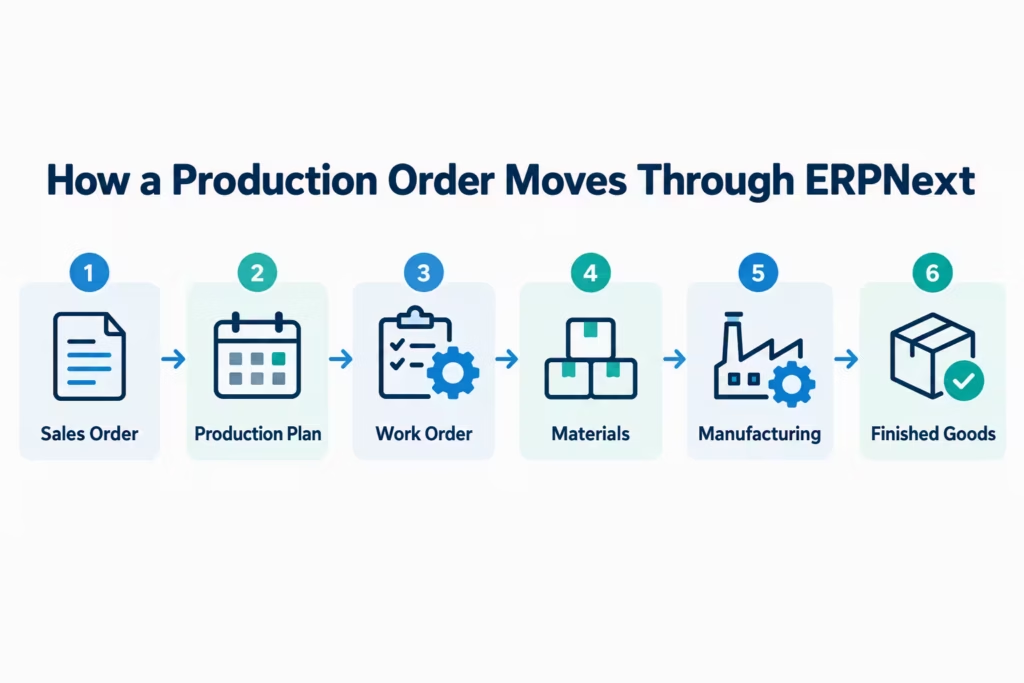
Here is what happens to a single customer order, step by step.
- Demand arrives as a sales order, a delivery schedule or a forecast. Current releases let you create a production plan straight from the sales order.
- The Master Production Schedule and MRP views net demand against stock and open orders, then propose work orders for items you make and material requests for items you buy.
- Work orders are released with components reserved, so another job cannot consume them.
- Materials move from stores to the work-in-progress warehouse or are backflushed later if you chose that method.
- Operators work through job cards, logging time, completed quantity and scrap per operation. The Plant Floor view shows the status of each workstation.
- Quality inspections run on incoming goods, between operations or before delivery, and can block a receipt that fails.
- Finished goods are posted with a manufacture entry that values them from the components and operating cost consumed.
- Costing is reviewed by comparing the BOM cost with the actual cost of each work order.
Every step writes to the same ledger, so the warehouse valuation report and the inventory balance in accounts come from one set of entries.
Costing a Work Order in ERPNext
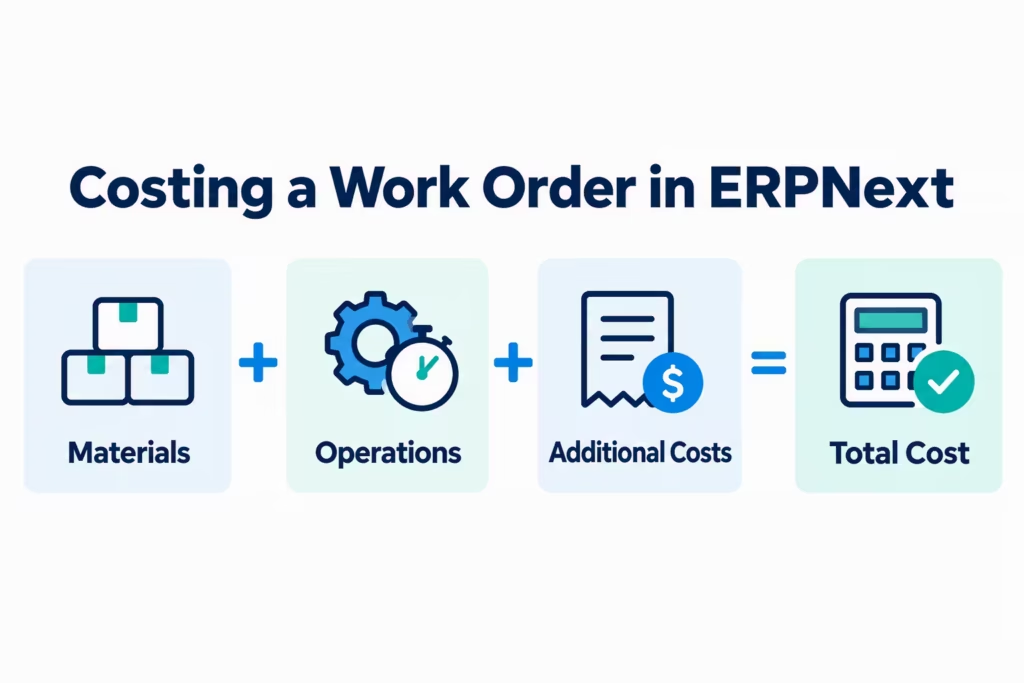
ERPNext gives every BOM a planned cost before the first unit is made. Material lines take their rate from the valuation rate, a price list or the last purchase price, and each operation adds the workstation’s hourly rate multiplied by the operation time. That hourly rate can be split into components such as electricity, rent, consumables and wages.
The actual figure comes from the work order. At the manufacture entry, ERPNext values the output from consumption and operating cost, but whether it uses the quantities really issued or the BOM quantities depends on a Manufacturing Settings choice. Finance should make that decision during design, because it changes the margin a product shows.
| Cost element | Where ERPNext takes it from | Decide before go-live |
| Raw material | Valuation rate, price list or last purchase rate | FIFO or moving-average valuation per item |
| Operations | Workstation hourly rate multiplied by operation time | Rate components for each workstation |
| Scrap and by-products | Scrap items on the BOM, returned to stock at a set rate | Scrap warehouse and scrap valuation |
| Freight and duties | Landed Cost Voucher on receipts | Which receipts carry landed costs |
| Variance analysis | Not split into price and usage natively | A custom report or a BI model |
For most small plants, BOM cost plus the actual cost per work order is enough. If your controller reports standard-cost variances every month, put a variance report in the first phase, or the spreadsheets will come back.
What Version 16 Changed for Manufacturers
Before v16, material planning sat inside the production plan and read only sales orders or material requests, which made longer-range buying awkward. The additions below matter most on a factory floor.
| v16 feature | What it does | Who gains most |
| Material Requirements Planning | Combines forecasts, delivery schedules and lead times in one planning run | Planners buying long-lead materials |
| Master Production Schedule | Shows upcoming production against demand and stock | Plant and operations heads |
| Stock reservation for work orders | Holds materials for a specific job | Plants sharing stock across lines |
| Inward subcontracting | Receives customer-supplied material and manufactures for that customer | Contract and job-work manufacturers |
| Landed costs on subcontracting receipts | Adds freight and duties that arrive after receipt | Firms using outside processors |
| Serial and batch traceability report | Traces finished goods back to raw batches and forward to customers | Food, pharma, automotive and medical suppliers |
Self-hosted sites need a newer server stack for v16, so plan infrastructure work alongside testing. Version 14 reached end of life on 31 January 2026, so plants still running it should move first.
Which Production Types ERPNext Fits
Frappe positions the module for discrete and process production, as well as engineer-to-order work. How well it fits depends on how your products are built.
| Production type | How ERPNext handles it | Watch for |
| Discrete (assemblies, fabrication) | Multi-level BOMs, routings, serial numbers | Deep BOM trees need clean sub-assembly codes |
| Process and batch (food, chemicals, cosmetics) | Batch tracking, process loss, scrap items, quality templates | Formula scaling and potency rules may need custom work |
| Make-to-order and engineer-to-order | BOMs created per sales order, project costing | Engineering change control is light out of the box |
| Contract manufacturing | Inward subcontracting from v16 | Check how customer-owned stock shows in valuation reports |
Discrete and batch producers can usually start on standard ERPNext. Formula-driven plants should try two or three real recipes in the pilot before anyone fixes a go-live date.
Machines, Maintenance and Shop-Floor Data
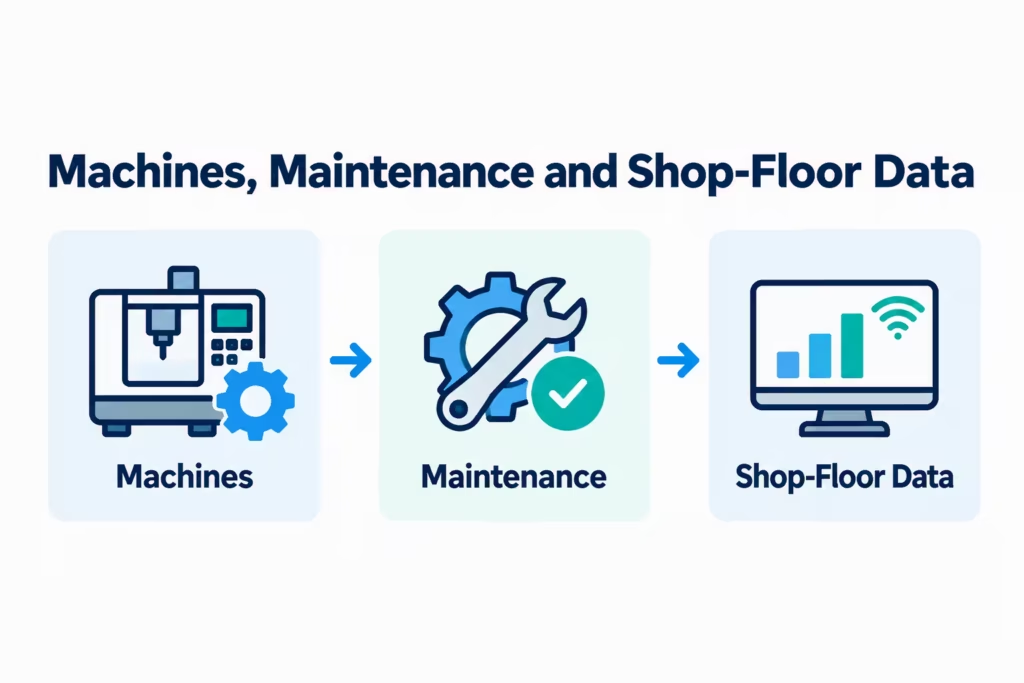
Planners need to know which machines are down or due for service, so it helps when maintenance lives in the same system as production.
- Asset Maintenance holds the tasks, frequency and responsible team for each machine, and generates a log for every due job.
- Asset Repair records the failure, the hours lost and the repair cost, which can be capitalised where it qualifies.
- Downtime Entry logs each stop against a workstation with a reason, so recurring causes show up in reports.
- The Plant Floor screen lays out workstations and shows which are running, idle or stopped.
- Job cards work on low-cost tablets, and barcode scanning speeds up stock transfers and receipts.
OEE (Overall Equipment Effectiveness) is not calculated out of the box; you need a custom report to get it per workstation. Hosting matters too. On a cloud server, an internet outage stops operators recording job cards until the connection returns. Plants with unreliable links either run ERPNext on a local server or add a backup line, and that choice belongs in the design phase.
Automation and AI in ERPNext Manufacturing
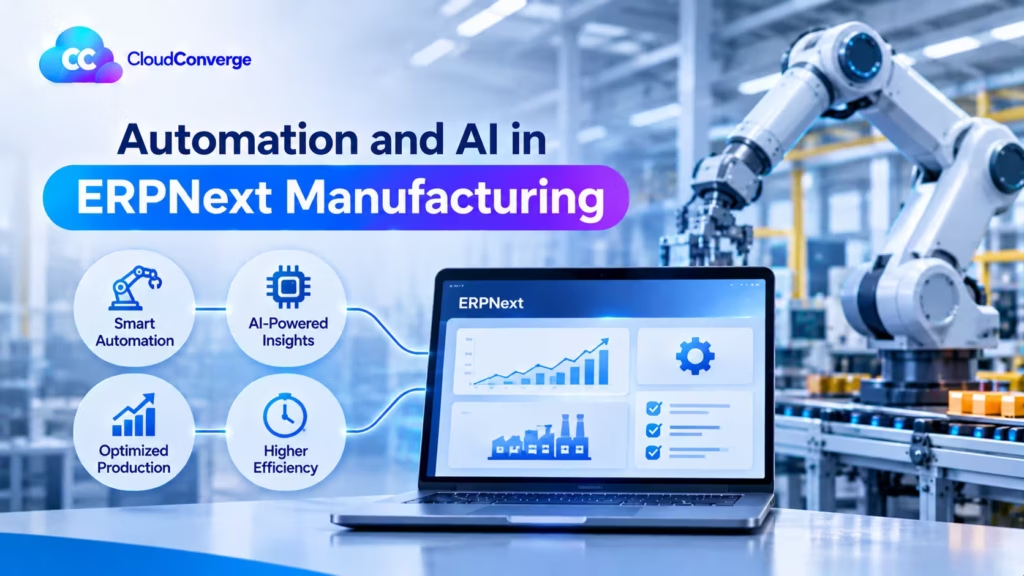
ERPNext has no AI feature you can switch on. It does have rules and scheduled jobs that remove much of the routine paperwork, and an open REST API that AI tools can connect to. Separate those layers before anyone promises AI-driven production, because each one costs a different amount to set up.
| Layer | Examples in a plant | What it takes |
| Built into ERPNext | Material requests raised when projected stock falls below the reorder level; component requests from a production plan; approval steps on purchase orders above a set value; assignment rules that send a failed inspection to a named person; reports emailed each morning | Configuration only |
| Add-on apps | A chat assistant inside ERPNext that answers questions like “which work orders are late this week?”, or a connector that lets Claude or ChatGPT read ERPNext data | Install, set permissions, test |
| Custom AI work | Demand forecasts that feed MRP, alerts when a line’s scrap rate drifts above its usual level, supplier PDFs read into purchase invoices | A data project, usually once a year of clean history exists |
If reorder levels and lead times are not yet set on your items, do that before paying for a forecasting model. It is configuration work, and it usually pays back sooner.
Standard reports, number cards and charts come with the system. Plant measures such as scrap trend and schedule adherence have to be built from job card and stock entry data, either as Frappe Insights dashboards or in your existing Power BI setup.
Any assistant that reads ERPNext should run under the user’s own role, so a storekeeper cannot ask it for payroll figures. Check that, and where the model is hosted, before you connect production data to an outside AI service. For plants in the EU, the hosting question is also a GDPR question.
Running Several Plants or Companies
The setup depends on whether your plants share one legal entity.
If all plants belong to one company, give each plant its own warehouse branch and workstations. Planning can then balance requirements across sites, and transfers between plants are ordinary stock movements.
If they are separate legal entities, each one becomes a company on the same ERPNext site, sharing items, customers and suppliers. Stock cannot move directly between companies, so goods cross through inter-company sales and purchase invoices, which also carry the tax paperwork. Version 16 adds a consolidated trial balance that shows child companies together with automatic currency conversion.
Test inter-company invoicing early when entities use different base currencies, since that combination raises the most questions on the Frappe forum.
Where ERPNext Needs Extra Work
Manufacturers evaluating ERPNext tend to raise four gaps.
- Scheduling optimisation. The production plan scheduler places work inside shifts, holidays and job capacity, which beats typing start times by hand. It is not an advanced planning system that resequences jobs to protect due dates. Plants with many shared machines either add a scheduling app or keep a planner in the loop.
- Machine and sensor data. Job cards depend on people. Reading cycle counts or downtime directly from PLCs or machine controllers is integration work through the REST API.
- Engineering change control. BOMs are versioned, but formal change requests, approvals and effectivity dates need workflow configuration or a custom app.
- Statistical process control. Inspections record readings and pass or fail results, and the Quality Management module adds goals, procedures, reviews and non-conformance records. SPC charts and capability studies usually live in a reporting tool such as Frappe Insights or Power BI.
Each of these can be handled with an add-on, an integration or a manual step. Decide which ones you need at go-live and which can wait for phase two.
ERPNext vs Odoo vs Business Central for Manufacturing
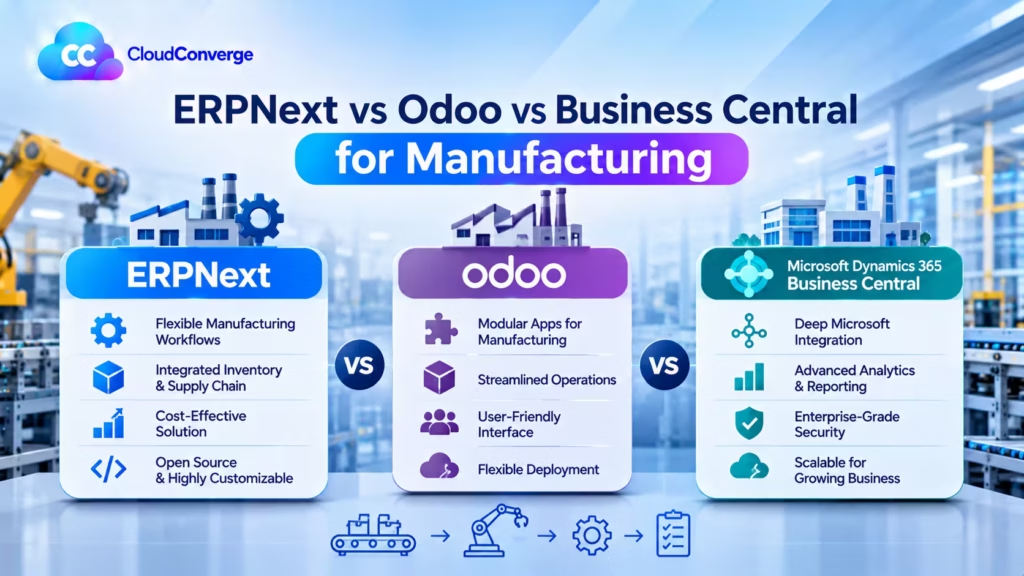
Most shortlists for a mid-sized plant end with these three, and the licence model separates them more than the feature lists do.
| Criteria | ERPNext | Odoo | Microsoft Dynamics 365 Business Central |
| Licence | GPLv3, no user fee | Community free; Enterprise per user per month | Per-user subscription |
| Manufacturing in the base product | BOMs, MRP, job cards, subcontracting, quality inspection | MRP in both editions; PLM, Quality and Maintenance apps on Enterprise | Production orders and planning on the higher licence tier |
| Changes | Any Frappe developer, every module open | Python modules; Studio on paid plans | Extensions built by Microsoft partners |
| Strongest fit | Growing headcount, full code access, Indian GST | Polished interface, many apps from one vendor | Firms standardised on Microsoft 365 and Power BI |
Pick Business Central when your teams already live in Outlook, Excel and Teams, Odoo when a refined interface and app breadth matter most, and ERPNext when user numbers will grow or you want to own every line of code. Cloud Converge implements both ERPNext and Business Central, so the advice is not tied to one licence. Our Odoo vs ERPNext guide goes deeper on that pair.
A Phased Rollout That Keeps the Line Running
The two most common reasons a factory go-live slips are timing it in a peak month and opening with stock counts that don’t match the system. The plan below avoids both.
- Walk each line with its supervisor and record operations, workstations, shifts and where paper is used today.
- Agree item codes, units, warehouses and BOMs for one product family first.
- Run planning, work orders and job cards on a staging site with real orders for a few weeks.
- Count physical stock per warehouse and match quantity and value to the ledger before cut-over.
- Choose a quiet production month and keep the old system read-only for reference.
- Bring in subcontracting, quality inspections and then scheduling once the basics are stable.
Shop floors with few terminals can use our ERPNext Go mobile app for work orders, stock transfers and quality inspections on a phone.
How Cloud Converge Helps Manufacturers on ERPNext
Cloud Converge is an ERPNext partner. Our team runs fit-gap workshops with production, stores and finance, configures BOMs and routings, builds custom Frappe apps for scheduling or machine integration, migrates data from Tally or older systems, and supports the plant after go-live. Manufacturers we have worked with include Helm Boots, where we delivered ecommerce and ERP integration on Shopify Plus, and Rostar Filters, where we implemented Microsoft 365 Business Central.
You can engage us on a fixed-price basis for an agreed scope, as a dedicated team across plants, through agile delivery, or hourly for support. Every engagement has a named Project Manager working with our Project Management Office.
Regional Notes for Europe and Asia
India. GST, e-invoicing with IRN, e-way bills, TDS and TCS are handled by India Compliance, an app maintained by Resilient Tech under GPLv3. Its government API features need a paid account with the provider, so include that in running costs.
Germany and the wider EU. Germany is phasing in mandatory B2B e-invoicing, and a plain PDF no longer qualifies as an e-invoice there. The open-source European e-Invoice app from ALYF converts ERPNext invoices to XRechnung and ZUGFeRD formats, but it does not transmit them over Peppol, so the delivery channel needs separate planning. Confirm the app supports your ERPNext release before relying on it. GDPR applies to employee and customer records in the ERP, so agree the hosting region and sign a data processing agreement with the host.
Southeast Asia and the Gulf. Multi-currency, multi-language and right-to-left layouts are standard. National e-invoicing schemes and local payroll rules are usually covered by community or partner apps, so check that one is actively maintained for your country.
Time-zone overlap. Our delivery team works on India Standard Time (UTC+5:30), which covers most of the European working day and all of Asian business hours.
Find Out If ERPNext Fits Your Plant
You will live with this system for a long time. Before you commit, test ERPNext on your own BOMs and a real month-end close with people who have implemented it. Book your free consultation for a practical assessment, with no obligation.
Need an ERPNext Expert for Your Manufacturing Business?
Get hands-on help with implementation, customization and data migration from certified ERPNext consultants who understand shop-floor workflows.
✓ ISO 27001 & ISO 9001:2015 Certified✓ 70+ Happy Customers
ERPNext for Manufacturing: Frequently Asked Questions
Is ERPNext suitable for small manufacturers?
Yes. A plant with a handful of users can run BOMs, work orders and stock on Frappe Cloud without managing servers. Start with core manufacturing and inventory, then add job cards and quality checks once staff are comfortable.
Does ERPNext support process manufacturing?
It does for many batch producers. Batch tracking, process loss, scrap items and quality templates suit food, chemical and cosmetic plants, while complex formula scaling may need extra setup or bespoke development.
Can ERPNext do finite capacity scheduling?
Partly. It schedules operations within each workstation’s working hours, holiday list and concurrent-job limit, so a machine is not overbooked. Optimising the sequence across many shared machines needs an add-on scheduler or a planner’s judgement.
How much does ERPNext for manufacturing cost?
There is no licence fee. You pay for hosting, implementation, any custom apps and support. The total depends on plants, products, integrations and data quality, and Cloud Converge quotes after a free consultation.
Should we upgrade to v16 before adding manufacturing?
Usually, yes. Version 16 adds MRP, stock reservation for work orders and inward subcontracting, and starting on the current release avoids a second migration soon after go-live.
How long does an ERPNext manufacturing implementation take?
A single company with several departments and a data migration usually needs 3 to 6 months. Multi-plant or multi-country rollouts typically run 6 to 12 months, often in phases. Data quality and the number of custom apps move the date more than anything else.
Can ERPNext calculate OEE?
Not as a standard figure. Job cards, downtime entries and scrap quantities hold the raw data, and a custom report or BI model turns it into an OEE score per workstation.
What happens on the shop floor if the internet goes down?
Cloud-hosted job cards pause until the link is back. A server at the plant or a second connection removes that risk, so pick one during design.
Does ERPNext have built-in AI?
No. It ships with automation such as reorder-based material requests, approval workflows and scheduled reports, but no AI model. Chat assistants and forecasting come from add-on apps or custom work built on its REST API.