

Amazon Web Services (AWS) is an award-winning cloud computing platform offering various services designed to help businesses scale, innovate, and operate more efficiently in the digital era. As more organizations adopt cloud technologies, many are turning to AWS to leverage its power and capabilities; however, migrating to and effectively using its services may prove challenging without expert guidance and resources. That is where AWS Cloud Consulting Services come into play to ease that transition process!
AWS Cloud Consulting Services provides businesses with expert guidance, support, and tailored solutions to navigate their cloud journey successfully. These consulting services are offered by AWS-certified professionals who possess extensive expertise in designing, deploying, and managing AWS environments. Working closely with businesses, they identify individual requirements, objectives, and challenges and formulate tailored strategies to optimize cloud infrastructure while taking full advantage of AWS services.
AWS Cloud Consulting Services offers businesses a powerful way to speed their cloud adoption while ensuring a smooth transition onto the AWS platform. Consultants assist businesses by assessing existing infrastructure, identifying workloads appropriate for migration, and creating comprehensive migration plans. In addition, consultants offer guidance in selecting suitable AWS services while optimizing resource allocation and implementing best practices related to security, scalability and cost optimization.
AWS Cloud Consulting Services provides continuous support and monitoring to help businesses keep their cloud environments secure, resilient, and efficient. Consultants help troubleshoot issues, perform regular maintenance tasks, optimize performance based on ever-evolving business requirements, and offer guidance for DevOps methodologies, automation, and continuous integration/delivery (CI/CD) pipelines to streamline development/delivery processes.
What does an AWS consulting partner do for a growing business?
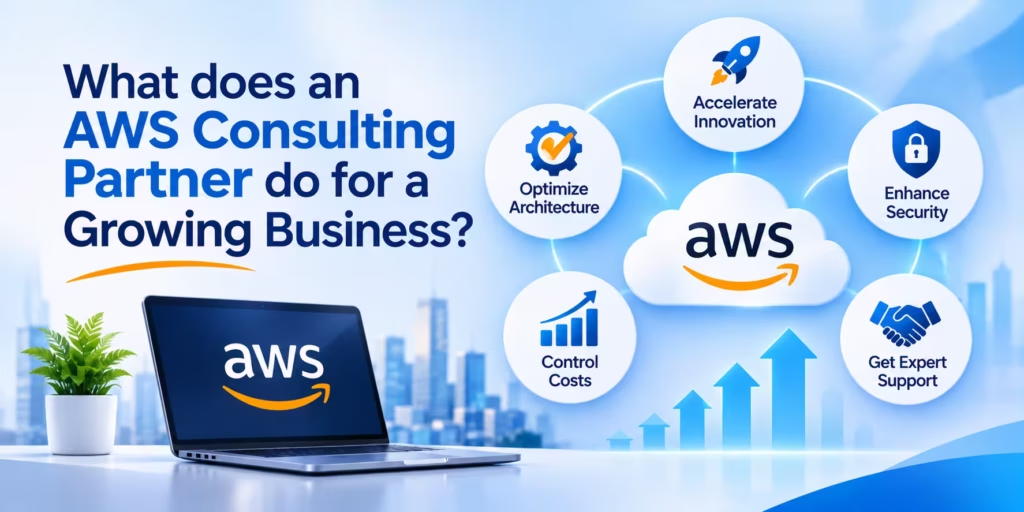
An AWS consulting partner plans, builds, migrates and runs your workloads on Amazon Web Services, so your team does not have to master every service first. For companies of 10 to 250 people, the payoff is fewer expensive mistakes in security, architecture and billing. Cloud Converge, an AWS Advanced Consulting Partner, starts with a free 30-minute assessment.
- What it is: AWS cloud consulting is outside expertise for planning, migrating, securing and operating workloads on AWS.
- Who it suits: businesses with 10 to 250 staff running servers in an office, a data center or another cloud, without a full-time cloud engineer.
- What is included: readiness assessment, secure account foundation, workload migration, cost review and ongoing support.
- How we work: fixed-scope project, monthly retainer or on-demand consulting.
- Proof: AWS Advanced Consulting Partner, ISO 27001 and ISO 9001:2015 certified, 100+ projects delivered for 70+ customers.
- Data location note: you choose the AWS Region where your data lives, but local privacy and sector rules still govern how you configure it (AWS shared responsibility model).
How it works
- Discovery: list servers, applications, monthly costs and who has access to what.
- Roadmap: decide what moves, what stays and what retires, with an estimated run cost.
- Foundation: create accounts, networking, identity controls and guardrails.
- Migration: move workloads in small, tested waves.
- Handover: document, train your staff, then agree ongoing support or a clean exit.
What AWS Cloud Consulting Covers and Who Delivers It
AWS cloud consulting is paid, expert help to plan, build, move and run workloads on Amazon Web Services. Most of it comes from independent firms in the AWS Partner Network. AWS also sells its own Professional Services team, which mostly works on large programs.
For a company of 10 to 250 people, the work usually falls into four buckets:
- Plan: decide which applications move, in what order, and what the monthly bill will look like afterward.
- Build: set up accounts, networking, identity and security guardrails (often called a landing zone) before anything moves.
- Move: migrate servers, databases and files through tested cutovers.
- Run: monitor, patch, back up and tune costs every month, or train your own staff to do it.
A good engagement leaves behind documents and infrastructure code your team owns, not a dependency on the consultant. Cloud Converge is an AWS Advanced Consulting Partner and delivers all four stages.
Types of AWS Cloud Consulting Services
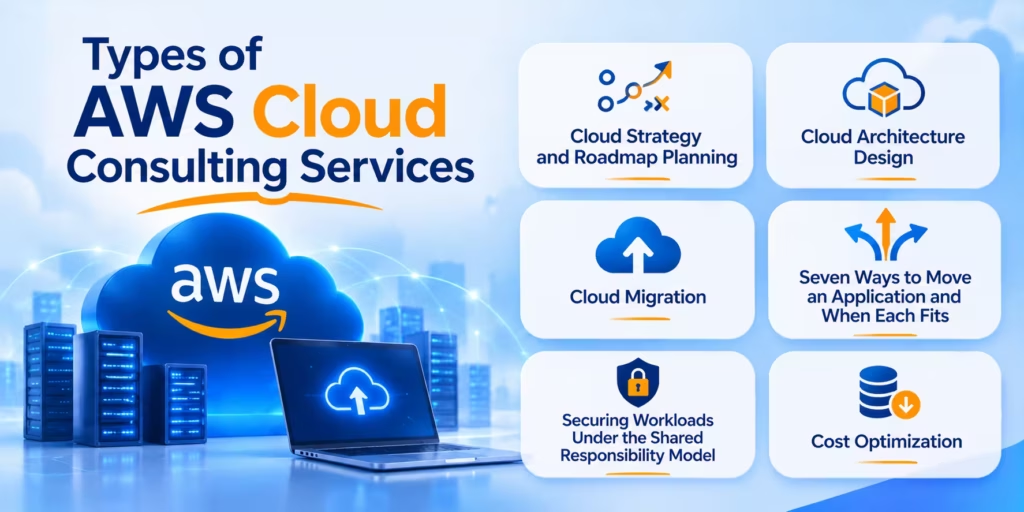
Discover all the AWS cloud consulting services available and how they can benefit businesses.
Cloud Strategy and Roadmap Planning
One of the first steps toward adopting AWS cloud implementation solutions is defining an in-depth cloud strategy and roadmap. AWS consultants work closely with organizations to understand their business goals, evaluate existing IT infrastructure, and design a tailored cloud strategy specifically for them. Furthermore, AWS cloud consultants assist organizations in determining which applications and workloads would make ideal candidates for migration to AWS, prepare an actionable migration plan, and build an adoption roadmap to ensure successful cloud adoption.
Cloud Architecture Design
A scalable and efficient cloud architecture design is key to realizing all the benefits offered by AWS. AWS cloud consulting services specialize in developing cloud architectures tailored specifically to an organization’s requirements; these experts also assist them in selecting appropriate services from AWS, creating fault-tolerant and highly available systems, optimizing performance, and implementing appropriate security measures.
Cloud Migration
Migrating existing applications and workloads to Amazon Web Services (AWS) can be a complex undertaking, which is why AWS cloud consultants provide organizations with guidance in planning and executing an efficient migration process. AWS consultants evaluate feasibility for migration; determine the best approach (lift-and-shift, re-platforming or rearchitecting); minimize downtime during data transfer; ensure compatibility with AWS services these all help ensure a successful process.
Seven Ways to Move an Application and When Each Fits
AWS groups migration choices into seven strategies, often called the 7 Rs (AWS Prescriptive Guidance). Each application gets its own verdict; a single label for the whole estate is how budgets slip.
- Retire: switch off what nobody needs. AWS suggests flagging applications that average under 5% CPU and memory use, and reviewing those between 5% and 20% over 90 days.
- Retain: keep it where it is for now, because of data-residency rules, unresolved dependencies, hardware with no cloud equivalent, or a vendor SaaS version still on the way.
- Rehost: lift and shift without code changes. The quickest path for most servers.
- Relocate: move VMware-based infrastructure at the hypervisor level, with no new hardware or rewrites.
- Repurchase: replace the application with a different product, often SaaS.
- Replatform: make small changes to gain managed services, such as moving a self-run database onto Amazon RDS.
- Refactor: redesign for cloud-native features. The most complex option, and one AWS does not recommend for large migrations.
A sensible default for a small portfolio: retire first, rehost or replatform the rest, and leave refactoring until each workload is stable on AWS. Redesigning and moving at the same time doubles the number of things that can break on cutover night.
Securing Workloads Under the Shared Responsibility Model
AWS secures the cloud itself: data centers, hardware, network and the virtualization layer. You secure what you put in it: data, user permissions, operating system patches on virtual servers, firewall rules and encryption settings. AWS describes this split as security “of” the cloud versus security “in” the cloud, and your share depends on the services you pick. A managed database such as Amazon RDS takes OS patching off your list. A self-managed EC2 server does not.
The weak spots in small AWS setups sit on the customer side: broad IAM policies, access that was never reviewed, and services configured separately with no one checking how they connect. Security work from a consultant should start here:
- Protect the root account with MFA and stop using it for daily tasks.
- Replace long-lived access keys with roles and single sign-on.
- Turn on activity logging (AWS CloudTrail) and threat detection (Amazon GuardDuty) in every account.
- Encrypt data at rest and in transit by default.
- Map your industry and data-protection obligations to specific controls, then document them for auditors.
One point buyers often miss: AWS’s own certifications cover its infrastructure, not your configuration. Your auditor will still ask about yours.
Cost Optimization
AWS offers multiple pricing models and services, making cost optimization arduous. AWS cloud consulting services offer organizations cost optimization strategies and tools to ensure they use AWS resources efficiently; their strategies analyze usage patterns, identify cost-cutting opportunities, make recommendations regarding right-sizing instances as needed and assist organizations with setting up cost monitoring frameworks.
Line Items That Surprise First-Time AWS Buyers
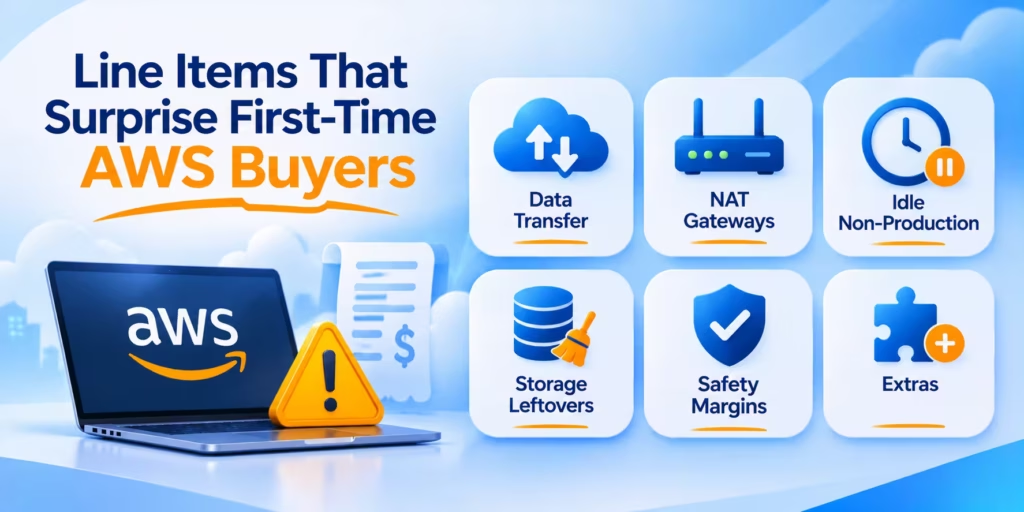
Most bill shocks come from charges nobody modeled before the move. Ask your consultant to estimate each of these in the AWS Pricing Calculator before signing off a design:
- Data transfer: traffic leaving AWS for the internet, and traffic between Regions, is billed separately from compute.
- NAT gateways: private servers reaching the internet through one pay per hour and per gigabyte processed.
- Idle non-production: test and staging environments left running nights and weekends.
- Storage leftovers: old snapshots, unattached disks and log groups with no retention limit.
- Safety margins: instances sized generously at migration and never reviewed.
- Extras: support plans and AWS Marketplace software appear as their own charges (AWS budget filters).
The fix is rarely dramatic. Schedules that stop non-production overnight, retention rules on logs and a rightsizing pass 60 days after go-live usually cover the largest gaps
DevOps and Automation
DevOps practices and automation are crucial to streamlining software development and deployment processes. AWS cloud consulting services help organizations adopt DevOps principles through AWS services such as CodePipeline, CodeDeploy, and CloudFormation. Using them as part of their DevOps approach enables organizations to adopt continuous integration/continuous deployment pipelines while automating infrastructure provisioning and optimizing development lifecycle processes.
Big Data and Analytics
AWS offers an impressive range of services for processing and analyzing large datasets. AWS cloud consulting services enable organizations to take full advantage of them effectively for big data and analytics use cases. Their experts assist organizations with data lake architecture design, data ingestion, transformation, and implementation of analytics frameworks such as Amazon Redshift, Athena, and AWS Glue implementation, as well as helping gain insights from data and create visualization dashboards.
Managed Services and Support
Maintaining AWS infrastructure requires significant resources. AWS cloud consulting services offer managed services and ongoing support to ensure smooth operations. They offer 24/7 monitoring, incident management, performance optimization and regular system updates as part of these managed services. Other managed services include managing resources efficiently while monitoring application performance or handling backups and disaster recovery plans.
The Role of AWS Cloud Consulting Services in Seamless Cloud Adoption
Amazon Web Services (AWS) has become the market leader in providing cloud infrastructure and services, empowering businesses to take full advantage of cloud technologies. However, migrating can be an overwhelming and complex process, which is why AWS cloud consulting services play an integral part in ensuring a smooth transition. This article examines their various methods of supporting cloud adoption.
Expert Guidance and Strategy Development
AWS cloud consulting services provide organizations expert guidance and strategy development throughout their cloud adoption journey. Businesses gain access to experienced cloud consultants who understand the nuances of the AWS ecosystem. Together with organizations, they collaborate closely on creating a personalized cloud strategy suited specifically for their requirements and objectives – this may involve assessing existing infrastructure, identifying workloads suitable for migration and creating an adoption roadmap – this service significantly decreases risks and uncertainties associated with cloud migration.
Reviewing Workloads That Are Already Running
Many businesses call a consultant after AWS is already in use: a few EC2 instances set up in a hurry, a database with no tested backup, a bill nobody can explain. That calls for a review, not a redesign.
AWS publishes the Well-Architected Framework for this purpose. It rests on six pillars (operational excellence, security, reliability, performance efficiency, cost optimization and sustainability) and gives a set of questions to test each workload against. A useful review ends with three things: a ranked list of high-risk findings, an owner for each, and a date to fix it.
Expect trade-offs: AWS itself notes that a test environment might accept lower reliability to save money, while security and operational excellence are rarely traded away. A reviewer who never mentions trade-offs is reading from a checklist.
Cutover Day: Testing, Rollback and Parallel Runs
Migrations seldom fail while data is copying. They fail at cutover, when an unmapped dependency or a hard-coded address shows up in production. Treat cutover as its own small project:
- Rehearse: run a full test migration of each wave into a staging account, and time it.
- Freeze: agree a change-freeze window with the business, and warn customers if they will notice.
- Sync: keep source and target data in step until the switch, so cutover is a short DNS change rather than a long copy.
- Decide: write go or no-go criteria in advance, such as matching record counts, error rates and response times.
- Roll back: keep the old environment intact until an agreed stable period has passed.
- Hand over: update runbooks, monitoring alerts and on-call contacts the same day.
Tagging, Budgets and Clear Cost Ownership
Runaway AWS spend is usually an ownership problem. If no one owns a resource, no one switches it off. Three habits fix most of it:
- Tag at creation. Label every resource with owner, environment and project. User-defined tags must be activated as cost allocation tags before AWS Budgets and Cost Explorer can filter by them.
- Budget per team. Set a budget for each account or team, with alerts before the limit is reached, not after.
- Review monthly. A short call where each owner explains their line of the bill catches drift early.
Separate production, staging and sandbox into their own accounts under AWS Organizations, so a forgotten experiment cannot hide inside the production bill. Commit to Savings Plans only once usage is stable.
Ongoing Support and Training
AWS cloud consulting services provide organizations with continuous support and training on their journey into cloud services. A team of qualified professionals is on hand to address any challenges during cloud operations; AWS consultants offer proactive monitoring, troubleshooting, and optimization services to maintain secure environments with high-performance levels. In addition, AWS consultants offer training sessions designed to equip internal teams with the skills required for managing and operating a successful infrastructure effectively.
Assessing Cloud Readiness and Planning in Seamless Cloud Adoption
Migrating to the cloud requires careful consideration and assessment of an organization’s cloud readiness; in this article, we’ll review key points to remember when conducting such analysis and planning for the seamless adoption of cloud technologies.
Understand Business Objectives
Before embarking on the cloud adoption journey, an organization’s cloud strategy must align with its business objectives. Understanding your desired outcomes of cloud migration will assist with choosing appropriate services and technologies from which to deploy cloud migration initiatives.
Assess Existing Infrastructure
Assessing existing IT infrastructure is vital to evaluating its compatibility with cloud services, from hardware and software evaluation, networking connectivity and security measures, and identifying bottlenecks or limitations in current infrastructure that will aid in planning necessary upgrades or modifications before migrating onto the cloud.
Security and Compliance Considerations
Cloud storage services must comply with data privacy regulations or industry-specific standards to be considered compliant services. Conducting an in-depth security evaluation to identify vulnerabilities and risks is of utmost importance when moving sensitive information or applications to the cloud, as is conducting an assessment to identify any potential vulnerabilities and risks. Compliance requirements such as data privacy rules or industry standards must also be considered to ensure services comply with necessary rules.
Cost Analysis
Cloud migration can result in cost savings, but it is vital to conduct an exhaustive cost analysis to realize these potential gains. This should involve evaluating the total cost of ownership (TCO), including upfront and ongoing maintenance expenses and savings from scaling capabilities or pay-as-you-go models. Financial implications will enable organizations to make educated choices regarding cloud service providers and deployment models.
Assessing Workload Suitability
Not all workloads are suitable for cloud deployment. Analyzing each workload’s characteristics, such as performance requirements, data sensitivity and interdependencies, is vital in selecting an ideal deployment approach for each workload – such as public or hybrid/private clouds for some.
Resource and Skills Assessment
Transitioning to the cloud may require additional resources and specialized skills. Assessing internal capabilities and any skills gaps will help your organization determine whether hiring or training IT personnel is required for migration to occur smoothly. Partnering with a cloud service provider or consulting firm will give you access to experienced consultants to support you during this transition process.
Create a Migration Plan
A thorough migration plan is critical to ensure an orderly transition to the cloud. It must include a sequence of workloads, realistic timelines and an emergency contingency plan in case any unforeseen issues arise during implementation. Furthermore, data migration strategies, testing procedures and user training must be considered to minimize disruption to business operations.
Preparing Your People for New Ways of Working
Cloud changes who does what. The person who racked servers now writes infrastructure code. The finance lead now reviews a variable monthly bill instead of approving a hardware purchase. Plan for that shift:
- Name an internal owner for the AWS environment before work starts, even if the role is part-time.
- Tell staff what will change for them, when, and who to call on cutover day.
- Train in layers: console basics for everyone who touches it, deeper skills for the one or two people who will run it.
- Write runbooks for routine tasks (restore a backup, add a user, scale a service) during the project, not after it.
If you would rather not build that team yet, AWS cloud management services can cover daily operations while your staff learn.
Performance Monitoring and Optimization
Once migrating to the cloud, ongoing performance monitoring and optimization are necessary for optimal performance. Establishing key performance indicators (KPIs) and monitoring tools will enable organizations to identify any performance bottlenecks or potential areas for improvement. At the same time, regular reviews of resource usage and cost will optimize resources while controlling expenses.
Continual Evaluation and Improvement
Evaluation and Enhancement Cloud adoption is not a one-off event but should be seen as an ongoing journey. Review of cloud environments, user feedback and emerging technologies is crucial to ensure the cloud strategy meets an organization’s changing needs and remains compliant with regulatory changes. Organizations can maximize benefits by staying informed and adapting as changes arise while remaining competitive.
Choosing the Right AWS Cloud Consulting Partner for Seamless Cloud Adoption
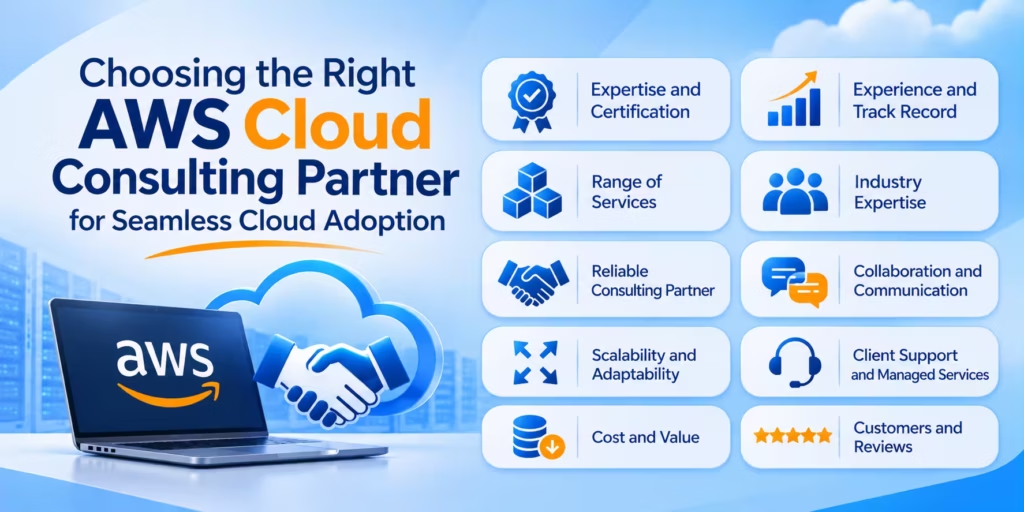
Below are a few key points when selecting an AWS cloud consulting partner.
Expertise and Certification
One of the primary factors to keep in mind when selecting a consulting partner is the expertise and certifications of said partner. AWS offers various certifications, including AWS Certified Solutions Architect, Developer, and SysOps Administrator. Look for partners with strong teams of certified professionals with in-depth knowledge of AWS services and best practices.
Experience and Track Record
Assess your consulting partner’s track record in successfully implementing AWS projects. Request case studies or references from their previous clients to understand their capabilities and any projects they have worked on. An experienced partner should have extensive experience successfully handling complex cloud migration, application development, and infrastructure optimization projects.
Range of Services
Consider The Services Offered by Consulting Partners. A consultant should offer comprehensive services throughout all stages of cloud adoption – from initial planning through ongoing management. Ensure they can offer services for every aspect, such as strategy development, architecture design, migration planning and implementation, ongoing support and optimization services.
Industry Expertise
Each industry has specific requirements and compliance standards, so when selecting a consulting partner, finding someone with experience in your specific industry is essential. They should understand both challenges and opportunities that your organization faces while being capable of providing effective solutions within it. Industry-specific knowledge ensures your partner can develop AWS solutions tailored to your organization’s business requirements.
Reliable Consulting Partner
An effective consulting partner must have a well-developed methodology for cloud adoption. You should inquire into their approach to planning, migration and ongoing management – these will all play an integral role in ensuring best practices, mitigating risks and producing consistent results are adhered to and utilized effectively by their partner. In addition, robust frameworks and tools should also be in place that accelerate this process.
Collaboration and Communication
Collaboration and Communication are at the core of any successful partnership. Your consulting partner must be responsive, proactive, and possess excellent communication skills – they should listen carefully to your requirements, understand your business objectives, and collaborate closely with your team in developing an individualized cloud strategy. Regular updates, progress reports and open channels of Communication ensure a smooth engagement.
Scalability and Adaptability
Your consulting partner should be capable of scaling their services according to your organization’s needs, from small startups to large enterprises. They should have the capacity and agility necessary to handle projects of various sizes and complexity and adapt to changing requirements quickly enough to provide agile solutions that grow with your business.
Client Support and Managed Services
Cloud adoption is an ongoing journey, so inquire about a partner’s post-migration support and managed services offerings after the initial migration. A reliable partner should offer 24/7 support, proactive monitoring, regular maintenance and continuous optimization to keep your AWS environment secure, reliable and cost-effective.
Cost and Value
While cost should not be the sole deciding factor when selecting a consulting partner, you must consider their pricing structure and value proposition. Compare partners’ service packages against your budget to ensure they offer adequate value. Investing in an established and reputable partner may result in greater long-term efficiency and success.
Customers and Reviews
Finally, gather feedback from other customers or review online reviews to assess a consulting partner’s reputation and satisfaction level. This can provide valuable insights into their strengths, weaknesses and overall customer experience; positive testimonials often indicate that a partner is reliable and trustworthy.
Questions to Put to Any AWS Partner Before You Sign
Certificates show a partner passed exams. These questions show how it will treat your business:
- Who will actually do the work, and can we meet them before signing?
- Can we verify your partner tier and certifications in AWS’s own partner directory?
- Whose AWS accounts will hold our workloads, and who keeps the root credentials?
- Will you build infrastructure as code (CloudFormation or Terraform) that we keep?
- On a fixed-scope project, how are change requests priced and approved?
- What does handover include: diagrams, runbooks, training hours?
- Could our migration qualify for AWS programs such as the Migration Acceleration Program, and who handles the paperwork?
- How will you report our AWS spend during and after the project?
- If we end the contract, what is the notice period and how is access handed back?
- Can you share a reference from a company of our size?
One red flag outweighs the rest: a partner that wants to run your workloads inside its own AWS account. The accounts, data and code should be yours from day one.
Is AWS Consulting the Right Call for Your Business Right Now?
Outside help pays off when a deadline or a risk is forcing a decision. It is a weak buy when nothing is broken and nothing is due.
Good reasons to bring in a partner
- Server hardware or a hosting contract is close to end of life.
- A customer, investor or auditor is asking for security evidence you cannot produce.
- The AWS bill keeps rising and nobody can explain why.
- You are serving customers in new markets and need faster response times there.
- No one on staff has run production workloads on AWS before.
When it is the wrong hire
- Your business already runs entirely on SaaS (email, accounting, CRM) and owns no servers.
- You host one static website; simpler, cheaper hosting exists.
- Key software is licensed only for on-premises use or tied to specialized equipment.
- You need cloud skills full time for years. Hire, and use a partner for peaks and reviews.
Traditional Hosting vs AWS: What Changes for a Small Team
On-premises still wins on predictability for steady workloads; AWS wins wherever demand, location or the pace of change varies.
| Criteria | On-premises or colocation | Lift and shift to AWS | Cloud-native on AWS |
| Upfront spend | Hardware bought in advance | Little hardware; migration effort | Little hardware; more engineering effort |
| Billing pattern | Fixed and predictable | Monthly, based on usage | Monthly, closely tracks usage |
| Adding capacity | Order, ship and install hardware | Resize or add instances | Scales automatically by design |
| Patching and upkeep | Your team, every layer | Your team for the OS; AWS for hardware | Mostly handled by AWS managed services |
| Time to first result | Weeks to months for new kit | Fastest route onto AWS | Slowest; needs redesign |
| Skills required | Traditional system administration | Sysadmin plus AWS fundamentals | Cloud architecture, infrastructure code, DevOps |
Our recommendation: keep on-premises for stable systems bound to local hardware or licensing. Rehost when a hardware refresh or data center exit sets the deadline. Move to cloud-native for the products you change most often, once they already run on AWS.
Understanding Cloud Adoption and its Benefits
Explore the concept of cloud adoption and discover its various advantages.
Definition of Cloud Adoption
Cloud adoption refers to moving an organization’s IT resources, including applications, data storage, and computing power, to virtual environments hosted and managed remotely via cloud service providers like Amazon Web Services (AWS), Microsoft Azure or Google Cloud Platform. Businesses using these solutions can move away from physical infrastructure limitations while tapping the power of virtualized environments for their operations.
Cost Savings
One of the primary factors driving cloud adoption is its potential cost-cutting benefits. Traditional IT infrastructure requires significant initial investments for hardware, licenses and maintenance; on the other hand, cloud computing works on a pay-as-you-go model where organizations only pay for what resources they consume this allows businesses to allocate budgets more effectively while eliminating capital expenditures.
Scalability and Flexibility
Cloud adoption provides unparalleled scalability and flexibility. On-premises systems often make scaling resources time-consuming and expensive; by contrast, cloud solutions allow organizations to quickly scale resources up or down based on demand – this elasticity ensures businesses can accommodate sudden spikes in traffic or adjust resource allocation according to fluctuating workloads for an agile and responsive experience.
Enhanced Collaboration and Productivity
Cloud adoption fosters improved team collaboration regardless of geographical boundaries. Cloud applications facilitate real-time file sharing, document collaboration and instant Communication resulting in increased productivity and efficiency for organizations. Remote employees can access shared resources easily while working seamlessly together, allowing organizations to use a global talent pool to increase competitive advantage.
Built-In Resilience, and the Part You Still Configure
AWS builds each Region from several physically separate Availability Zones (AWS global infrastructure). A workload spread across two zones can keep running if one fails, which is hard for a small company to match in its own server room.
That protection only applies if you design for it. A database on one instance in one zone is no safer than a server in your office. Before go-live, agree two numbers with the business: how much data you can afford to lose, and how long you can afford to be offline. Then restore a backup and time it. An untested backup is an assumption, not a plan.
Less Hardware to Run, Not Less Accountability
Moving to AWS removes the work tied to physical kit: buying servers, swapping disks, managing power and cooling, and guessing capacity years ahead. Managed services such as Amazon RDS, AWS Lambda and Amazon S3 remove more, including OS patching for those services.
Accountability does not move. You still decide who has access, how data is classified, what gets backed up and how much you spend. The real gain for a small team is time: fewer hours on maintenance, more on the product. Firms that assume otherwise usually find the gap during their first audit or incident.
Innovation and Competitive Edge
Cloud adoption allows businesses to capitalize on cutting-edge technological innovations without significant upfront investments. Cloud providers continuously offer new services and features, allowing organizations to experiment, innovate, and bring products faster to market. Embracing cloud solutions also gives businesses an edge by adapting quickly to changing customer demands and market trends – helping ensure competitive advantage is maintained over time.
Green Computing
Cloud computing contributes to environmental sustainability by optimizing resource use. Traditional on-premises infrastructure often leads to overprovisioning and underutilized resources and energy wastage. Cloud platforms optimize resource allocation by allowing multiple organizations to share infrastructure while reducing energy consumption – this reduces carbon footprints and enables organizations to align themselves with their environmental sustainability goals.
Global Reach
Cloud adoption helps businesses expand their geographic reach. Thanks to data centers throughout the globe, cloud service providers offer low-latency access to resources from virtually anywhere – giving businesses quick and easy entry into new markets quickly while catering to customers in various regions without incurring physical infrastructure setup costs in each location.
Continuous Innovation and Support
Cloud service providers prioritize ongoing innovation and support for their customers. Their investments in research and development ensure their platforms align with emerging technologies and industry best practices – so organizations utilizing cloud services can take advantage of any latest advancements while receiving prompt technical assistance when required.
Proving the Move Worked: Metrics to Track Before and After
Without a baseline, nobody can say whether the migration paid off. Record these for at least one full month before the move, then compare at three and six months after:
- Monthly infrastructure cost per environment, and per customer or order where possible.
- Share of AWS spend tagged to a named owner.
- Deployment frequency, and time from code commit to production.
- Time to restore a system from backup, measured in a real test.
- Unplanned downtime minutes per month.
- Age of the oldest unpatched server.
- Hours per week your team spends on maintenance.
For context, AWS reports an average of 31% infrastructure savings among customers migrating legacy applications (AWS MAP). Treat that as a vendor benchmark; your own baseline is the number that matters.
Where to Go from Here
AWS can cut the effort of running IT and make growth easier to absorb, but only when the setup is planned, secured and owned. The safest order for a growing business is assess what you run today, retire what does not need to move, build a secure foundation, migrate in tested waves, then review cost and reliability on a fixed schedule.
A consulting partner earns its fee by shortening that path and leaving your team able to run what was built. If you are unsure where your environment stands, a short assessment is the lowest-risk first step
Frequently Asked Questions
How much do AWS consulting services cost for a small business?
Cost depends on scope and the engagement model: a fixed-scope project, a monthly retainer or on-demand hours. Cloud Converge publishes typical ranges for each model on its AWS consulting page. A free 30-minute assessment leads to a written quote for your environment.
How long does an AWS migration take?
Cloud Converge’s published guide puts an architecture or cost review at one to two weeks, and a migration at six to sixteen weeks. The number of applications and how tightly they depend on each other decide where you land in that range.
Do I need an AWS partner, or can my own IT team handle it?
A capable team can run a small move alone if it has AWS experience and spare time. Most businesses under 250 staff have neither, so a partner sets up the foundation and migrates the first wave while staff learn alongside. After that, many teams run day-to-day operations themselves.
Will my data stay secure and compliant on AWS?
AWS secures its infrastructure, and you remain responsible for access, encryption and configuration. A partner sets those controls up and documents them so you can show an auditor. Compliance follows from how the environment is configured and run, not from the platform alone.
Who owns the AWS account and infrastructure when the project ends?
You should, from the first day. Insist that workloads run in accounts registered to your company, with infrastructure written as code you keep, so changing partners never means rebuilding.
What support is available after go-live?
Cloud Converge offers a monthly retainer for monitoring, optimization and advisory work, or on-demand hours for specific questions. Some clients take over fully after handover, using the documentation and training provided during the project.